DeepSeek Harness web UI: folded text, blank, KaTeX, 404
DeepSeek Harness (DSH)'s web UI has a class of failures that is peculiar: it does not error and does not crash, it is just the content that is wrong—something you said disappears, the whole screen suddenly goes blank, the page freezes, the colors are off, amounts turn into formulas, image previews 404. This batch of discussions has nine of them, and they sort into four stretches—"hiding content → blank screen → highlighting and formulas → path escaping": turn folding hides prose written before a tool call together with the final answer (the fold decision misses the "answer part" dimension); scroll folding blanks the whole viewport (the scroll position does not move during folding and the height is reserved once at the bottom; fixed in 0.2.1-alpha.3); the slot error boundary turns a plugin render exception into a blank with no notice (and an icon rename makes third parties hit it more easily); on the highlighting side there is the Go grammar's exponential backtracking (the synchronous regex engine freezes the main thread) and a diff theme missing variables (added/removed lines the same color); on the formula side a single dollar sign swallows amounts and a multi-line formula block swallows following prose; and on the path side a Windows backslash is eaten by Markdown escaping, making a generated image's preview 404 (#9616, #9341, #9684, #9080, #9267, #9480, #9184, #9619, #8806).
DSH plugin folding hides content: prose and the final answer treated as "process material"
One-line conclusion: the fold decision only looks at "is this a process member" and forgets to exclude "the answer part", so the prose written before a tool call and the final answer are collapsed along with the process—and switching the view mode or clicking the fold control verifies this immediately. The two symptoms belong to the same decision (#9616, #9341).
DSH plugin diagnosis: verify with "it is visible once expanded"
- Prose before a tool call gets swallowed: in a completed turn, the paragraph the model said before calling a tool is invisible by default, and only appears when you click the fold control (#9616).
- The final answer is folded into the thinking area: after a streaming response completes, the final answer is tucked into the "thinking/process" area, so users easily think the turn had no answer (#9341).
- Common diagnosis: switching to a non-folding view (detailed/per-step) makes all the content visible → it is a fold-decision problem, not content that was never generated (#9616).
DSH plugin how the two mechanisms differ
| Symptom | Mechanism | Source |
|---|---|---|
| Prose before a tool call gets swallowed | The splitting stage already recognized it as the answer part, but the folding side still treats it as process material; the only exemption is given to the final answer step | #9616 |
| The final answer is folded into the thinking area | "Whether to hide the process" uses only one dimension and does not exclude "answer content"; in a streaming scenario a node's start index is always smaller than the final message index, so the answer is always judged a process member | #9341 |
DSH plugin three-step handling
- User-side workaround (immediately available): switch to the non-folding view mode, or click the "Completed, Ns" fold control (#9341).
- Fix direction one (the prose entry): add "the answer part does not participate in folding" to the fold decision, covering the prose before a tool call (#9616).
- Fix direction two (the answer entry): make the "process member" and "answer content" checks mutually exclusive, and add a regression case for "first fragment index smaller than the final event index"—because this combination is not covered by the tests (#9341).
- Verify: after the change, rerun a turn that "speaks first → calls a tool → then gives an answer" and expect all three parts to survive in the default view (#9616).
DSH plugin fully blank screen: scroll folding and the slot error boundary
One-line conclusion: this group of "fully blank screen" cases never loses data—one comes from the scroll-fold path (data present, bottom-bar count normal, recovered by refresh) and the other from the slot error boundary rendering only an empty container (a plugin render throw blanks the whole region). Both can be told apart by first checking whether the data is there.
DSH plugin scroll folding blanks the whole viewport (fixed in 0.2.1-alpha.3)
One-line conclusion: on the generic fold path the scroll position does not move with the content, and the collapsed height is reserved once at the bottom; when the folded region is exactly above the reader, the body text is pushed out of the viewport—looking like a "fully blank screen", but the data is all there (the bottom-bar count is normal) and a refresh restores it. The trigger is narrower than you'd think (#9684):
- Diagnosis: a fully blank screen + a normal bottom-bar count + recovery after refresh; unrelated to switching models (#9684).
- Easily triggering scenarios (four listed in the discussion): sending locally with no echo (sending in another tab), a sidebar child session, queued messages, and a human send after a parent message wakes multiple child turns (#9684).
- Handling: upgrading to 0.2.1-alpha.3 fixes it (the community verified that the four fix commits are only included from alpha.3 on, and attached end-to-end cases covering the four scenarios); without the upgrade, the workaround is to refresh the page or turn off a setting like "collapse on next message" (#9684).
DSH plugin the settings page goes fully blank: the error boundary renders only an empty container
One-line conclusion: SlotErrorBoundary renders only an empty container on a hit, so a plugin render exception becomes "a whole region blank with no notice at all"; and the plugin icon was renamed in some version (dropping the size suffix), so third parties that hard-coded the old name get undefined and trigger the render error directly—so the defect is amplified into "the plugin's settings page is all white". (#9080)
- Diagnosis: the console shows a log like
slot entry crashed in 'settings.section'; the page is only blank (#9080). - Plugin-side workaround (third parties can do it): write an icon compatibility layer—fall back to the old name when the new one is missing, and render empty when neither is found (#9080).
- Upstream improvement direction: the error boundary needs a visible fallback (not an empty div), rate-limiting for repeated crashes, and a compatibility alias kept when the icon is renamed (#9080).
- Verify: after fixing the compatibility layer, reopen the settings page and expect it to render; the console no longer spams the same slot-crash log (#9080).
DSH plugin highlighting and formulas: freezing, no color, swallowed prose
One-line conclusion: this whole "wrong content" group lives in the rendering layer's highlighting and formulas—the Go grammar's exponential backtracking freezes the main thread, a diff theme missing variables makes added/removed lines the same color, a single dollar sign typesets amounts as formulas, and a multi-line formula block swallows the following prose. Each can be verified quickly by "changing the language tag / the parser option / the written form".
DSH plugin Go code blocks freeze scrolling (catastrophic backtracking)
One-line conclusion: the Go grammar's highlighting rules contain an exponentially backtracking expression like ((X?)Y?)+, and the client uses a synchronous regex engine (not the WASM one), so on V8 it backtracks until the main thread stalls—the trigger is very specific, which is why "some Go blocks freeze, others don't". The symptom is the page freezing while scrolling and repeatedly warning that it is unresponsive (#9267). Note the two kinds of "hang": this one is a render freeze tied to the code block's language or content, whereas a performance stall tied to repeated reconnects and a pinned main thread is a different matter — see DeepSeek Harness dsh web: 12s reconnect, 1-core main thread.
- Diagnosis: the freeze correlates strongly with "scrolling to some code block"; turning off syntax highlighting (see below) restores it (#9267).
- Trigger (corrected in the discussion): the line must be inside a
struct {body, indented, and without a}on the line, while also containing a specific pattern; for scale, at n=10 it takes about 70 seconds (#9267). - Workaround (simplest): change the code block's language tag from
goto another identifier (or leave it empty), so the highlighter falls back to plain text and no longer loads the Go grammar (#9267). - Long-term direction: make the quantifiers in the grammar bounded, or patch the grammar package (the discussion mentions using a dependency patch mechanism) (#9267).
DSH plugin diff code blocks have no color
One-line conclusion: the theme defines only a common batch of token variables and lacks the three variables with add/remove semantics (added/removed/changed); an empty variable resolves to the foreground color, so the added and removed lines look the same. This also explains why it went unnoticed so long—only syntaxes with add/remove semantics emit those three variables (#9480).
- Diagnosis: other languages highlight normally; only
diff/patchcode blocks have no color (#9480). - Fix: add those three variables in the root selector and the dark block, and take care of both the light and dark gradients (#9480).
- Investigation order: first rule out "Markdown not rendered" and "the highlighting pipeline does not recognize diff", then localize it to the theme variables (#9480).
DSH plugin a single $ swallows amounts
One-line conclusion: segment math parsing treats a single dollar sign as an inline-formula delimiter by default (singleDollarTextMath defaults to true), and currency notation happens to be valid math syntax, so the text between amounts is typeset as a formula—and it does not trigger the fallback even when it goes wrong, because it is a valid expression. (#9184)
- Diagnosis: when the prose contains something like
$3,641 … $200/mo, the text in between is typeset as a formula (#9184). - Fix (three options, any one): turn off "single dollar sign math" explicitly when registering the math extension; or switch to another formula delimiter convention; or escape/wrap the amounts in your writing (#9184).
- Fallback: the reporter provides a client-side readability plugin as a fallback (#9184).
- Regression case: add a prose case containing currency symbols, so it doesn't flip back to the default later (#9184).
DSH plugin a multi-line $$ formula block swallows following prose
One-line conclusion: the parse extension's registration order lets the upstream math extension take precedence over this package's compatibility layer, and the compatibility layer's rule of the same kind is single-line mode; on top of that, upstream stores the opening line in node metadata while the renderer reads only the node body, and a trailing $$ does not count as closed—so the opening line's content is lost, the following prose/table is swallowed all the way into the formula node, and it finally prints as a red error with the source text. (#9619)
- Diagnosis: with a multi-line
$$a=b⏎c=d$$form, the opening line's content disappears and the several following paragraphs turn into red math source (#9619). - Workaround (available immediately): make
$$stand on its own line, or switch to the\[ … \]form (#9619). - Fix: two places must change together—adjust the extension registration order + change the rule of the same kind to multi-line mode; the discussion notes this form is not covered by the existing regression assertions, and suggests adding a failing case before changing it (#9619).
DSH plugin paths eaten by Markdown escaping: generated-image preview 404
One-line conclusion: when the agent references an attachment with an unescaped native Windows backslash path, Markdown treats \. as an escape and eats one level of path separator—note that angle brackets do not stop backslash escaping—so the path is corrupted and the preview request 404s. The diagnosis is "switch to forward slashes or percent-encoding and it returns 200 immediately" (#8806).
- Confirm the diagnosis: the same image 404s when referenced with a backslash path and returns 200 with a forward-slash or encoded path; the server and auth are both fine (the discussion ran a desktop-shell link comparison) (#8806).
- Workaround one: use a forward-slash path when referencing an attachment (#8806).
- Workaround two: preview via a loopback static server (the discussion mentions starting a local static server with a one-line command to bypass that link) (#8806).
- Long-term direction: don't let the model hand-write paths—use a structured identifier (like an attachment id) that the host resolves and renders—the information is already lost on the write side, and no backend regex can bring it back (#8806).
DSH plugin troubleshooting notes
This family is entirely a "rendering layer" problem, so the first rule is: first confirm whether the data is there (bottom-bar count, trace view, non-folding view), then decide it is a rendering problem. Nine points:
- "Visible after switching the view/expanding" = a fold-decision problem, not lost content (#9616).
- For a fully blank screen, refresh first before judging: if the data is there and the count is normal, it is the scroll-fold entry (#9684).
- The fully blank screen entry is already fixed: upgrade to 0.2.1-alpha.3 (#9684).
- For a blank settings page, check the console first: only with
slot entry crashedshould you think of the error-boundary entry (#9080). - A freeze is tied to the code block's language: changing the language tag is the fastest way to verify (#9267).
- "Only diff has no color" is a theme-variable gap, not a broken render pipeline (#9480).
- When amounts turn into formulas, don't doubt the content: it is a parser-default problem (#9184).
- Making
$$stand on its own line avoids the multi-line formula entry; remembering it is more practical than remembering the cause (#9619). - State the fix status honestly: the scroll-fold entry is already fixed in 0.2.1-alpha.3; the other eight are all unfixed in the versions the discussions refer to (or have only community-plugin fallbacks), and all are client/core-side changes, so on the user side you can only work around them by "switching views, refreshing, changing the tag, isolating the line, switching slashes".
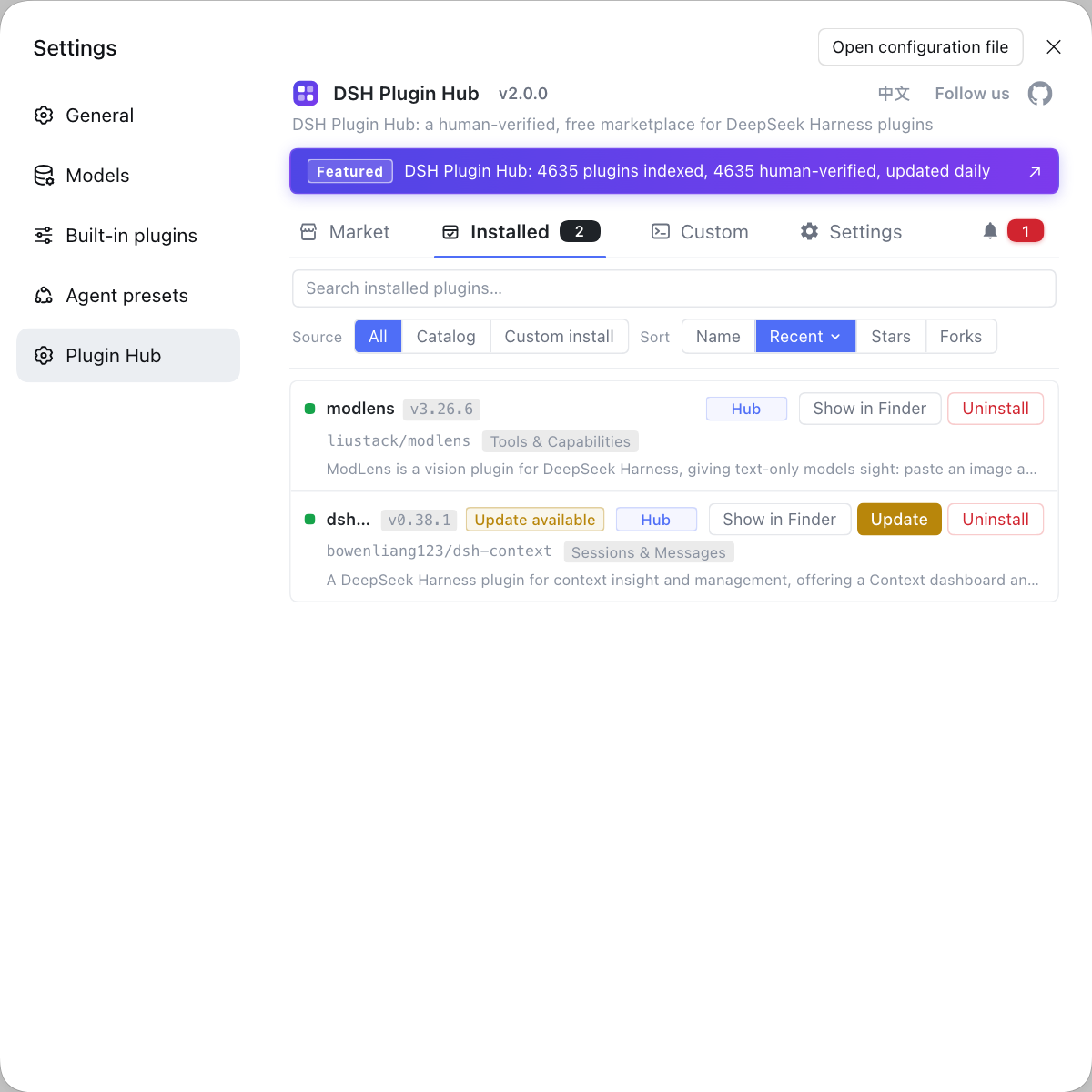
When the interface is broken, it is easy to suspect the plugins of wrecking the rendering first—especially with a fully blank settings page. If you want to rule out that plugin layer first, instead of typing commands everywhere, use a visual plugin marketplace such as DSH Plugin Hub: the installed list, install/uninstall history, and system logs are all in one panel, so you can first confirm "what is installed and what changed recently".
Source: Discussion #9616, Discussion #9341, Discussion #9684, Discussion #9080, Discussion #9267, Discussion #9480, Discussion #9184, Discussion #9619, Discussion #8806.
FAQ
In DeepSeek Harness the opening line gets folded away because the folding side does not exclude "the prose written before a tool call" from process material. The splitting stage already recognizes that prose as part of the answer, but the fold decision still treats it as process content, so it is collapsed along with the whole turn, and that decision leaves an exemption only for the final answer step. The workaround is to switch to the non-folding detailed/per-step view; the fix is to add the condition "the answer part does not participate in folding" to the fold decision.
In DeepSeek Harness the final answer is folded into the thinking area because the check for "is this process material" uses only one dimension and does not exclude "answer content", and in a streaming scenario a node's start index is always smaller than the final message index, so the answer gets hidden along with everything else. The workaround is to click the "Completed, Ns" control; the fix is to make the two checks mutually exclusive and add a regression case for "first fragment index smaller than the final event index".
In DeepSeek Harness this blank is a defect in the scroll-fold path: on the generic fold path the scroll position does not move with the content, and the collapsed height is reserved once at the bottom, so when the folded region is above the reader the body text is pushed out of the viewport, looking like a fully blank screen. It was fixed in 0.2.1-alpha.3 (the several fix commits are only included from alpha.3 on); if you are still on an older version, the workaround is to refresh the page or turn off settings like "collapse on next message".
In DeepSeek Harness the page freezes because the Go grammar's highlighting rules contain an exponentially backtracking expression, and the client uses a synchronous regex engine (not the WASM one), so it backtracks on V8. The trigger is specific: it needs indentation, a position inside a struct's braces, and no closing brace on the line. The workaround is to change the code block's language tag from go to another identifier, so the highlighter falls back to plain text; the long-term direction is to make the quantifiers bounded, or patch the grammar package.
In DeepSeek Harness amounts are typeset as formulas because segment math parsing treats a single dollar sign as a formula delimiter by default, and currency notation happens to be valid math syntax, so the text between amounts is treated as formula content. To avoid it, make the parser turn off the "single dollar sign math" option, or escape/wrap the amounts in your writing; the reporter also provides a client-side fallback plugin.
Related Terms
- turn fold
- Turn fold is the client-side display mechanism in DeepSeek Harness that collapses process material in a completed turn; the fold decision uses "is this a process member" to decide what gets collapsed. When that decision misses the answer part, the prose is hidden along with the process.— https://github.com/deepseek-ai/deepseek-harness/discussions/9616
- SlotErrorBoundary
- SlotErrorBoundary is the error boundary in the DeepSeek Harness client that wraps slot-contributed content, used to isolate a failure when some plugin throws while rendering. It currently renders only an empty container on a hit, so the failure shows up as "a whole region blank with no notice".— https://github.com/deepseek-ai/deepseek-harness/discussions/9080
- catastrophic backtracking
- Catastrophic backtracking is the phenomenon where a regex engine tries exponentially many combinations on an expression with nested quantifiers, exploding the time cost. On a synchronous regex engine it blocks the main thread outright, so it shows up as the page freezing rather than an error.— https://github.com/deepseek-ai/deepseek-harness/discussions/9267
- single-dollar text math
- Single-dollar text math is a behavior of the math extension, on by default, that treats a single dollar sign as an inline-formula delimiter as well. It makes prose containing currency amounts be misread as formulas, and it must be turned off explicitly to avoid that.— https://github.com/deepseek-ai/deepseek-harness/discussions/9184
Sources
- #9616 — Folding a completed turn swallows the prose written before the tool call· deepseek-ai (GitHub Discussions)
- #9341 — After a streaming turn completes, the final answer is wrongly folded into the thinking area· deepseek-ai (GitHub Discussions)
- #9684 — 0.2.1-alpha.2 session suddenly goes fully blank, recovers on refresh (scroll-fold defect)· deepseek-ai (GitHub Discussions)
- #9080 — A third-party plugin's settings page renders a full blank page on error: SlotErrorBoundary renders only an empty div· deepseek-ai (GitHub Discussions)
- #9267 — dsh web freezes while scrolling a session containing a Go code block, from Shiki's Go grammar catastrophic backtracking regex· deepseek-ai (GitHub Discussions)
- #9480 — ```diff code blocks have no color distinction· deepseek-ai (GitHub Discussions)
- #9184 — Single-dollar-sign segment math parsing swallows amounts in prose· deepseek-ai (GitHub Discussions)
- #9619 — A multi-line $$ formula block loses its opening line and swallows following prose as math source· deepseek-ai (GitHub Discussions)
- #8806 — Windows generated-image preview fails when Markdown escapes the attachment path· deepseek-ai (GitHub Discussions)