DeepSeek Harness dsh web: 12s reconnect, 1-core main thread
DeepSeek Harness (DSH)'s dsh web has two typical "always busy" appearances whose symptoms point in exactly opposite directions: one is the connection being busy—the panel flashes "connected" about every 12 seconds, the browser sees code=1006 and an abnormal closure, and it is really the heartbeat mistaking a large snapshot transfer for a lost peer and rebuilding the connection repeatedly; the other is the CPU being busy—the node process's JS main thread pins about 1 core, the process reaches over 2 cores, and the memory peaks at over a dozen GB, from three stacked hot paths: session-log cold reads, the projection cache being cleared wholesale, and settings describe having no cache. The key to the former is that the judgment window is set by the heartbeat interval and the allowed number of misses together, and the key to the latter is that cold reads are amplified by high-frequency polling—so both can be solved by "fix the variable first, then tune the parameter", without waiting for a core change (#9603, #9517).
DSH plugin reconnect every 12 seconds: the heartbeat mistakes a large snapshot for a lost peer
One-line conclusion: the heartbeat demands a reply at a fixed interval and terminates the connection after two misses in a row; a several-MB session-history snapshot can occupy the event loop beyond that judgment window, the reply is not processed in time, so the server disconnects—and the frontend reconnect triggers the next snapshot, forming a self-sustaining loop. The symptom is the panel repeatedly flashing "connected" and the browser showing code=1006 with wasClean=false (#9603).
DSH plugin first rule out two common misreadings
These two matter—they can save you half a day of investigation (#9603):
- It is not a backpressure problem: this implementation uses a generic WebSocket library, not a server framework with built-in backpressure control, so the "connection got written full" direction does not hold;
- Don't be led astray by a "file-size threshold": a rule-of-thumb threshold like 68KB–1.6MB appeared in the discussion and was later confirmed to be a coincidence—the real criterion is "does the drain time exceed the heartbeat window", not some fixed size (#9603).
DSH plugin three-step diagnosis and handling
- Confirm it is a false positive, not a real network drop: on a short link (same machine or LAN) everything is fine, and the ~12-second flashing only appears on a slower link or with a larger snapshot—that is this entry (#9603).
- Raise the heartbeat interval (deployment side, most direct):
# In the gateway/typert-related config
websocketHeartbeatIntervalMs: 15000
The discussion confirms this parameter is public and documented in the README (#9603).
- Reduce the size of a single snapshot: follow fewer sessions at once, and avoid re-sending the full snapshot for already-stopped sessions—the discussion notes this is the fix closer to the root cause (#9603).
- Don't try chunked sending: chunking within one response is illegal at the protocol level, is a protocol-extra approach, and does not constitute a solution (#9603).
- Verify: after tuning, stay for several minutes on the link that used to flash off, and expect no more periodic "connected" prompt (#9603).
- The known cost: after raising the heartbeat interval, real disconnections are discovered more slowly—that is the trade-off against "fewer false positives" (#9603).
DSH plugin main thread pinned at 1 core: three hot paths + one amplifier
One-line conclusion: the main thread is continuously occupied by three hot paths—session-log cold reads (full decompress + line-by-line parse), the projection cache being cleared wholesale, and settings describe having no result cache; and "a mobile app polling at a few seconds' interval" is the amplifier. The symptom is a single process pinning about 1 core of JS main thread for a long time, the process reaching over 2 cores, an RSS peak of over a dozen GB, and even getting killed by a timeout signal (#9517).
DSH plugin the three hot paths, taken apart
| Hot path | Order of magnitude | Notes |
|---|---|---|
| Session-log cold read | Parse peak of about 37,000/s | Full decompress then line-by-line parse, amplified by a 7–9-second mobile poll (#9517) |
| Projection cache cleared wholesale | A burst rebuild after each clear | Third-party plugins' cache is cleaned by capacity and TTL, and clearing is wholesale on overflow (measured locally at the scale of 269 files) (#9517) |
| settings describe has no cache | Recomputed on every call | No result cache and no filtering by namespace, so it keeps occupying the main thread when called frequently (#9517) |
DSH plugin one caution: don't write a retracted conclusion into your investigation
The conclusion "the cache capacity is hard-coded and not configurable" was retracted by the reporter himself—that parameter is in fact a public config option with a fairly small default. So if you see "the capacity is hard-coded" elsewhere, don't carry it forward (#9517).
DSH plugin four-step deployment-side handling
- Set the prepared cache size to be no smaller than the session count:
preparedSessionCacheSize: 64 # set per your actual session count, at least no smaller than it
- Stop the sub-second polling: if a mobile or monitoring client polls at a 7–9-second interval, turn it off or lengthen it first—this is the key step to turn cold reads from "continuous" into "occasional" (#9517).
- Follow fewer sessions at once: open fewer panels/tabs to avoid concurrent cold reads (#9517).
- Verify: watch the process's CPU usage with a system monitor. In the discussion, after the reporter made changes in these directions locally, the main thread went from 0.99 core to 0.12–0.13 core (about 12x) (#9517).
- Note it is distinct from the memory entry: this entry's crux is a CPU hot path, a different family of problem from "a memory leak causing OOM", so don't mix them up when investigating (#9517). Likewise, the "fully blank screen, wrong content" family lives on the rendering side and should not be mixed with this performance/connection family either — see DeepSeek Harness web UI: folded text, blank, KaTeX, 404.
DSH plugin troubleshooting notes
These two look far apart, but they share one investigation framework: first fix the "variables" (link quality / polling frequency / session count), then look at the "parameters", and only then suspect an implementation defect. Eight points:
- Do the contrast first: short link fine, slow link flashing = a heartbeat false positive; turning polling off lowers the load = cold reads being amplified (#9603, #9517).
- Don't treat a size threshold as a criterion: that 68KB–1.6MB rule of thumb is confirmed to be a coincidence (#9603).
- Chunked snapshot sending is not a solution (illegal at the protocol level) (#9603).
- Raising the heartbeat means accepting the cost of "slower disconnection detection" (#9603).
- Reducing the full snapshot for "already-stopped sessions" is closer to the root cause; do it first (#9603).
- Polling is the amplifier: turn the polling off before evaluating other measures (#9517).
- The cache capacity is a public config option; don't carry forward the old "hard-coded" claim (#9517).
- State the fix status honestly: both are unfixed in the version the discussions refer to (
0.2.0-rc.2);websocketHeartbeatIntervalMsandpreparedSessionCacheSizeare public config options (you can adjust them yourself), while "reduce the full snapshot for already-stopped sessions" and "add caching to settings describe" are core-side changes.
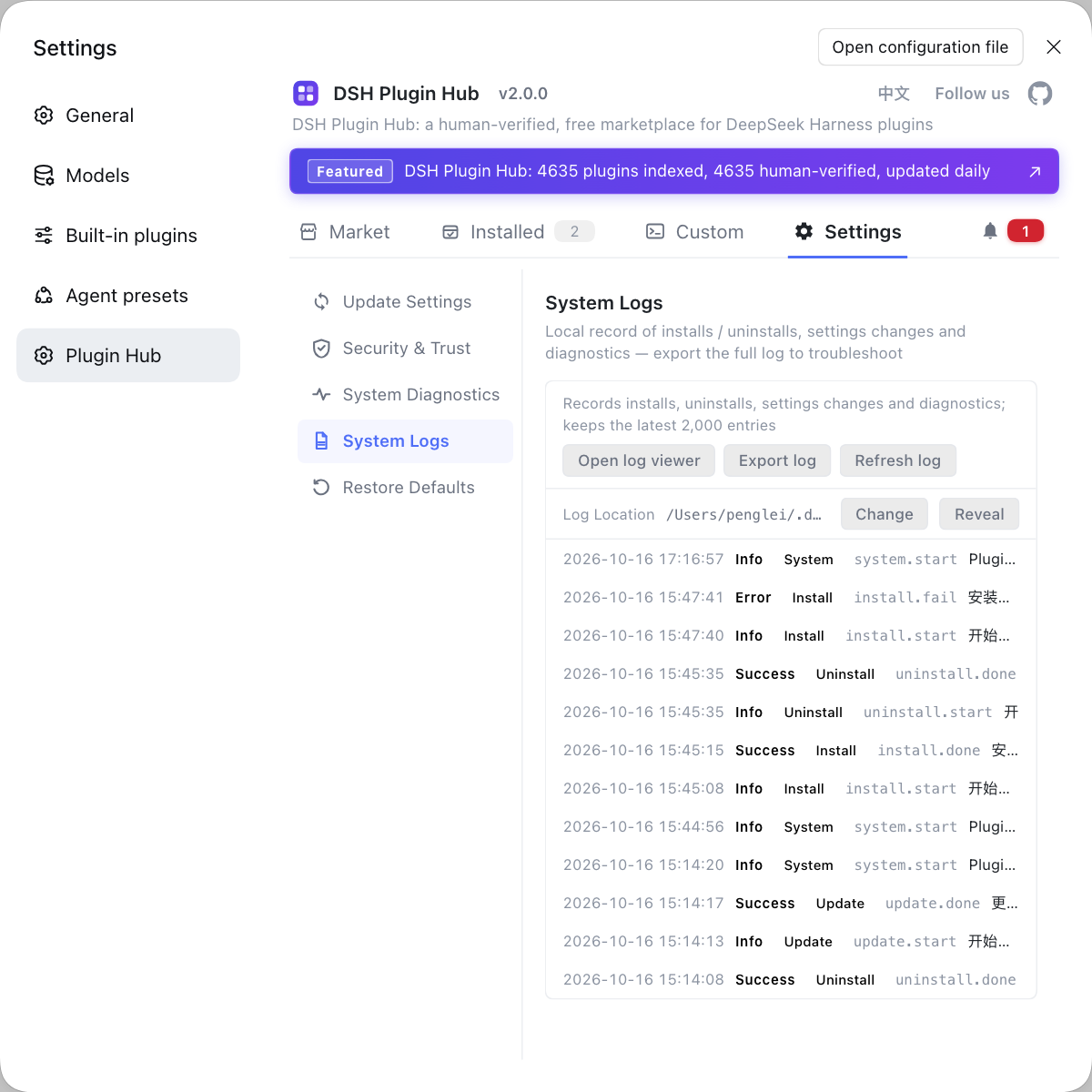
dsh web's performance problems are often directly tied to "how much you have open at once", and the number of plugins and install/uninstall actions are among the variables. If you want to rule out that plugin layer first, instead of typing commands everywhere, use a visual plugin marketplace such as DSH Plugin Hub: the installed list, install/uninstall history, and system logs are all in one panel.
Source: Discussion #9603, Discussion #9517.
FAQ
In DeepSeek Harness the web panel keeps flashing 'connected' because the gateway's application-layer heartbeat mistakes a large snapshot transfer for a lost peer. The heartbeat is sent at a fixed interval and expects a reply; missing two in a row terminates the connection. When a single session-history snapshot is several MB, the event loop can be occupied beyond that judgment window, the reply is not processed in time, so the server disconnects, and the frontend reconnect triggers the next snapshot, forming a self-sustaining loop. The workaround is to raise the heartbeat interval (to 15s, say), or reduce the data volume pushed at once.
In DeepSeek Harness the single node process pins a full core because three main-thread hot paths stack up: session-log cold reads fully decompress and parse line by line, third-party plugins' projection cache is cleared wholesale and then rebuilt, and settings describe has no result cache and cannot be filtered by namespace. If a mobile app also polls at a few seconds' interval, the cold reads are amplified repeatedly. On the deployment side you can first set the prepared cache size to be no smaller than the session count and stop the sub-second polling; in testing this cut main-thread usage from about one core to roughly a tenth.
In DeepSeek Harness chunking the snapshot does not work, because chunking within one response is illegal at the protocol level. A workable direction is to reduce the size of a single snapshot (for example, follow fewer sessions at once, avoid re-sending the full snapshot for already-stopped sessions), or widen the heartbeat tolerance window; splitting a large message into several independent responses is a protocol-extra approach and should not be treated as a solution.
In DeepSeek Harness the main side effect of a larger heartbeat interval is that real disconnections are discovered more slowly—a network interruption you used to notice within seconds may only be recognized after the next heartbeat cycle. This is the trade-off between "fewer false positives" and "timely detection", and it is worth first confirming the problem really is a false positive (everything fine on a short link, only flashing off on large snapshots) before deciding how far to raise it.
In DeepSeek Harness the page flashes off on a slow link because the heartbeat judges whether a reply arrived within the window, and that is directly tied to the link's drain time. The same several-MB snapshot transfers in seconds on a fast link and may take a dozen seconds on a slow one, so the same heartbeat parameters become a false positive on the slow link. When investigating, treat link quality as a variable rather than staring only at server-side parameters.
Related Terms
- application-layer heartbeat
- An application-layer heartbeat is the liveness check DeepSeek Harness's gateway implements on top of WebSocket: it sends a heartbeat at a fixed interval and requires the peer to reply, terminating the connection after a run of misses. It differs from low-level TCP keepalive, and its judgment window is set by the heartbeat interval and the allowed number of misses together.— https://github.com/deepseek-ai/deepseek-harness/discussions/9603
- session cold read
- A session cold read is the process of fully decompressing and line-by-line parsing a session log that is not yet in cache. It runs on the main thread and becomes the main source of CPU consumption with large logs or high-frequency polling.— https://github.com/deepseek-ai/deepseek-harness/discussions/9517
- preparedSessionCacheSize
- preparedSessionCacheSize is the config option in DeepSeek Harness that controls the cache capacity for 'prepared sessions', and its default is fairly small. Setting it to no less than the actual number of sessions avoids frequent cold reads and rebuilds.— https://github.com/deepseek-ai/deepseek-harness/discussions/9517
- projection cache
- A projection cache is a cache of derived data on the DeepSeek Harness client or plugin side, used to avoid recomputation. It is cleaned by a capacity limit and a time-to-live, and the current implementation has a 'clear the whole round when capacity is exceeded' behavior, which makes later requests trigger rebuilds in a burst.— https://github.com/deepseek-ai/deepseek-harness/discussions/9517
Sources
- #9603 — [Bug] The web panel disconnects/reconnects about every 12 seconds: 'connected' keeps popping up; a large session/follow snapshot is suspected of making the server destroy the mux connection· deepseek-ai (GitHub Discussions)
- #9517 — [Bug] 0.2.0-rc.2: dsh web's JS main thread pins 1 core, process at 2.35 cores — session cold reads + projection cache + settings.describe· deepseek-ai (GitHub Discussions)