DeepSeek Harness file tools: 0600, SSHFS, frozen diffs
DeepSeek Harness (DSH)'s file tools look the most stable, but their failures hide in "filesystem differences" and "extreme cases": on POSIX, a file newly created by write is always 0600 (ignoring umask, and pinning the directory default ACL too); on an SSHFS/WinFsp mount, mkdir -p returns EPERM, making writes and edits entirely unusable; in the packaged (asar) form, probing a path inside app.asar throws because it combines a number with a BigInt, making the whole filesystem skill provider be skipped (showing as an entirely empty skill directory); and one multi-thousand-line overwrite makes the result card's diff computation run synchronously on the host main thread, freezing about 8 seconds. Beyond these there are three subtler pitfalls: glob voiding already-scanned results under a permission wall, edit treating overlapping matches as a unique target and mis-editing the file, and a snapshot turning exact integers into objects. This article gives criteria and handling per section: "write → edit → search → packaging → large files" (#9292, #9376, #9189, #9371, #9364, #8978, #9506).
DSH plugin write: new files are always 0600, and mounted drives cannot write
In DeepSeek Harness the write tool has two fixed failures here: new files are always 0600 with the directory default ACL pinned too, and on an SSHFS/WinFsp mount mkdir returns EPERM so writes and edits are entirely unusable.
DSH plugin new-file permission is always 0600
The one-line conclusion: the new-file branch applies only the internal protective mode, while the statement that "changes it back to the passed-in permission" applies only to existing files — so a new file is always 0600, and even the directory default ACL mask is pinned, which looks like umask has no effect. (#9292)
- Confirm the criterion: create a file on POSIX;
stat -c '%a' <file>returns600; set a umask on the same directory and retry, and the result does not change (#9292). - Compare:
writeon an existing file applies the mode you passed in — this difference is the fingerprint here (#9292). - Workaround: run
chmodto the desired permission (for example 644) right after creating it (#9292). - Upstream direction: have the new-file branch compute
0666 & ~umask, or add a "new-file permission" config item; the thread also notes this kind of change should stay in the filesystem layer, and not touch the shared atomic-write module (other callers intentionally use 0600) (#9292).
DSH plugin SSHFS / WinFsp mounted drives: writes and edits all fail
The one-line conclusion: the atomic write unconditionally runs mkdir -p before writing; and SFTP protocol v3 has no "directory already exists" error code, so the server folds it into a generic failure and the mount layer maps it to EPERM — so an existing directory also reports a permission error and the whole write path is unusable. The error is EPERM: operation not permitted, mkdir '\\sshfs\<host>\', while read is completely normal (#9376).
- Confirm the criterion: only writes and edits fail while reads work; moving the same directory to a local disk immediately works (#9376).
- Workaround: move the workspace to a local disk, or adjust parameters on the mount side (drop forced security-descriptor conversion, enable volume-prefix options, and similar) to avoid that error mapping (#9376).
- A second pitfall: on the same mount,
chmodon a staging file also returnsEINVAL, so even after getting aroundmkdiryou must tolerate that error as well (#9376). - Fix direction:
ensureDirectorytoleratesEPERM/EACCESand thenstats again to confirm the directory really exists; the thread provides a branch that runs the full chain on a real SSHFS mount (#9376).
DSH plugin edit: two behaviors that "look like protection but actually misfire"
In DeepSeek Harness the edit tool has two "looks like protection, actually misfires" behaviors: a file changed after reading is rejected for editing, and overlapping matches are treated as the unique target so an edit that should be rejected is let through.
DSH plugin file changed since it was read
The one-line conclusion: this is the read-before-edit guard at work — the file changed after you read it, and the tool requires you to re-read before editing. The error is cannot edit "…": file changed since it was read — re-read the file, then retry (#9068).
- Confirm: the error text is the criterion; this is by design, not a defect (#9068).
- Handling:
readfirst, thenedit; note that looking at the file with the shell'scat/sed/grepdoes not count as "read" — you must go through the file tools (#9068). - Use a prompt to reduce recurrence: write "read a file before editing it" into the rules for the model, which is cheaper than re-reading after each hit (#9068).
DSH plugin overlapping matches treated as the unique target
The one-line conclusion: the match counter steps by "this match's start + match length", so it skips legal starts that fall inside the previous match; in single-replacement mode the count never exceeds 1, so no ambiguity is reported — the result is that an edit that should be rejected is let through and the file is changed. (#8978)
- Reproduction criterion (the example given in the thread): three consecutive lines in a file are all
item, and you replace withold_str= two lines ofitem— because the two matches overlap, the correct behavior is to report ambiguity and leave the file unchanged, yet it changes the file in practice (#8978). - Workaround: give enough context when editing so the match target is unique in the whole text (#8978).
- Fix direction: enumerate all possible starts (rather than skipping the overlap region), and keep "replace-all" counting non-overlapping matches (#8978).
DSH plugin search: under a permission wall, already-scanned results are discarded wholesale
The one-line conclusion: the search throws first when the exit code is neither 0 nor 1, and the return logic for "the output already has results" is ordered after the throw and never reached — so even if hundreds of lines were already scanned, the whole thing is voided, and the model easily misreads "search failed" as "the file does not exist". The symptom is that in a tree with a permission wall like C:\Program Files, glob ends with exit 2 and empty results (#9364).
- Confirm the criterion: observe exit code 2 while result lines are already in stdout (the thread measured 641 lines) (#9364).
- Workaround: narrow the search to directories that are actually readable, or first confirm with the command line yourself whether the target exists (#9364).
- Fix direction: judge "exit code 2 with non-empty output" as a partial success (rather than a total failure), and return "is the result complete" to the caller as a first-class field (#9364).
DSH plugin packaged form: the BigInt crash on asar-internal paths
The one-line conclusion: probing a path assumes the stat bigint option returns BigInt fields, while the asar archive layer ignores that option and returns ordinary numbers, so combining a number with a BigInt throws outright; the amplifier is that "one unreadable root makes the whole filesystem skill provider be skipped", so it shows up as an entirely empty skill directory. The error is TypeError: Cannot mix BigInt and other types (#9189, #9861, #8842).
DSH plugin five steps to confirm and handle
- Confirm the criterion: it reproduces only in the packaged (installed) form, while running from source is normal; the same TypeError appears roughly every dozen seconds in the log (retry storm) (#9861).
- Workaround one: point the skill directory at a real disk path, avoiding archive-internal paths (#9189).
- Workaround two: override the skill directory config in the profile, removing the entry that points inside the archive (#9189).
- Fix: convert the value to an ordinary number before the permission-mask arithmetic (the community fix in the thread is exactly to add the
Number(x.mode) & 0o777style), and add an independent try/catch to each root so one bad root does not drag down the whole provider (#9861, #8815). - Verify: after restarting, confirm the skill list is non-empty and the log no longer floods the same error (#9861).
DSH plugin large files: the result-card diff freezes the host
The one-line conclusion: the result card computes a diff, and that computation runs synchronously on the host main thread with neither a timeout nor a workload cap; the diff algorithm is close to quadratic complexity in the extreme case, so one overwrite of several thousand lines can freeze about 8 seconds — during which all sessions' streaming output, timers, the API, and connections stall together. (#9371) This same "the whole host freezes and every session stalls" symptom can also come from a tool call being hung or timing out; see DeepSeek Harness: invalid JSON, bash timeout, snapshot loss.
- Confirm the criterion: the stutter correlates strongly with "lines written in a single write", not with the number of files or sessions; the whole host is unresponsive during the stutter (#9371).
- Workaround: generate large-file rewrites with a command-line tool, or split one overwrite into several small edits (#9371).
- Fix direction: add a timeout and a length cap to this computation (the thread mentions a comparable budget parameter already present elsewhere in the project to reference), degrading to a whole-file card on timeout (#9371).
DSH plugin one finer pitfall: the preview window eats a U+FEFF and underreports bytes
The one-line conclusion: when decoding the window start it treats a byte-order mark as the document start, silently dropping one U+FEFF, and the omitted-byte statistic does not count the extra byte swallowed this time — so the content is short while the "truncated" flag is still false. (#9506)
- Criterion: when searching/previewing a line containing U+FEFF the character disappears, while reading the whole file shows it (#9506).
- Handling: when you need to see the raw text, use
readto read that file directly; the fix is to explicitly turn off byte-order-mark handling on the decoder (the thread mentions the same project has this written elsewhere to reference) (#9506).
DSH plugin troubleshooting notes
File-tool problems almost all fall into two classes — "filesystem differences" and "extreme inputs" — so ask two questions first: what filesystem is the target disk? and how large or unusual is this input? Nine points:
- New file 0600 / existing file uses the mode: this difference pins the permission item in one glance (#9292).
- "Cannot write but can read" is the fingerprint of a mounted drive (#9376).
mkdir -pis not trustworthy on filesystems without POSIX semantics (#9376).- A problem that only reproduces in the packaged form should first suspect the archive layer (#9189).
- One bad root drags down the whole skill provider — when you see "an entirely empty block", think of this layer (#8842).
- Stutter strongly correlated with lines written is the diff item (#9371).
- Do not read a
globempty result as "the file does not exist": check the exit code and output first (#9364). - A let-through edit ambiguity is dangerous: give extra context when editing in consecutively repeated content (#8978).
- State the fix status honestly: all the above are unfixed in the version discussed; the patch branches the community gave (for example the two BigInt fixes) are not merged, and this article's handling is all user-side workarounds and config adjustment.
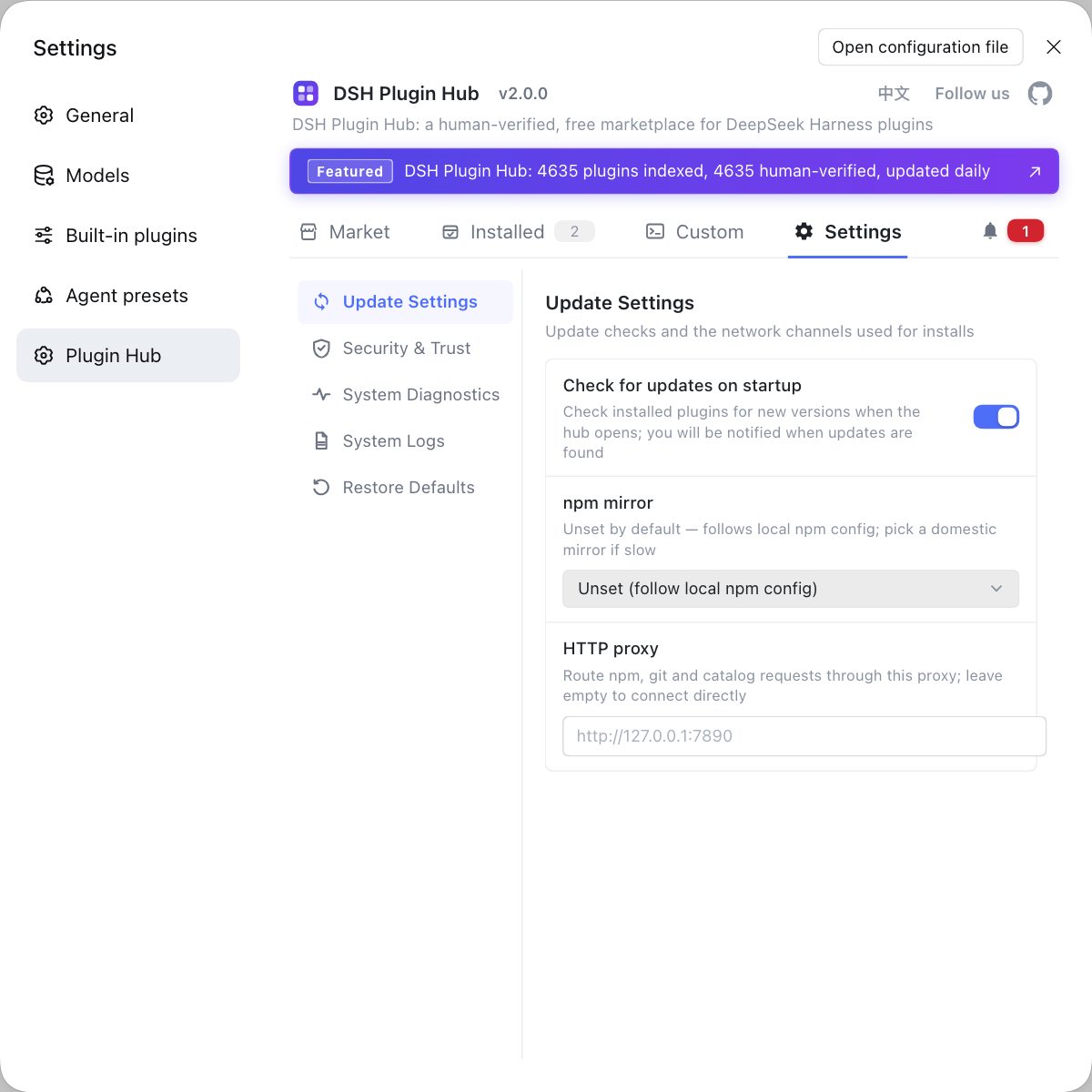
File-tool problems are often tangled up with "where the workspace lives", especially the mounted-drive and packaged-form classes. If you want to see the "environment" layer clearly first, instead of typing commands everywhere, use a visual marketplace like DSH Plugin Hub: the installed list, install/uninstall history, and system logs sit in one panel.
Source: Discussion #9292, Discussion #9376, Discussion #9189, Discussion #9861, Discussion #8842, Discussion #8815, Discussion #9371, Discussion #9364, Discussion #8978, Discussion #9068, Discussion #9506.
FAQ
In DeepSeek Harness, a new file is always 0600 because the new-file branch applies only the internal protective mode, and the statement that 'changes it back to the passed-in permission' applies only to existing files. As a result a new file is always 0600, and the directory default ACL mask is pinned too, so it looks like 'umask has no effect'. A controllable workaround is to run chmod to the desired permission right after creating it; the long-term fix is for the new-file branch to compute from umask (for example 0666 ANDed with the negated umask), or to add a 'new-file permission' config item.
In DeepSeek Harness, this is because the atomic write unconditionally runs mkdir -p, and protocols like SFTP have no 'directory already exists' error code, so the server folds it into a generic failure and the mount layer maps it to EPERM. A workable approach is to move the workspace to a local disk, or switch to an implementation that tolerates EPERM (run it first, then confirm whether the directory really exists); the fact that read is unaffected can quickly confirm it is the write path.
In DeepSeek Harness, this is because the composed filesystem assumes the stat bigint option returns BigInt fields when probing a path, while the asar archive layer ignores that option and returns ordinary numbers, so combining a number with a BigInt throws outright; the amplifier is that one unreadable root makes the whole filesystem skill provider be skipped, which shows up as 'the entire skill directory is empty'. The workaround is to point the skill directory at a real disk path; the fix is to convert to ordinary numbers before the mask arithmetic and to add independent error tolerance to each root.
In DeepSeek Harness, this is because the result card computes a diff, and that computation runs synchronously on the host main thread with no timeout and no workload cap. The diff algorithm is close to quadratic complexity in the extreme case, so one overwrite of several thousand lines can freeze it for about 8 seconds. The workaround is to generate large-file rewrites with a command-line tool or split one overwrite into several small steps; the fix is to add a timeout and a length cap to that computation, degrading to a whole-file card on timeout.
In DeepSeek Harness, this is because the search throws first when the exit code is neither 0 nor 1, and the return logic for 'the output already has results' is ordered after the throw, so it is never reached. Thus even if hundreds of result lines were already scanned, the whole thing is voided, and the model easily misreads 'search failed' as 'the file does not exist'. The criterion is exit code 2 with non-empty stdout; the fix is to judge that case as a partial success and return 'is it complete' as a first-class field.
Related Terms
- writeFileAtomic (atomic write)
- writeFileAtomic is the approach DeepSeek Harness's filesystem layer uses to land data safely: write a temp file first, then publish it atomically to the target path, avoiding a half-written state. It ensures the directory exists before writing, so it fails entirely on filesystems where 'an existing directory returns a permission error'.— https://github.com/deepseek-ai/deepseek-harness/discussions/9376
- fs-local probe
- fs-local probe is the path probe DeepSeek Harness's filesystem skill does when listing root directories, reading metadata with stat plus the bigint option and computing the permission mask. On an archive filesystem that ignores that option, it throws because it combines a number with a BigInt.— https://github.com/deepseek-ai/deepseek-harness/discussions/9861
- read-before-edit guard
- The read-before-edit guard is a protection on the edit tool: it requires the file's content to have been read before this edit, and not modified by another process since that read. When the file changes after it was read, the edit is rejected with a prompt to re-read.— https://github.com/deepseek-ai/deepseek-harness/discussions/9068
- TextRetainer
- TextRetainer is the component in DeepSeek Harness that keeps the head and tail of over-long text and reports the number of omitted bytes. When decoding the window start it treats a byte-order mark as the document start, silently dropping one U+FEFF and underreporting the omitted amount.— https://github.com/deepseek-ai/deepseek-harness/discussions/9506
Sources
- #9292 — [Bug][fs-local] Files created by the write tool are always 0600 on POSIX· deepseek-ai (GitHub Discussions)
- #9376 — fs-local's atomic write is entirely unusable on filesystems where 'mkdir -p on an existing directory returns EPERM' (a sure hit on SSHFS/SFTP mounts)· deepseek-ai (GitHub Discussions)
- #9189 — Composed filesystem throws "Cannot mix BigInt and other types" on app.asar paths· deepseek-ai (GitHub Discussions)
- #9861 — fs-local's stat({bigint:true}) on an asar-internal path throws Cannot mix BigInt, skipping the entire filesystem skill provider· deepseek-ai (GitHub Discussions)
- #8842 — Every path inside app.asar fails: Cannot mix BigInt and other types· deepseek-ai (GitHub Discussions)
- #8815 — [Bug Fix / PR] Fix TypeError: Cannot mix BigInt and other types on BigIntStats in fs-local probe· deepseek-ai (GitHub Discussions)
- #9371 — [Bug][tool-fs] write/edit result-card diff runs untimed on the Host thread· deepseek-ai (GitHub Discussions)
- #9364 — The built-in glob is voided wholesale under a Windows permission wall: exit 2 discards the already-scanned results along with it· deepseek-ai (GitHub Discussions)
- #8978 — Literal editors accept overlapping matches as a unique edit· deepseek-ai (GitHub Discussions)
- #9068 — edit reports cannot edit: file changed since it was read· deepseek-ai (GitHub Discussions)
- #9506 — TextRetainer drops U+FEFF at window starts and underreports omitted bytes· deepseek-ai (GitHub Discussions)