DeepSeek Harness: invalid JSON, bash timeout, snapshot loss
DeepSeek Harness (DSH) has a class of failures that look like "the tool is broken" but really mean arguments got reshaped along the transport chain: the model joins tool arguments into invalid JSON, the adapter fails a one-shot parse at stream end and throws MALFORMED_RESPONSE, hard-aborting the turn with no retry; deepseek-flash mixes model-side DSML call markers into the argument JSON, so the string can never close and the session becomes unusable; a heredoc's exclamation mark in the bash tool triggers interactive history expansion, so the command never runs yet burns the whole 300s timeout; and lossless JSON snapshots downgrade exact integers into objects—validation lets them through, then the transform stage silently loses fidelity. What these four share is this: the error points at "the result is wrong", but what actually broke is "the input was changed in between", so when investigating you walk the chain backwards instead of editing the command or the result (#9402, #9848, #9240, #8810).
DSH plugin tool input is invalid JSON: arguments get joined badly, and there is no retry
One-line conclusion: the adapter parses each tool call's argument JSON once at stream end, and on failure throws MALFORMED_RESPONSE; that code is not in the default retryable set, so the whole turn ends immediately with neither a retry nor the raw text. The error text is DeepSeek Messages stream: tool input is invalid JSON (#9402).
DSH plugin diagnosis: two origins, one error
| Origin | Signature | Notes |
|---|---|---|
| The model intermittently joins arguments badly | The error is intermittent and may clear on another turn; the first half of the argument looks like JSON | Parsing runs as a one-shot in the message-stop branch, and failure ends the turn (#9402) |
| DSML markers mixed in | The error reproduces reliably, recurring on the same model; the session becomes unusable | The model collapses the second half of the argument into DSML markers, so the accumulated string can never close (#9848) |
The DSML case needs a special note: this is model-side format leakage—neither DSH's system prompt nor its tool definitions contain any DSML concept (zero hits across the repo), so don't go looking for the cause in your config or plugins (#9848).
DSH plugin four-step handling
- Confirm the diagnosis: the error shows
tool input is invalid JSONandcode=MALFORMED_RESPONSE(#9402). - Emergency fix: run
/compactonce. In the discussion, after compaction the session recovered (the agent must be idle); if compaction itself fails on an over-long summary, raise the output limit for the summary call or switch to a larger-window model first (#9848). - Config-level mitigation: add the code to the retry allowlist. Note
retryableCodeshas replace-all semantics, so when you write it you must include all five defaults (#9402):
- patch:
    id: <your provider adapter id>
    config:
      retryPolicy:
        retryableCodes:
          - EMPTY_RESPONSE
          - RATE_LIMIT
          - SERVER
          - TIMEOUT
          - TRANSPORT
          - MALFORMED_RESPONSE   # the code being added here
- A narrower plugin gate: the discussion mentions the community plugin
@argszero/cordis-plugin-empty-response-retry, which reclassifies this kind of failure as retryable, a more restrained move than opening up the whole allowlist (#9402). - Remember "shadowing ≠ deleting":
/compactonly stops later requests from carrying that bad argument; the same model will still reproduce the same kind of output (#9848).
DSH plugin bash tool 300s timeout: the command never ran—a ! triggered history expansion
One-line conclusion: the multi-line command is encoded into eval form and handed to an interactive bash, and the interactive shell's history expansion happens before parsing and does not honor ANSI-C quotes—so the first ! in the script gets the whole line dropped, and the tool waits for a completion marker that never appears, finally burning the timeout and resetting the shell. The symptom is "the model sees only a timeout, never the real error", so it retries repeatedly (#9240).
DSH plugin reproduction diagnosis and a one-line fix
- Reproduce: on macOS's default bash 3.2.57, run a heredoc script with a shebang, for example one starting
#!/usr/bin/env python3—the!hits history expansion (#9240). - Key detail: triggering needs the surrounding context before the
!to line up (the discussion gives a cross-check matrix); so "sometimes it runs, sometimes it times out" is not a contradiction (#9240). - One-line fix (verified): turn off both echo and history expansion at initialization:
stty -echo; set +H
set +H turns off history expansion and is the core of this fix (#9240).
- User-side workaround (when you cannot change the core): keep
!out of a bare heredoc (for example, write the shebang without an exclamation mark, or escape/quote it in the script), or install the community plugin@argszero/dsh-histexpand-guardfirst to block such commands (#9240). - Verify: rerun the same script with
!; expect the real error (or success) within a few seconds instead of waiting the full 300s (#9240).
DSH plugin snapshots turn exact integers into objects: downgraded only after validation passes
One-line conclusion: lossless JSON validation accepts the true raw JSON value, but the snapshot helper copies it into a plain object with like-named properties, losing its special serialization behavior—so after validation passes, in the transform stage, the downgrade happens and an integer can become an object. (#8810)
DSH plugin three-step confirmation and handling
- Confirm the diagnosis: the same value behaves differently in two positions—reported as "invalid output" when declared as an exact integer, but silently turning into a struct as an object property. This inconsistency is this entry's fingerprint (#8810).
- Workaround: declare exact-integer fields as normalized decimal strings and encode them back to strings before the snapshot; the matching community plugin in the discussion (
dsh-exact-integers) takes this approach (#8810). - Verify: rerun the same tool call and confirm the integer fields in the output are numbers or normalized strings, not objects with properties (#8810).
- The position worth writing into feedback: either preserve fidelity, or reject at validation—the only unacceptable thing is "downgrading in the transform stage after validation lets it through" (#8810).
DSH plugin troubleshooting notes
The one piece of investigation wisdom for these four is: the error points at "the result", the cause is in "the input being changed"—follow the chain toward the earlier stages. Eight points:
- First split "intermittent" from "reliably reproducible": intermittent leans toward unstable model output, while reliable reproduction prefers a format leak like DSML (#9402, #9848).
MALFORMED_RESPONSEis a "not allowed to retry" code; seeing it end the turn at once is expected behavior (#9402)./compactis the family's generic emergency fix, but understand that it only shadows (#9848).- Write the retry allowlist in full: under replace-all semantics, a missing entry equals turning off the default retry (#9402).
- "The command did not run but timed out" points at shell semantics first, not at tuning the timeout value (#9240).
set +His the key action for this one; remembering it is more practical than remembering the whole cause (#9240).- For numeric-type distortion, don't look only at validation: passing validation does not mean staying faithful after the transform (#8810).
- State the fix status honestly: all four are unfixed in the versions the discussions refer to (
0.2.0-rc.2~0.2.1-alpha.*);set +His a verified one-line fix but is a core-side change, while the user-side means for the other three are config (the retry allowlist), a command (/compact), and plugins (retry / history-expansion / exact-integer guards).
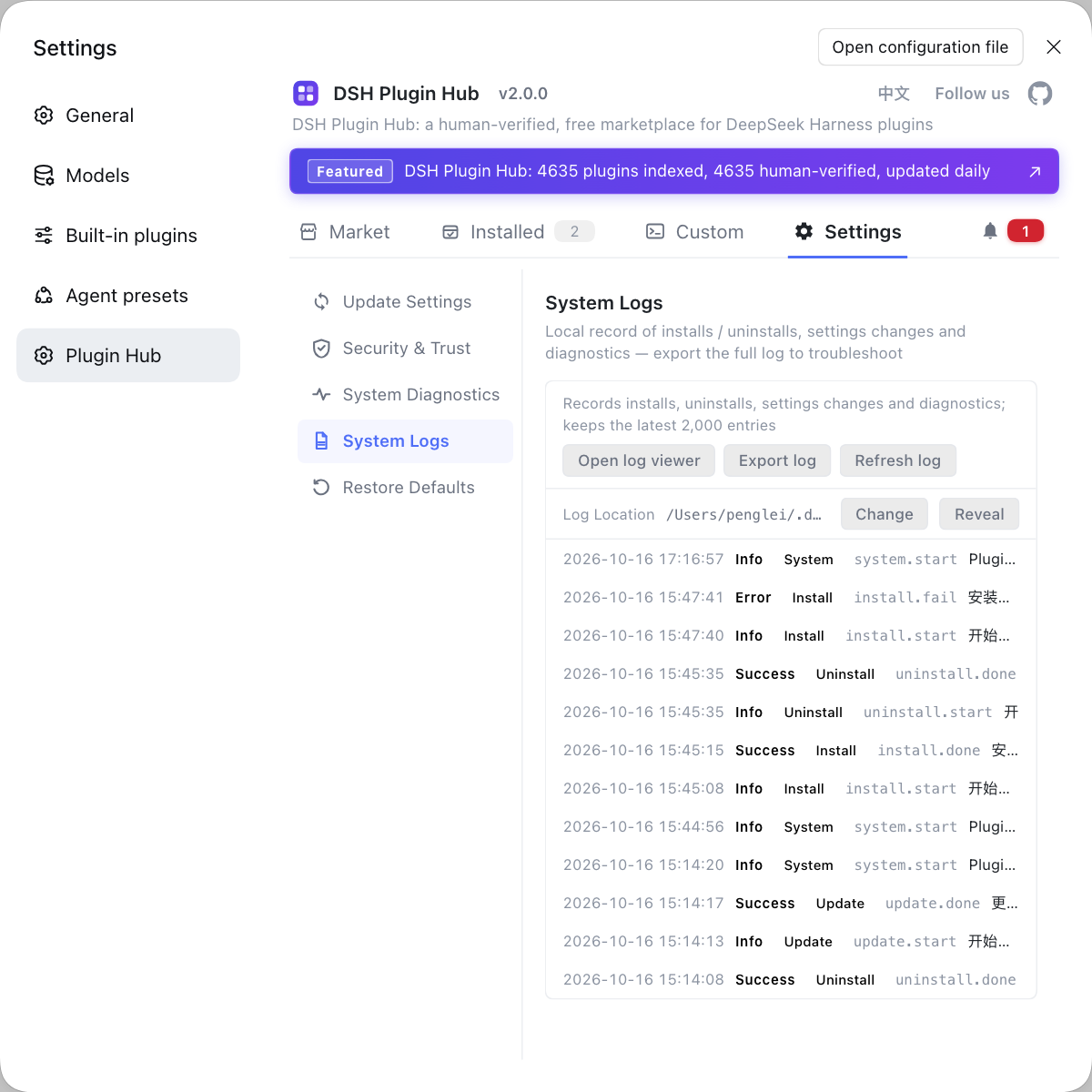
When investigating this kind of "argument distortion" problem, you often have to rule out the plugin layer first—retry policy, history-expansion guards, and exact-integer guards are all plugin-shaped. If you would rather see the environment clearly first, instead of typing commands everywhere, use a visual plugin marketplace such as DSH Plugin Hub: the installed list, install/uninstall history, and system logs are all in one panel.
Source: Discussion #9402, Discussion #9848, Discussion #9240, Discussion #8810.
FAQ
In DeepSeek Harness the turn ends with no retry because MALFORMED_RESPONSE is not in the default retryable set. In the message-stop branch when the stream ends, the adapter parses each tool call's argument JSON once; on failure it throws MALFORMED_RESPONSE, while the retry loop only handles the other five error classes, so the whole turn ends at once. To mitigate, add that code to the retry allowlist in your profile (note it replaces the whole list), or use a community plugin that reclassifies this failure as retryable.
In DeepSeek Harness the emergency fix is to run /compact once (the agent must be idle). In the discussion, after compaction the session recovered, because compaction rewrites the context so later requests no longer carry that bad argument; if compaction itself fails on an over-long summary, first raise the output limit for the summary call or switch to a model with a larger window. Note this is mitigation, not a cure—the same model will still reproduce the same kind of output.
In the DeepSeek Harness bash tool this timeout happens because the exclamation mark in the script triggers the interactive shell's history expansion. The multi-line command is encoded and run in eval form; history expansion happens before parsing and does not honor ANSI-C quotes, so the whole line is dropped, and the tool waits for a completion marker that never appears, finally burning the whole timeout. The one-line fix is to turn history expansion off at initialization (while keeping echo off); on the user side you can avoid it for now by keeping ! out of a bare heredoc or using a form that does not trigger expansion.
In DeepSeek Harness the exact integer becomes an object because the snapshot helper copies the raw JSON value into a plain object, losing its special serialization behavior. Validation accepts such a value, but the downgrade happens in the later transform stage, so the same integer is reported as invalid when declared as an exact integer and silently turns into a struct as an object property. To avoid it, declare these integer fields as normalized decimal strings, or use the matching community plugin to encode them back to strings before the snapshot.
DSML is a class of model-side tool-call marker syntax; it is not a DeepSeek Harness concept. When the model emits the first half of the argument as JSON but collapses the second half into these markers, the accumulated string can never close into valid JSON, so parsing fails at a fixed position and throws MALFORMED_RESPONSE. This is model-side format leakage: the host's system prompt and tool definitions contain no such markers, and the workaround is to compact the context or switch models.
Related Terms
- MALFORMED_RESPONSE
- MALFORMED_RESPONSE is the error code DeepSeek Harness uses when response content does not match the expected structure, for example when tool arguments cannot be parsed into JSON. It is not in the default retryable set, so it usually ends the current turn immediately.— https://github.com/deepseek-ai/deepseek-harness/discussions/9402
- DSML
- DSML is a class of model-side tool-call marker syntax, shaped like parameter tags with special delimiters. It is not part of the DeepSeek Harness protocol, and when it appears inside tool arguments it keeps the argument JSON from ever closing, which triggers the parse failure.— https://github.com/deepseek-ai/deepseek-harness/discussions/9848
- heredoc and history expansion
- A heredoc is shell syntax for inlining multi-line text; history expansion is the interactive shell's feature of replacing a segment starting with an exclamation mark with a past command. When the two collide, the exclamation mark in the script makes history expansion swallow the whole line, so the command never runs.— https://github.com/deepseek-ai/deepseek-harness/discussions/9240
- lossless JSON snapshot
- A lossless JSON snapshot is DeepSeek Harness's mechanism for preserving raw numeric semantics when materializing a tool result into the session, used to avoid losing precision on large integers. The current implementation loses a value's special serialization behavior when it copies the raw JSON value, so an exact integer is downgraded into a plain object during the transform stage.— https://github.com/deepseek-ai/deepseek-harness/discussions/8810
Sources
- #9402 — dsh-llm-deepseek intermittently joins tool arguments into invalid JSON ⇒ MALFORMED_RESPONSE hard-abort (no retry, no raw text)· deepseek-ai (GitHub Discussions)
- #9848 — deepseek-flash mixes DSML tool-call markers into the tool input JSON, aborting the turn with MALFORMED_RESPONSE· deepseek-ai (GitHub Discussions)
- #9240 — Exclamation marks in heredoc shebangs trigger history expansion → 300s timeout (with a one-line fix)· deepseek-ai (GitHub Discussions)
- #8810 — Lossless JSON snapshots change raw values into objects: exact-integer transport· deepseek-ai (GitHub Discussions)