DeepSeek Harness desktop: no window, crash, EMFILE, 80s
DeepSeek Harness (DSH) desktop has three typical startup failures, and none of their visible symptoms points at the real cause: when the host has not reached ready the app is left with only a tray icon (the window is waiting on a signal with no deadline); a plugin exports its config as a null value so the settings description fails wholesale, leaving just one line, desktop welcome: Web RPC failed (the real error is discarded upstream); and an oversized session cache directory exhausts the open-file limit during startup, leaving a zero-byte credentials lock file that makes every later start fail (you can only start once by deleting the lock by hand). There is one more that does not fail but is very noisy: for about 80 seconds after startup one CPU core is pinned and disk reads approach 900 MB, coming from "the settings description recomputing the whole profile composition on every call" (#9610, #9044, #9609, #9710).
DeepSeek Harness tray only, no window: the ready wait has no deadline
In one sentence: the main window is shown only after the host reaches ready, and that wait has no deadline; at the same time the tray and the "Open" entry share one bring-to-front function, and that function returns early when the app has not entered a workspace — so clicking the tray during startup amounts to doing nothing, and the UI looks like "the app did not start". The symptom is a tray icon only, no window at all, and clicking "Open" in the tray does nothing (#9610).
DSH plugin criteria and three temporary workarounds
- Confirm the criteria: the tray icon exists and the host process is alive, but there is no window and clicking the tray does nothing; the reporter traced the wait logic from the artifact and points out that while it stalls it writes no log at all — the absence of logs is itself a clue (#9610).
- Temporary workaround 1: switch to the
dsh webform (access via a browser) to get the work done, and restart the desktop later (#9610). - Temporary workaround 2: kill any leftover desktop process and restart — the host may be stuck in startup, and a restart makes the ready signal run again (#9610).
- Note a related branch: the discussion also points out that the "auto-enter after saving credentials" path does not show a window even when it succeeds — so "credentials saved but still no window" is not a contradiction (#9610).
- Fix direction: show a startup-state UI immediately, add a deadline to the ready wait, release the tray guard, and write logs when stalled (#9610).
DeepSeek Harness fails on startup: the real error replaced by a generic message
In one sentence: a plugin exports its config object as a null value, and the settings module's shape check only rejects undefined and not null, so the settings description fails wholesale and the first step of the welcome flow throws, leaving only a generic message upstream — which is why the real cause is invisible in the logs. The error shape is desktop welcome: Web RPC failed (#9044).
DeepSeek Harness three-step localization (outside in)
- Confirm it "can start with plugins disabled": launch with the "disable third-party plugins" entry the UI provides — if it comes up, it is a plugin-side problem (#9044).
- Enable one at a time to find the culprit: start from the disabled state and enable exactly one plugin per restart until it reproduces — faster than reading logs (#9044).
- Note the trigger is timing-dependent: the discussion mentions "it always crashes on a full cold start, yet enabling them one by one manually works" — so after locating a plugin, re-check once under "full cold start" conditions (#9044).
- Two fixes: on the host side reject null values as well (not just undefined); on the plugin side do not export null config (#9044).
- Verify: after the fix restore all plugins and do a cold start; expect to reach the welcome page normally (#9044).
DeepSeek Harness EMFILE on startup: too many cache files, leaving an empty lock
In one sentence: scanning a large number of session files during startup exhausts the process's open-file limit; the module that writes the credentials lock is a required plugin and fails at that point — and the lock creates first, then writes the process id, so dying between the two steps leaves a zero-byte lock file, and every later start cannot take over because it cannot read the owner, forming a permanent block. The symptom is an open-file-limit error about 2.6 seconds into startup (with tens of thousands of files in the cache directory), after which every start fails or hangs for a long time without a fatal (#9609).
DSH plugin four-step recovery (in order)
- Confirm the criteria: the error text mentions the open-file limit; the cache directory (the session projection cache) has an abnormally large file count (the discussion measured on the order of tens of thousands of files) (#9609).
- Move the cache directory away (do not delete it outright): move it wholesale to a temporary location so you can copy it back at any time (#9609).
- Delete that zero-byte credentials lock file:
Get-Item "$env:USERPROFILE\.dsh\.credentials.yaml.lock" -ErrorAction SilentlyContinue |
  Where-Object Length -eq 0 | Remove-Item
#   Expected: the file is deleted; the next start recreates it
- Restart DSH; expect it to enter normally this time (#9609).
- Copy back only the sessions that still exist from the moved cache, clearing the historical leftovers so they do not pile up to tens of thousands of files again (#9609).
- Fix directions (two, worth reporting upstream): give the table-read operation a concurrency cap (do not read all records into memory at once), and distinguish "a single dirty file" from "process-level resource exhaustion" — the latter should not be treated as an ordinary missing file (#9609).
DeepSeek Harness 80 seconds of single-core load after startup: the settings description has no cache
In one sentence: the settings description is called repeatedly during startup, and every call re-reads and re-parses the whole profile's patches and the entire plugin list; per the measurements in the discussion there are on the order of a thousand such calls during the startup phase, producing a pronounced CPU-and-disk spike. The symptom is about 80 seconds of single-core saturation and near-900 MB of disk reads after startup, during which the plugin tree, settings, and new sessions all stall (#9710).
DeepSeek Harness three-step handling
- Confirm the criteria: the load spike is concentrated in a fixed window after startup (about 80 seconds) and then recovers; it is unrelated to "how many sessions are open at the same time" (#9710).
- Temporary mitigation: install the community composition-cache plugin (invalidated by file identity and config-change events), or reduce the number of plugins and patch layers in the profile — the more patch layers, the more expensive every recomputation (#9710).
- Fix direction: add a layer of file-identity-invalidated caching to "the settings description / profile directory load" (#9710).
- Verify: after a restart, observe whether this spike shrinks noticeably; if it does not, check whether the cache plugin is actually in effect (#9710).
DSH plugin troubleshooting notes
The main line for troubleshooting desktop startup failures is: first use "can it start with third-party plugins disabled" to split plugins from the core, then look at whether the error lands in "config/settings" or in "filesystem resources". If the failure only appears in the packaged form, or the error relates to paths or the host environment, it is closer to the "desktop shell integration" family — see DeepSeek Harness: open/reveal, asar, stderr, Electron host. Eight points:
- Tray only, no window = the ready wait has no deadline, not that the app did not start (#9610).
- "Clicking the tray does nothing" is the guard returning early, not the click not taking effect (#9610).
- No logs during startup is itself a clue: stalling without writing logs is a defect (#9610).
Web RPC failedis a generic message; the real cause must be found on the settings/plugin side (#9044).- A plugin problem may be timing-dependent: enabling manually one by one works, but a full cold start crashes (#9044).
- "Deleting the empty lock lets it start once" = a resource problem; do not go change config (#9609).
- The cache directory should be moved, not deleted, so it can be copied back (#9609).
- State the fix status honestly: all four are unfixed in the versions the discussions refer to (
0.2.0-rc.2~0.2.1-alpha.*); this article's handling is all temporary workarounds (switch to the web form, disable plugins, move the cache, delete the empty lock, install a cache plugin), and no official fix has been announced.
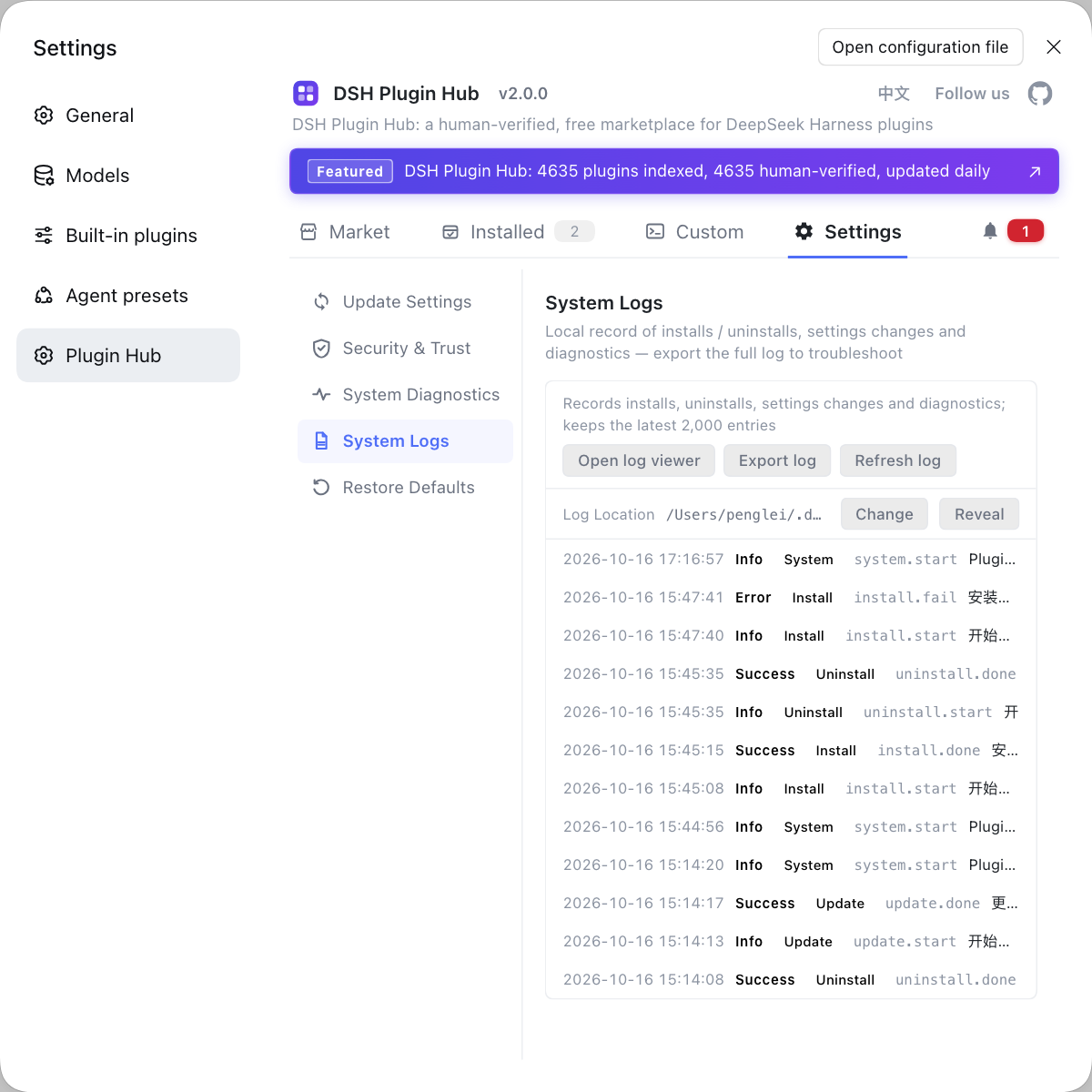
Troubleshooting desktop startup problems almost always includes "which plugins are installed". Instead of typing commands everywhere, use a visual plugin marketplace such as DSH Plugin Hub: the installed list, install/uninstall history, and system logs are gathered in one panel, so you can rule out the plugin layer first.
Source: Discussion #9610, Discussion #9044, Discussion #9609, Discussion #9710.
FAQ
In DeepSeek Harness desktop, a tray icon with no window means the main window is shown only after the host reaches its ready state, and that wait has no deadline. At the same time the tray and the "Open" entry share the same bring-to-front function, and that function returns early when the app has not entered a workspace yet, so clicking the tray during startup amounts to doing nothing. Try summoning the window with a shortcut, or use the web form temporarily to keep working; the proper fix direction is to add a deadline to the ready wait and show a startup-state window from the beginning.
In DeepSeek Harness desktop, the real error behind desktop welcome: Web RPC failed was discarded by the settings layer: a plugin exported its config object as a null value, and the settings module's shape check only rejected undefined and not null, so the whole settings description failed and the first step of the welcome flow threw. Launch with the "disable third-party plugins" entry first, then enable plugins one at a time to find the culprit; the fix direction is to reject null values in the check as well, and for the plugin side not to export null config.
DeepSeek Harness failing on every start with a credentials lock write timeout is the aftermath of hitting the open-file limit during startup. Startup scans a large number of session files, so if the cache directory holds too many files (tens of thousands, for example) the process runs out of file handles and the module that writes the credentials lock — a required plugin — fails at that point; more importantly, the lock is created first and the process id written second, so dying between the two steps leaves a zero-byte lock file and every later start cannot take over. Move the oversized cache directory away and delete that empty lock, then restart.
In DeepSeek Harness desktop, one or two minutes of single-core saturation and near-900 MB disk reads after startup come from the settings description being called repeatedly during startup, with every call re-reading and re-parsing the whole profile's patches and the entire plugin list. Per the measurements in the discussion there are on the order of a thousand such calls during the startup phase, which produces one CPU-and-disk spike. The mitigation direction is to add caching to that step (invalidated by file identity and config-change events), and a corresponding community cache plugin exists.
To tell whether a DeepSeek Harness startup failure is a config/plugin problem or a filesystem resource problem, look at where the error lands first and then run a two-point test. If it happens in the welcome flow and relates to settings or RPC, suspect config or plugin exports first; if the error text mentions an open-file limit, a lock file, or a path scan, it is a resource problem. An even simpler test: can it start with "disable third-party plugins" (yes points to plugins), and can it start once after deleting the empty lock file (yes points to resources).
Related Terms
- Desktop Host ready
- Desktop Host ready is the signal that the desktop host has finished starting and can provide backend capabilities to the UI. The main window's display and part of the interaction depend on it; if this wait has no deadline, the UI never shows a window while the host is stuck in startup.— https://github.com/deepseek-ai/deepseek-harness/discussions/9610
- Web RPC failed
- Web RPC failed is the generic message the desktop welcome flow gives when a backend call fails. It carries no cause itself; the real error is usually discarded further up, so you have to keep tracing from the specific module (such as the settings description).— https://github.com/deepseek-ai/deepseek-harness/discussions/9044
- EMFILE
- EMFILE is the POSIX error code meaning "the process has reached its open-file limit". In DeepSeek Harness startup scenarios it is usually caused by scanning a large number of session files, and it then makes required modules (such as the credentials writer) fail as well.— https://github.com/deepseek-ai/deepseek-harness/discussions/9609
- file lock and empty lock
- A file lock keeps multiple processes from writing the same state at once; a common implementation exclusively creates the lock file and then writes the owner's process id. If the process fails between the two steps it leaves a lock file with no content, and later processes cannot take over because they cannot read the owner information, forming a permanent block.— https://github.com/deepseek-ai/deepseek-harness/discussions/9609
Sources
- #9610 — Desktop Host never emits ready, so the app is left with only a tray icon and no window· deepseek-ai (GitHub Discussions)
- #9044 — [Bug][Windows][Desktop 0.2.0-rc.2] Startup fails: desktop welcome: Web RPC failed· deepseek-ai (GitHub Discussions)
- #9609 — Desktop EMFILE about 2.6s after startup (session_projcache/sessions, 14k+ files)· deepseek-ai (GitHub Discussions)
- #9710 — [Bug][Desktop/Win] ~80s single-core saturation + ~900 MB read after startup: dsh-settings describe() recomputes the whole profile composition on every call· deepseek-ai (GitHub Discussions)