DeepSeek Harness desktop: time zone, Ctrl+C, port and paste
DeepSeek Harness (DSH) desktop has a class of faults whose shared trait is small but very disruptive: in some Windows time zones every chat reports the browser time zone as unavailable and the request is never sent (the throw happens before the first await, so the host side shows no trace); pressing Ctrl+C to stop the web service on Windows closes the entire browser window it launched along with it; when a local port falls in the system reserved range, the UI pops up "file corrupt, please reinstall" and suggests disabling plugins (yet reinstalling does nothing); and after a Chinese IME commit, pasting multiline text keeps only the first line. These four have different root causes but all belong to "missing degradation when an environmental assumption fails": throws when a value cannot be read, a signal broadcast to processes that should not receive it, too narrow an error-code classification, and an input path branching on a precondition without compensating (#9718, #9487, #9338, #8823).
DeepSeek Harness browser time zone unavailable: throws when it cannot read one, request never sent
In one sentence: when the client reads the browser time zone, a null return throws directly, and that throw happens before the first await — so the host side has no record at all, and the user feels "clicked and nothing happened" rather than seeing a failed request. The symptom is that in some Windows time zones every chat reports browser time zone is unavailable (#9718).
DeepSeek Harness three-step confirmation
- Confirm there is "no request at all": no request is visible in the network panel — this is the strongest criterion for this one (#9718).
- Confirm the time zone is the variable: switching back to the default time zone restores it; switching to some newer time zones (the discussion names "British Columbia Standard Time" and the like) reproduces it, and the Alberta time zone is hit as well (#9718).
- Confirm the host side is traceless: there is no related error in the log, because the exception happens in an early client-side stage (#9718).
DSH plugin two handling options and one stance
- Temporary workaround: set a time zone environment variable the system recognizes for the process (for example explicitly specifying a city time zone), or switch back to the default time zone (#9718).
- Fix direction: omit the field when the time zone cannot be read, rather than filling in UTC or another placeholder — the host already tolerates a missing field, so omission is the safest degradation (#9718).
- Verify: switch to the time zone that triggers the problem and resend a message; expect it to be sent normally (rather than "clicked and nothing happened") (#9718).
DeepSeek Harness Ctrl+C closes the whole browser: the signal is broadcast to a shared console
In one sentence: the browser is launched by the service process with a shared console (the launcher is not detached into its own process group and the standard streams use inherited mode), so the termination signal is broadcast to every process on the same console and the browser exits wholesale. The symptom is that after Ctrl+C all browser windows and tabs close together; if the browser was already running beforehand it is unaffected (#9487).
DeepSeek Harness three-step confirmation and handling
- Confirm the criterion: the browser was launched automatically by that command (not one you opened yourself beforehand) — this difference is the decisive evidence (#9487).
- Workaround (recommended): do not auto-open the browser at startup; visit the address manually instead:
dsh web --no-open
#   or turn off the "auto-open browser" config item, then visit the address from the prompt yourself
- Fix direction: make the browser launcher its own process group (detached console), and add an acceptance condition — "hand the address over even without a console"; the discussion notes this approach was rejected once before, so evaluate it with these two points together (#9487).
- Verify: do one Ctrl+C with an auto-launched browser; expect the browser to survive (or to clearly close only the service, not the browser) (#9487).
DeepSeek Harness port in the system reserved range: misreported as file corruption
In one sentence: the listen-failure error-code classification is too narrow (it recognizes only the "port in use" class), and on Windows a port falling in the system reserved range returns a permission-class error code — so it lands on the generic fatal branch and pops up "file corrupt, please reinstall", entirely unrelated to the facts. The symptom is a reinstall prompt at startup along with a "disable third-party plugins" button, while reinstalling does not help (#9338).
DeepSeek Harness three-step confirmation and handling
- Confirm the criterion: the error log shows a permission-class listen failure (not an in-use class); changing the port or restarting fixes it — that is this one (#9338).
- Temporary workaround: restart the host so the port is reassigned and falls outside the reserved range (#9338).
- Fix: recognize all three listen-failure error codes (in use / permission / address unavailable) together, group them as "address unavailable" but distinguish the cause in the wording (the permission class should mention the port range issue) (#9338).
- Verify: after deliberately occupying a port or landing in the reserved range, start and expect the message to say "port unavailable" rather than "file corrupt" (#9338).
DeepSeek Harness after an IME commit, pasting keeps only the first line: two input channels mixed
In one sentence: after an IME commit, pasting goes through the text insertion channel, and that channel writes only the first block; pasting directly goes through the paste channel, which does not swallow later blocks — an IME commit puts the input node into a certain state, thereby hitting this inconsistent branch. The symptom is that "commit Chinese first, then paste a multiline block" keeps only the first line, while pasting directly is fine (#8823).
DeepSeek Harness three-step confirmation and handling
- Confirm the criterion: a two-step reproduction — commit with the IME first, then paste; if pasting directly (without committing first) is fine, that is this one (#8823).
- Temporary workaround: clear the input box before pasting, or use the "clear then paste all at once" order of operations (#8823).
- Fix direction one (plugin-side guard): route the insertion of multiple blocks of text through the paste channel — the discussion gives a guard approach verified against multiple cases (#8823).
- Fix direction two (host one-line-level): take over the before-input event so the post-commit state does not route the paste to the insertion channel (#8823).
- Verify: redo the two steps "commit → paste multiline"; expect all lines to go in (#8823).
DSH plugin troubleshooting notes
The common mindset for these four is: first find "which environmental assumption was broken", then see whether there is a switch to work around it, and only then wait for a fix. Eight points:
- "Clicked and nothing happened" ≠ a failed request: check the network panel for a request first (#9718).
- The time zone one reproduces by just changing the time zone, the least-effort verification (#9718).
- When a value cannot be read, omit it rather than filling a placeholder — this is the general and safer degradation idea here (#9718).
- "Was the browser launched by the command line" determines the scope of the Ctrl+C one (#9487).
- Do not take "file corrupt, please reinstall" at face value: look at the error code first (#9338).
- The correct attribution for a port problem is "address unavailable", unrelated to plugins or install completeness (#9338).
- Verify lost paste lines with the "two-step reproduction"; a single paste not reproducing does not mean there is no problem (#8823).
- State the fix status honestly: all four are unfixed in the versions the discussions refer to; the time zone and Ctrl+C ones have clear fix proposals (omit the field, detach the process group) but not merged, the port one has a patch that passed multiple tests provided by the reporter but also not merged, and the paste one has a community guard plugin usable for now.
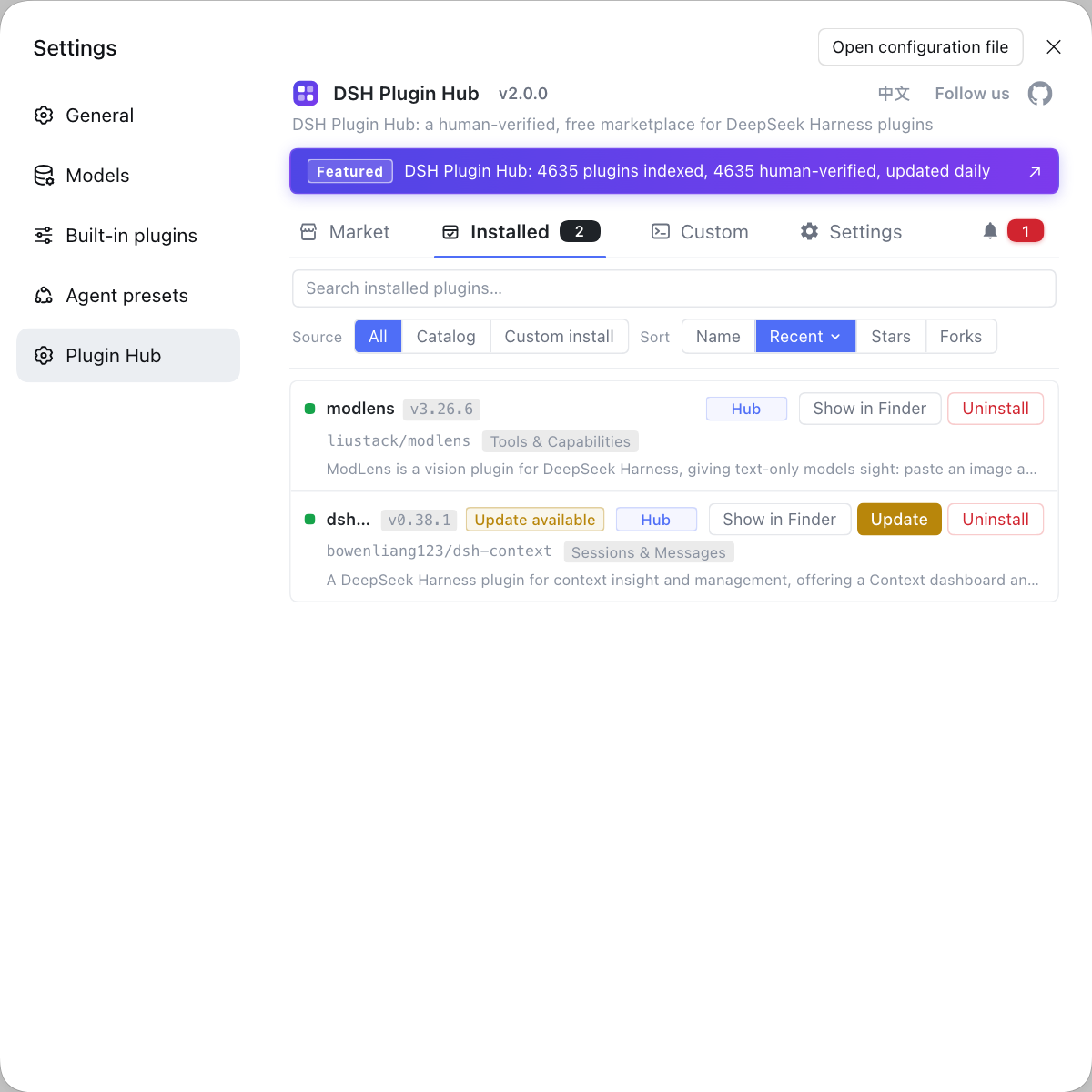
When troubleshooting desktop interaction problems, "which plugins are installed" is sometimes one of the variables (especially a plugin that affects the UI or input behavior). If you want to rule out the plugin layer first, instead of typing commands everywhere, use a visual plugin marketplace such as DSH Plugin Hub: the installed list, install/uninstall history, and system logs are gathered in one panel.
Source: Discussion #9718, Discussion #9487, Discussion #9338, Discussion #8823.
FAQ
In DeepSeek Harness, every chat reporting browser time zone unavailable in some Windows time zones happens because a null return throws directly when the client reads the time zone, and that throw happens before the first await, so the host side leaves no trace and it looks like "clicked and nothing happened". A workable workaround is to set a time zone environment variable the system recognizes for the process (for example specifying a concrete city time zone), or switch back to the default time zone; the long-term fix is to "omit the field when the time zone cannot be read" rather than filling a placeholder value, because the host already tolerates a missing field.
On Windows, pressing Ctrl+C closes the whole browser too because DeepSeek Harness launches it with the service process on a shared console: the launcher is not detached into its own process group, and standard input/output use inherited mode, so the three share one console and the termination signal is broadcast to every process on that console, so the browser exits wholesale. The workaround is not to auto-open the browser at startup (use the switch that does not open a browser, or turn off the open-browser config), then visit the address manually; the fix direction is to make the launcher its own process group and add an acceptance condition of "handing the address over even without a console".
DeepSeek Harness desktop shows "file corrupt, please reinstall" while reinstalling does not help because the error-code classification for listen failures is too narrow: the logic only recognizes the in-use class, and on Windows, when the port falls in the system reserved range, the bind fails with a permission-class error code, so it lands on the generic fatal branch and gives text unrelated to the facts. The criterion is a permission-class listen failure in the error log; the workaround is to restart the host so the port is reassigned; the fix is to recognize all three listen error codes together and distinguish the wording.
In DeepSeek Harness, pasting after a Chinese IME commit keeps only the first line because the two input paths differ: pasting after a commit goes through the text-insertion channel, which writes only the first block, while pasting directly goes through the paste channel, which does not swallow later blocks. An IME commit puts the input node into a certain state, which hits this inconsistent branch. The workaround is to clear first and then paste directly, or use a plugin-side guard to route multiline insertion through the paste channel.
All four DeepSeek Harness desktop faults stem from "missing degradation when an environmental assumption fails": a missing time zone throws, a terminal signal is broadcast to processes that should not receive it, the error-code classification is too narrow, and an input path branches on a precondition without compensating. So the common approach is to first find "which environmental assumption was broken", then see whether there is a switch to work around it, and only then wait for a fix.
Related Terms
- browser time zone is unavailable
- browser time zone is unavailable is the message the DeepSeek Harness client gives when reading the browser time zone fails. It appears before the request is sent, so the user feels "clicked and nothing happened" rather than seeing a failed request.— https://github.com/deepseek-ai/deepseek-harness/discussions/9718
- detached child process
- A detached child process is one that is detached from the parent's process group and console at startup so it does not exit together with the parent's signals. A browser launcher that does not use this mode and shares the console is hit by the termination signal the parent receives.— https://github.com/deepseek-ai/deepseek-harness/discussions/9487
- listen EACCES / EADDRINUSE / EADDRNOTAVAIL
- These three are common local listen-failure error codes: EADDRINUSE means the port is already in use, EACCES means insufficient permission (common on Windows when the port falls in the system reserved range), and EADDRNOTAVAIL means the address is unavailable. They should be grouped together as "address unavailable" but distinguished by cause in the wording.— https://github.com/deepseek-ai/deepseek-harness/discussions/9338
- text insertion channel and paste channel
- In a rich text editor, text insertion and paste are two different input channels: the former processes text with insertion semantics, the latter with paste semantics (preserving newlines and formatting). Multiline content going through the insertion channel may write only the first block, so the two channels must not be mixed up.— https://github.com/deepseek-ai/deepseek-harness/discussions/8823
Sources
- #9718 — [Bug] Windows desktop: browser time zone is unavailable blocks chat· deepseek-ai (GitHub Discussions)
- #9487 — [Bug] Windows: Ctrl+C exiting dsh web also closes the whole browser it launched· deepseek-ai (GitHub Discussions)
- #9338 — Desktop misreports listen EACCES (Windows reserved port range) as "file corrupt, please reinstall"· deepseek-ai (GitHub Discussions)
- #8823 — After an IME commit, pasting multiline text keeps only the first line· deepseek-ai (GitHub Discussions)