dsh web plugin market blank: what differs from desktop
dsh web opens, the sidebar is there, and only the plugin market area is white — a scene that is easily misread as "Hub is broken", while the desktop app usually works perfectly. The two run different profiles and page pipelines, so a blank web view is more likely one of three things: Hub missing from the web profile, an expired authentication cookie, or front-end assets that no longer match (browser token authentication note). This article follows a triage table: separate the client and the symptom, check three layers, then recover in order of cost. The entry is Settings → Plugin Market inside DSH Plugin Hub.
Web versus desktop: how DeepSeek Harness plugin markets differ
The web client and the desktop app are not the same runtime: each has its own profile, and a plugin appears only on the side where it was installed. When desktop works and web is blank, the first question is whether Hub is in the web profile, not whether to reinstall.
| Comparison | dsh web | Desktop |
|---|---|---|
| Launch | npx @deepseek-ai/dsh web or dsh web | Desktop application |
| Profile | web profile | The desktop app's own profile |
| Plugin source | Plugins installed into the web profile | Plugins installed into the desktop profile |
| Default address | 127.0.0.1:3080 | In-app interface |
- Run
dsh plugin --profile web listin the terminal and confirm whether Hub is in the web profile. - If it is absent, install Hub the web way first, then refresh the page.
- If it is present but the page is blank, continue to port, authentication and cache.
- Confirm which profile the desktop app uses so the two symptoms do not get mixed together.
Separating the clients removes half of all "the plugin is broken" misreads. The two plugin lists are not shared, so one side working says nothing about the other.
Blank or loading: two DSH Plugin Hub symptoms
Blank and loading are different problems: one means what should appear did not, the other means the request has not returned. A quick look at page structure and developer tools separates them.
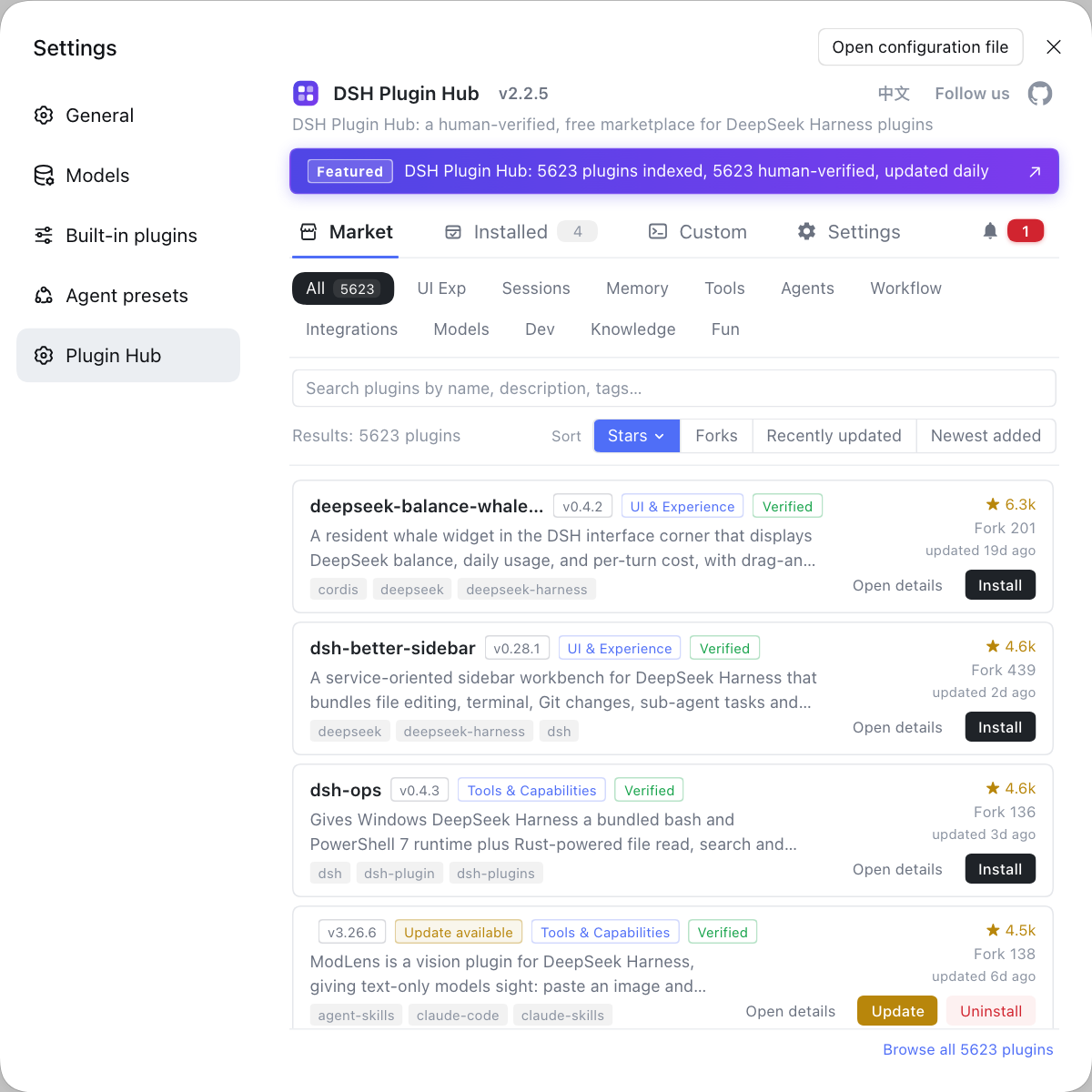
- Check the sidebar and conversation area: if both render and only the market is empty, it is local; if everything is white, it is page-wide.
- Watch for a spinner in the market area: a few seconds of spinning followed by blankness usually means a timeout or a rejected request.
- Open the developer tools Console and look for script errors or asset 404s.
- In Network, read the status code of the market request: 404 points at routing or assets, 401 at authentication, and a 200 with an empty body at the data layer.
- Record what you see: local or page-wide, spinner or immediate blank, and the status code.
The finer the symptom, the less time you lose later. The worst move is clearing cache the moment the page looks blank, which also erases the evidence that authentication had failed.
Port, authentication and cache: the DeepSeek Harness order
Check in the order port, authentication, cache: port decides whether you can reach the app, authentication decides whether you may fetch data, and cache decides whether you are looking at an old page. Reverse it and you keep testing the wrong layer.
- Port: confirm you are on
http://127.0.0.1:3080, or the new address if the port changed;dsh webrefuses to bind0.0.0.0. - Authentication: visit once with the
?token=address printed by the current process so the token can be exchanged for a cookie. - Authentication detail: cookies bind to hostname and port, so a port or hostname change invalidates the old cookie and requires a fresh exchange.
- Cache: force a reload, or disable cache in developer tools and load once more.
- Assets: check Network for script and style 404s; after an upgrade old chunks no longer exist and produce exactly this error.
The token URL is a process credential, so never paste it into a chat window or an issue. Full authentication and port mechanics live in dsh web authentication and port 3080.
Images loading does not prove authentication
Static and non-index assets may remain public, so a visible image only proves the network reaches the server, not that the session is valid. Skipping the authentication check because icons render misses an expired cookie. Judge by the response code of the market data request, not by whether the page shows icons.
Recovery order: DSH Plugin Hub from refresh to desktop comparison
Recover from cheapest to most expensive: refresh, re-authenticate with the token URL, clear cache, and only then compare with desktop to isolate variables. Change one variable per step and reproduce immediately.
- Refresh the page once to rule out a one-off load failure.
- Return to the terminal and revisit the
?token=address from this launch to exchange a fresh cookie. - If it is still blank, force a reload or clear the site cache and load again.
- If blankness persists, reproduce in a clean browser profile to rule out an extension blocking requests.
- Finally open the desktop app for comparison: if desktop works, the problem is in the web pipeline; if desktop is also blank, go back and inspect Hub itself.
The order preserves evidence. Clear cache first and you cannot tell whether authentication had failed; switch browsers first and you cannot tell whether the port changed. Record what changed and what happened at every step.
| Step | Cost | When it applies |
|---|---|---|
| Refresh | Lowest | One-off load failure |
| Token URL | Low | Expired authentication or changed port |
| Clear cache | Medium; destroys the scene | Asset 404 or stale chunk |
| Desktop comparison | High; changes environment | Still cannot localize |
Evidence checklist when it still fails: reading dsh plugin market logs
Collect four kinds of evidence before acting: CLI list, Console, Network and versions on both sides; only when they point at the same layer is the conclusion reliable. A single "blank page" observation easily leads to a reinstall in the wrong direction.
- The output of
dsh plugin --profile web list, showing whether Hub and the target plugin are present. - Script errors and asset 404 paths from Console, captured as screenshots.
- Market request status codes and bodies from Network, separating 401, 404 and 200-with-empty-data.
- The Hub version and
dsh --version, compared against compatibility statements. - The exported operation record from Settings → Plugin Market → System Logs.
Of the four, Network status codes carry the most information: 401 points at authentication, 404 at assets or routing, and an empty 200 at catalog retrieval. With that conclusion, decide whether to re-authenticate, clear cache or reinstall Hub.
The purpose of evidence is not to prove who is at fault but to justify the next action. For adjacent blank-page cases, compare the plugin market will not open and Hub blank while the CLI works.
FAQ
DeepSeek Harness should be suspected on the web side first, because the two use different profiles and different page pipelines. A working desktop proves Hub itself can function, so a blank web page more likely means Hub is missing from the web profile, the page never received catalog data, or browser cache mismatches asset versions.
DeepSeek Harness gives structural clues: if the sidebar and conversation area render and only the market region is empty, it is a local problem; if the entire page is white, it is a whole-page problem. Then open the developer tools Network panel and see whether a request fired and returned a 200 with an empty array or a 404. That separates render failure from empty data.
DeepSeek Harness binds dsh web to 127.0.0.1:3080 by default, and the port changes with the --port flag. Browser cookies are bound to hostname and port, so an old cookie no longer matches after a port change and the page falls back to an unauthenticated state. Revisit the newly printed token URL to exchange a fresh cookie before expecting the market to recover.
DeepSeek Harness uses a startup token to exchange for a browser cookie, and requests without a valid cookie receive a 401. A blank page can mean the front end cannot fetch data after authentication expired, or that static assets are public while API calls are rejected. Visit once with the token URL printed by the current process, then judge whether authentication is the cause.
DeepSeek Harness recovery should proceed from cheapest to most expensive: refresh costs nothing, re-authenticating with the token URL comes next, clearing cache destroys the scene, and the desktop comparison isolates variables. Reversing the order complicates simple problems; clear cache first and you can no longer tell whether authentication had failed.
Related Terms
- dsh web
- dsh web is the DeepSeek Harness command that starts the web UI, equivalent to dsh --profile web, bound to 127.0.0.1:3080 by default. It loads plugins from the web profile, which is not shared with the desktop app.— https://github.com/deepseek-ai/deepseek-harness
- startup token
- The startup token is the random credential DeepSeek Harness generates each time the web UI starts, used only through the initial ?token= URL to exchange for a browser cookie. Requests without a valid cookie receive a minimal 401.— https://github.com/deepseek-ai/deepseek-harness/blob/master/.agents/notes/implemented/architecture/2026-08-24-browser-token-authentication.zh.md
- web profile
- The web profile is the configuration stack loaded when dsh web starts, located under $DSH_HOME/profiles/web, and it decides which plugins appear in the web UI. A plugin must be installed into this profile to show up there.— https://github.com/deepseek-ai/deepseek-harness
- stale cache
- Stale cache is old page assets and old data retained by the browser, most common after an upgrade. It leaves page structure mismatched with the new version and shows up as a blank page or missing widgets.— https://github.com/dshplugin/dsh-plugin-hub
Sources
- deepseek-ai/deepseek-harness (source repository)· GitHub
- Agent Note: browser startup token authentication· deepseek-ai
- DSH Plugin Hub plugin page· dsh-plugin.org