dsh-tavern: roleplay DSH plugin for DeepSeek Harness
dsh-tavern is a class of DSH plugin that adds roleplay and story settings to DeepSeek Harness, drawing on SillyTavern — it moves the experience of "play a character and advance a plot" into a session (source). This guide covers what it is, how settings land in the system prompt layer, and neutral guidance on content and permissions.
What dsh-tavern is: roleplay and story settings for DeepSeek Harness
dsh-tavern is a community-built roleplay DSH plugin that makes DeepSeek Harness respond per a pre-set character and plot, rather than as a general assistant. It is a gameplay extension, not an official built-in feature; the word tavern comes from the roleplay-chat community tradition. It mainly addresses three things:
- Staying in character — fix identity, tone, and background with a character card. Expected: the persona does not drift across turns.
- Keeping the plot coherent — supplement scenes and rules with a lorebook so the story has a factual base. Expected: settings stay consistent without contradicting themselves.
- Supporting long-run play — some implementations add character-card import, worldlines, and layered long-term memory. Expected: long plots still join up.
In one sentence: it turns "playing a role" into a configurable, reusable set of settings.
How to use the dsh-tavern DSH plugin: character cards, lorebooks, system prompt
In dsh-tavern, character cards and lorebooks ultimately pour into the system prompt layer, which DeepSeek Harness assembles into the input the model reads each turn (source). So whether you stay in character depends on whether those settings were assembled into context correctly. Getting started:
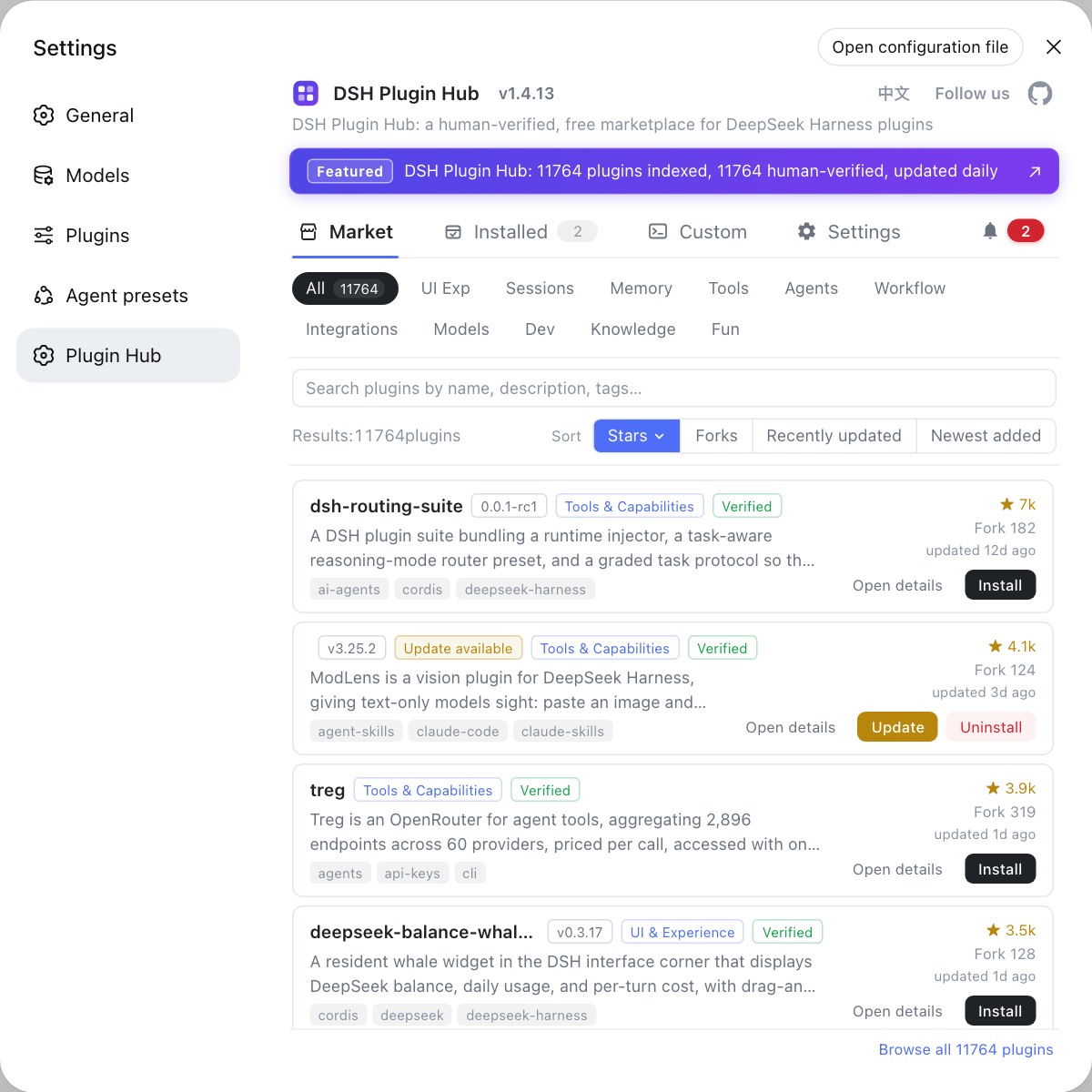
- Install the plugin — pick an implementation under the roleplay / interface category on DSH Plugin Hub and install it with the command the entry gives. Expected: the plugin joins the current profile.
- Prepare a character card — write down the persona's identity, tone, background, and speech habits. Expected: the model has a clear basis for playing the role.
- Add a lorebook — write in scenes, rules, and proper nouns. Expected: the plot gets a stable factual base.
- Open a scene and try it — enter the plot with an opening line and watch whether it drifts over several turns. Expected: the persona and settings stay consistent.
- Layer in long-term memory as needed — pair long plots with a memory plugin. Expected: settings do not get lost across turns.
Note: how good the settings are is how good the prompt you wrote for the model is; it is not "install it and it performs automatically".
Neutral guidance for roleplay DSH plugins: content limits and safety risk
A roleplay DSH plugin only organizes prompts and does not bypass safety policy — a plot touching sensitive content may still be refused, and character settings cannot be used as real instructions. Three neutral points:
- Content limits — sensitive themes may be refused by the model, which is model-side behaviour unrelated to the plugin. Expected: redirect the plot rather than forcing it.
- Settings are not instructions — character settings enter as prompt material and cannot change the tool gate or sandbox. Expected: do not believe claims about "bypassing framework limits with settings".
- Long-term memory persists to disk — plots and settings may be persisted, so mind the storage location when privacy is involved. Expected: know which content gets remembered.
DSH plugin usage notes
- Vet the source: roleplay plugins vary widely in permissions and data behaviour, so check compatibility status and maintenance activity before installing.
- Do not treat it as a jailbreak tool: it solves a gameplay need, not a safety bypass (see what DeepSeek Harness jailbreak means).
- Keep settings maintainable: version your character cards and lorebooks so a bad edit can be rolled back.
- Leave room for privacy: plot and character data stays on the local machine, so be careful about what sensitive content you write in.
- Pair with a memory plugin: for coherent long plots, adding a memory plugin is more reliable.
Sources: dsh-roleplay (DSH Plugin Hub), system prompt assembly (DeepSeek Harness docs).
FAQ
dsh-tavern is a class of DSH plugin that adds roleplay and story settings to DeepSeek Harness; it is a community gameplay extension, not an official built-in feature. It brings the experience of "play a character and advance a plot per the settings" into a session, drawing on the SillyTavern approach. The word tavern refers to this roleplay-chat community, so do not mistake it for a framework module.
In dsh-tavern, character cards and lorebooks ultimately pour into the system prompt layer, which the framework assembles into the input the model reads each turn. A character card describes the persona's identity, tone, and background, while a lorebook fills in scenes and rules, and both are concatenated into the system prompt or its prefix. So whether you stay in character reliably depends on whether those settings were assembled into context correctly.
A roleplay DSH plugin does not bypass safety policy by itself, so a plot touching sensitive content may still be refused, and that is expected behaviour. The plugin only organizes prompts; safety alignment is still enforced by the model and framework, and no amount of detailed setting changes that boundary. When you hit a refusal, redirecting the plot works better than cycling through phrasings.
Character settings are not real instructions, and treating them as framework-level rules can bring permission and safety risks. Content outside the system prompt is only material the model reads, and it cannot change the tool gate, sandbox, or permission policy. Any claim that "character settings let the agent do what the framework forbids" contradicts how the mechanism actually works.
There are many variants of roleplay DSH plugins; besides the dsh-tavern family, some implementations include character-card import, worldlines, and layered long-term memory. When choosing, first see how a plugin organizes settings (character card, lorebook, memory) and whether it supports long-run plot continuity, then check compatibility status and maintenance activity. To browse peers, look under the roleplay or interface category in the marketplace.
Related Terms
- dsh-tavern
- A class of DSH plugin that adds roleplay and story settings to DeepSeek Harness, drawing on the SillyTavern community. It organizes character settings into prompts and does not change the framework's safety or permission boundaries.— DSH Plugin Hub - dsh-roleplay
- character card
- A structured block in a roleplay plugin describing a persona's identity, tone, and background, which ultimately pours into the system prompt. It determines the identity and tone the model answers with in a session.— DeepSeek Harness docs - system prompt assembly
- lorebook
- A set of settings in a roleplay plugin that supplements scenes, rules, and background knowledge, injected into context as the plot needs. Together with the character card, it forms the background facts the model plays against.— DeepSeek Harness docs - system prompt assembly
- system prompt
- The instruction prefix DeepSeek Harness assembles at the start of each turn and gives the model to read first, determining which capabilities it knows about and which rules it follows. Roleplay settings ultimately land in this layer.— DeepSeek Harness docs - system prompt assembly
Sources
- dsh-roleplay (DSH Plugin Hub entry)· dsh-plugin.org
- DeepSeek Harness docs - system prompt assembly· deepseek-harness