How to find a DSH plugin: Hub vs CLI vs GitHub
Finding DeepSeek Harness plugins uses three sources that are not alternatives but three stages: the marketplace discovers, the CLI confirms, GitHub verifies. Using only one leaves a specific blind spot: the marketplace alone yields entries with incomplete metadata, GitHub alone gives you code without an installable package name, and the CLI alone cannot tell you what to look for. So fix the order — shortlist in the marketplace, confirm names and versions with the CLI, verify maintenance and dependencies on GitHub. The whole pass usually takes minutes.
What each DeepSeek Harness plugin source can and cannot show
Bottom line: the marketplace shows categories and popularity, the CLI shows package names and versions, GitHub shows source and activity. Their information barely overlaps, so skipping one blinds you.
| Source | Strength | Blind spot |
|---|---|---|
| DSH Plugin Hub marketplace | Category browsing, listing text, install entry, popularity | Listing requirements; metadata quality depends on the publisher |
| Command line | Exact package name, available versions, dependency metadata | No discovery, no alternatives |
| GitHub | Source, commits, issues, maintenance activity | Not always an installable package name; scattered information |
Option A: marketplace first (when you do not know what you need)
Bottom line: when the requirement is vague, start from categories. It is the fastest way to turn a fuzzy need into concrete candidates.
- State the scenario before browsing, then navigate by category rather than starting from the overall ranking.
- Check the listing against your need: what it solves, what it depends on, how it installs. All three must pass.
- Write a short shortlist: name, one-line purpose, dependency.
- Move to the three-stage workflow for confirmation.
- Judge by fit over popularity — see reading DSH Plugin Hub rankings.
Option B: command line first (when you already have a package name)
Bottom line: the CLI is for confirmation, not discovery. Package name, versions and dependencies in one pass prevents installing the wrong thing.
- Confirm the package and versions using npm's metadata query:
npm view <plugin-package> versions --json
# expected: a version list confirming the version you want exists
- Check dependencies with npm view <plugin-package> dependencies, looking for native modules that need compiling (important on ARM and in containers).
- Install and verify immediately:
dsh plugin add <plugin-package>@<version>
dsh plugin        # expected: the plugin appears at the specified version
- Record the version for rollback and multi-machine alignment (see pinning DSH plugin versions).
Option C: GitHub first (when you need source and activity)
Bottom line: when deciding whether to rely on a plugin long-term, check GitHub. Commits, issues and release cadence answer whether it is alive and whether it might break suddenly.
- Check commit and release cadence and whether it tracks recent DeepSeek Harness changes.
- Read issues: long-unaddressed critical problems, or discussions matching your scenario.
- Read the README for dependencies and permissions — the main basis for what you must prepare before installing.
- Return to the CLI to confirm an installable form — repository code is not necessarily a published package.
- Judge by maintenance over stars — stars record past attention, commits record present state.
Three-stage workflow for finding DeepSeek Harness plugins
Bottom line: marketplace shortlist, CLI confirm, GitHub verify. Fixed order, and it covers all three blind spots.
- Stage one (discover): find two or three candidates by category and record names and purposes.
- Stage two (confirm): verify package names, versions and dependencies with the CLI, eliminating nonexistent versions and unmet dependencies.
- Stage three (verify): check maintenance state and known issues on GitHub, then decide which to try.
- Install one at a time when trying alternatives, so conflicts do not blur responsibility (see DSH plugin conflicts).
- Record the outcome: package name, version and source in your plugin manifest.
Blind spots and traps for each DeepSeek Harness plugin source
Bottom line: the marketplace trap is publisher-supplied metadata, the CLI trap is not knowing what to search for, and the GitHub trap is code without a package.
- Marketplace blind spot: metadata comes from publishers, so missing dependency notes surface only at install time. Always read dependencies first.
- CLI blind spot: no discovery; if you lack a package name, the CLI cannot help.
- GitHub blind spot: a repository may hold several packages or none published to a public registry, producing "I can see it but cannot install it."
- Shared blind spot: none of the three knows whether your environment satisfies the plugin (native modules, permissions, CLI version). Only post-install verification answers that.
- Supplementary channels: community discussions surface leads, but quality varies; use them to discover, then confirm and verify as above.
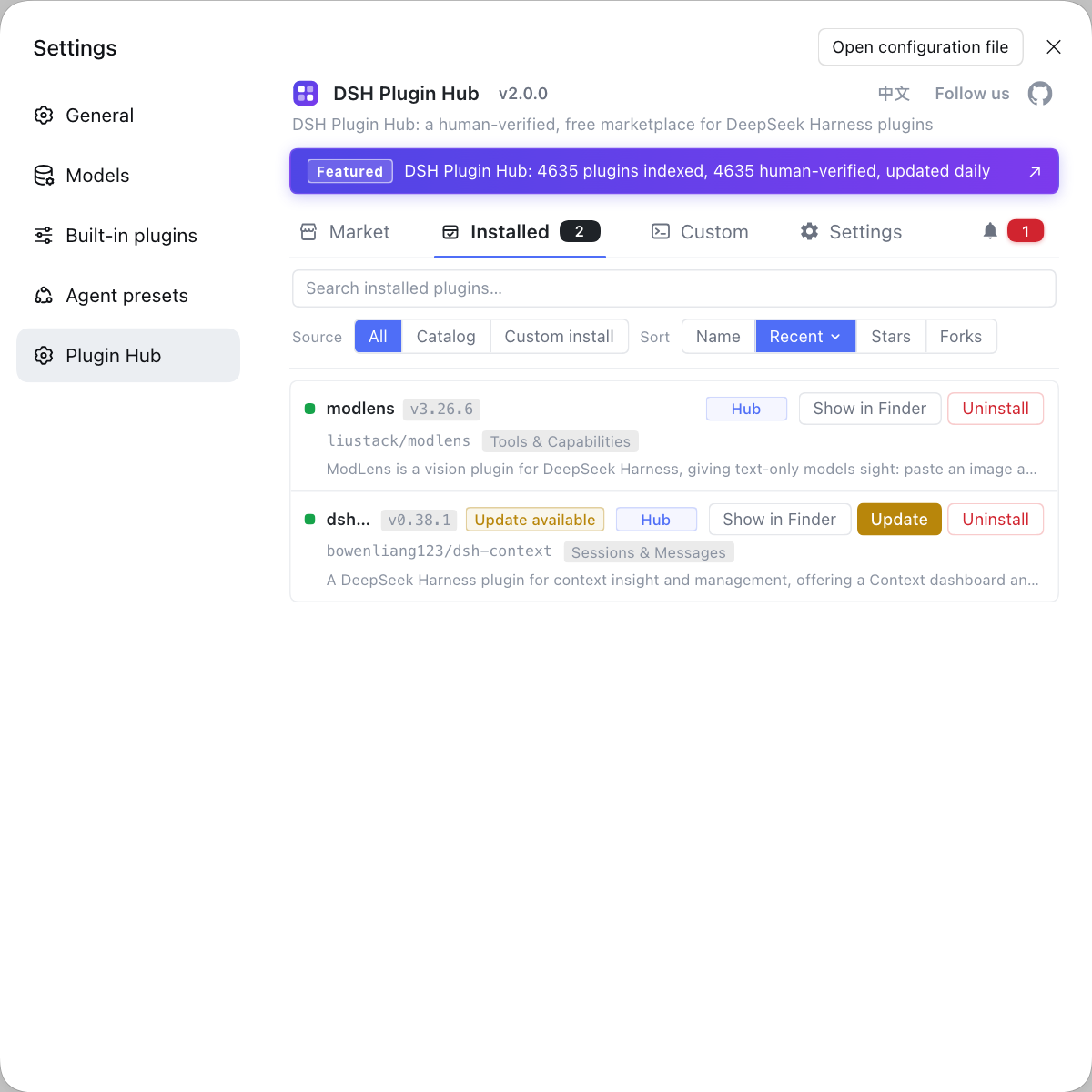
DSH plugin troubleshooting when searching
Bottom line: search failures are usually "wrong channel," not "nonexistent plugin." Change the channel before changing keywords.
- Not in the marketplace — try other keywords, search GitHub topics, or check whether the CLI already provides the capability.
- Found on GitHub but cannot install — confirm the package name and version published to a registry.
- Installed but disappointing — move to post-install verification and conflict diagnosis instead of hunting for a better plugin.
- Constantly swapping plugins — write the scenario sentence and search from it rather than trial and error.
- Team workflow — record the result in the manifest: who provides it, which version, why chosen. More valuable than a bare package name.
- Repair status, stated honestly: channel capabilities here follow DSH Plugin Hub's public pages and the official repository's publishing conventions. Actual sorts and filters change with the page, and dsh plugin subcommand syntax should be confirmed with --help.
If you only need to know where to download from, see plugin download channels: market, GitHub and npm.
Sources: DSH Plugin Hub listing, apps/cli/README.md, docs/user/develop/basic/publish.md.
FAQ
In DeepSeek Harness, it depends on whether you know what you are looking for. When you do not know which plugin matches a need, start with DSH Plugin Hub and browse by category — faster than guessing topics on GitHub. When you already have a package name, confirm it with the CLI. Go to GitHub when you need to judge reliability and maintenance activity.
Not necessarily: DeepSeek Harness plugin listings have requirements, so marketplace absence is not global absence. Publishing an installable package is one example, so marketplace absence may just mean it was never listed. Try different keywords, search GitHub topics, or check whether DeepSeek Harness already provides the capability — often the feature you want needs no plugin at all.
In DeepSeek Harness, the command line is for confirmation more than discovery. Once you have a candidate from the marketplace or GitHub, querying its package metadata is more accurate than comparing web pages: confirm the package exists, list its versions and inspect dependencies. Confirm exact dsh plugin subcommand syntax with dsh plugin --help.
Look at three places: the version release cadence, repository commit and issue activity, and whether it tracks recent DeepSeek Harness changes. Only when all three have stalled is it truly unmaintained; a quiet release schedule alone does not mean that.
In DeepSeek Harness, a fairly efficient three-stage workflow exists: the marketplace shortlists by category, the CLI confirms package names and versions so you do not install the wrong thing, and GitHub verifies maintenance state and dependencies. The whole pass usually takes minutes, far less than trial and error in a single channel.
Related Terms
- DSH Plugin Hub
- DSH Plugin Hub is the DeepSeek Harness plugin marketplace at dsh-plugin.org, with category browsing, search, listing details and one-click install, update and uninstall. It is the best entry point when you do not yet know which plugin you need.— https://dsh-plugin.org/en/plugins/dshplugin/dsh-plugin-hub
- package confirmation
- Package confirmation is verifying the exact package identifier and available versions before installing, avoiding similarly named packages. The command line does this most accurately because it queries package metadata directly.— https://github.com/deepseek-ai/deepseek-harness/blob/master/apps/cli/README.md
- maintenance activity
- Maintenance activity is an indicator of whether a plugin is worth long-term reliance, reflected in release cadence and repository activity. It differs from popularity: a rarely used but actively maintained plugin is often more dependable than a popular one abandoned years ago.— https://github.com/deepseek-ai/deepseek-harness/blob/master/docs/user/develop/basic/publish.md
- listing requirements
- Listing requirements are the conditions for appearing in the marketplace, such as providing an installable package and complete metadata. They mean marketplace absence and global absence are different things, so continue looking in other channels.— https://github.com/deepseek-ai/deepseek-harness/blob/master/docs/user/develop/basic/publish.md
Sources
- DSH Plugin Hub listing (category browsing and install entry)· dsh-plugin.org
- deepseek-ai/deepseek-harness — apps/cli/README.md (plugin subcommands and package resolution)· deepseek-ai (GitHub)
- deepseek-ai/deepseek-harness — docs/user/develop/basic/publish.md (listing conventions)· deepseek-ai (GitHub)