Official DSH plugins: built-in bundles & channels (Harness)
DeepSeek Harness official plugins come in two layers: built-in bundles and plugin packages. The bundles @deepseek-ai/dsh-base, dsh-web-app and dsh-headless form the running skeleton of every profile — the web and headless profiles auto-initialize on first use — while the LLM adapters dsh-llm-deepseek and dsh-llm-pi-ai handle model access. This guide walks through bundles, LLM plugins, official channels and the official-vs-community distinction in four steps.
Overview: the two-layer structure of official plugins
Official plugins split by role: bundles define "which form to run", LLM plugins define "which model to connect". The official repo organizes official capabilities into two kinds of packages: bundles under packages/bundle define the profile's form (web / headless tasks), and plugins under packages/llm handle model access (source). Understanding these two layers explains what official capabilities dsh loads at startup and makes it easy to tell them apart from community plugins. The bundles come first.
1. Official built-in bundles: the profile skeleton
Built-in bundles ship with the dsh install as config layers: dsh-base is the shared core, dsh-web-app is the browser form, dsh-headless is the UI-less task form — every profile is composed from them. A bundle is an npm package declaring dsh.bundle with an attached config patch layer (source). The three official built-ins (source):
| Bundle | Role | Notes |
|---|---|---|
@deepseek-ai/dsh-base | shared core | the bottom layer applied first in every profile; patch only |
@deepseek-ai/dsh-web-app | browser surface | web patch layer + runtime glue plugin, i.e. the Web UI form |
@deepseek-ai/dsh-headless | one-shot task mode | sits on base with no Host/Web layer, mounts headless-runner, runs and exits |
How they relate: dsh --profile web boots the web form composed of base + web-app; dsh --profile headless "task" boots base + headless, runs one task, prints the answer and exits (source). To verify both built-in profiles yourself, just launch them:
# Boot the built-in web profile (the web form composed of base + web-app)
dsh --profile web

# Run a one-shot task with the built-in headless profile (prints and exits)
dsh --profile headless "Summarize this repository"
The web and headless profiles auto-initialize on first use from shipped templates; other profiles are created via dsh plugin. Built-in bundles always resolve from the dsh installation itself, while community plugins install into the profile's own node_modules.
2. Official plugin packages: LLM adapters
Official LLM plugins handle model access: dsh-llm-deepseek connects DeepSeek directly, dsh-llm-pi-ai goes through the multi-provider pi-ai adapter, supported by the service definition, token metering and retry policy. The official packages under packages/llm (source):
- @deepseek-ai/dsh-llm-deepseek: the direct DeepSeek adapter, registering a provider route on
ctx.llm— the default channel for the Web UI to reach the DeepSeek API. - @deepseek-ai/dsh-llm-pi-ai: the multi-provider pi-ai adapter, also registered on
ctx.llm, for models covered by pi-ai. - @deepseek-ai/dsh-llm: the LLM service definition and shared streaming vocabulary — the base under both adapters.
- @deepseek-ai/dsh-token-meter: per-session token measurement that listens to request events.
- @deepseek-ai/dsh-llm-retry: provider-scoped retry policy that retries automatically on request errors.
In short, "which model to connect" is decided by the LLM adapter — switch providers by switching adapters without touching dsh itself, which is exactly what the everything-is-a-plugin architecture means.
3. Official channels: where official plugins come from
There are four official channels — the website, GitHub, npm and the docs — and official package names always carry the @deepseek-ai prefix. For official components, stick to these channels (source):
- Website
deepseek.com/harness: product introduction and download entry; - GitHub
deepseek-ai/deepseek-harness: source, Releases and changelogs — official plugin packages live under the repo's packages directory; - npm
@deepseek-ai/dsh: installing and upgrading the core; official packages are named@deepseek-ai/dsh-*; - Docs
deepseek-harness.github.io: plugin development, packaging and installation tutorials.
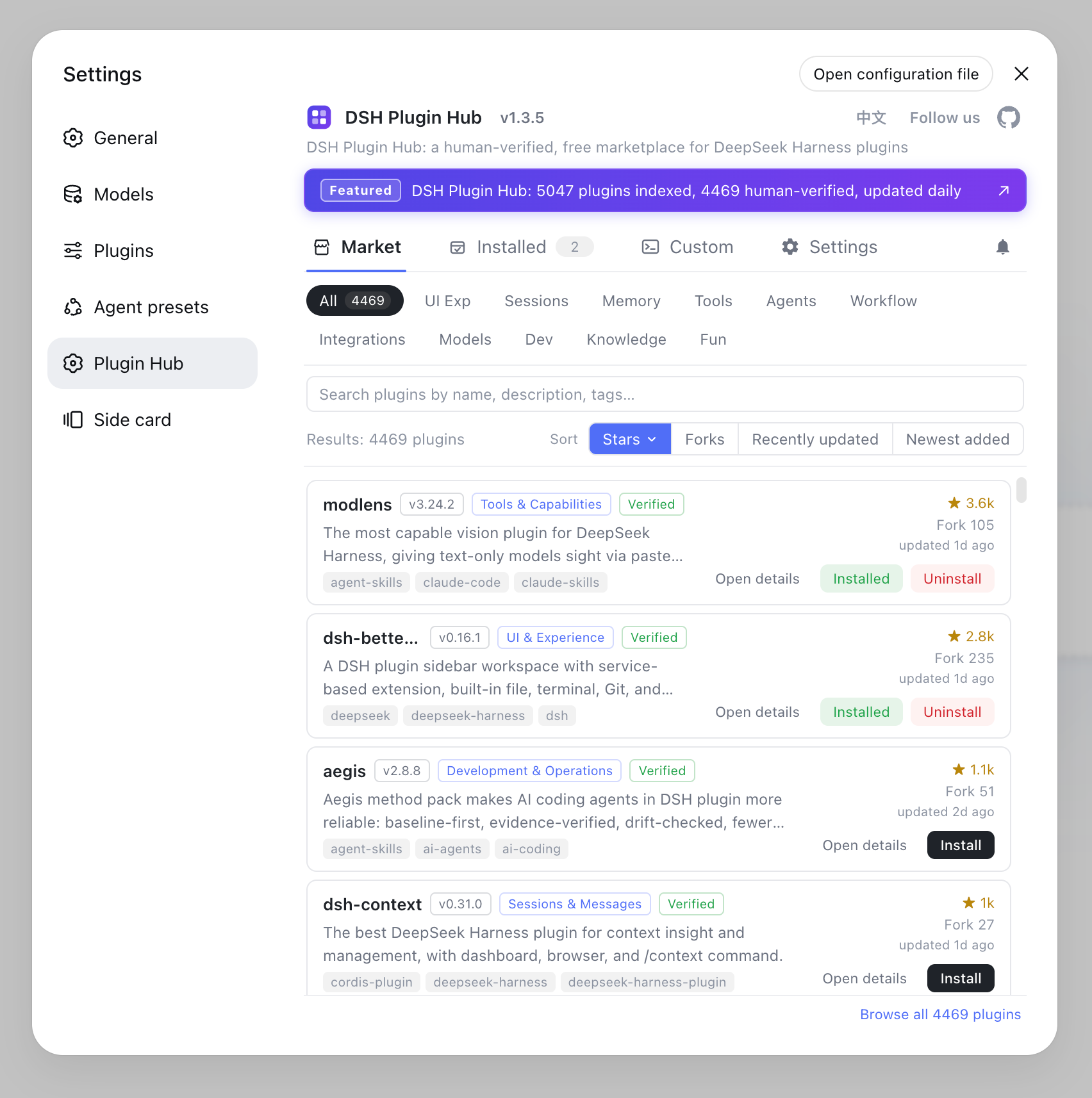
Community plugins are concentrated in the dsh-plugin.org plugin market and the built-in market of DSH Plugin Hub (4,800+ listed), complementing the official channels.
4. Official vs community: how to tell them apart and choose
Judge whether a plugin is official by three things: whether deepseek-ai maintains it, whether it ships with the dsh install, and whether the npm name carries the @deepseek-ai prefix. In practice:
- Check the source: every plugin in the plugin market marks its source and maintainer; official packages show deepseek-ai;
- Check verification:
verifiedmeans compatibility has been manually checked — official packages are reliable by default, and among community packages prefer verified ones; - Choose by need: pick official for model access and core forms; for UI enhancements, memory, tools and other extensions the community ecosystem is richer — browse by category in Settings → Plugin Market of DSH Plugin Hub first.
Notes on official plugins
In one sentence: official plugins manage form and models, community plugins manage capability extensions — check source and verification before installing. Three reminders:
- Do not install built-ins manually: dsh-base / web-app / headless ship with the install and are referenced by profiles automatically — do not add them again from the plugin market.
- Do not stack adapters: use one primary model provider at a time; mixing multiple adapters can cause route conflicts — switch models via the official docs config instead.
- Trust the source for community packages: GitHub distributions may lack build output, so prefer the npm build or check the source tag in DSH Plugin Hub before installing.
Sources: deepseek-ai/deepseek-harness - packages/bundle, packages/llm, DeepSeek Harness Docs - Package and Publish Plugins
FAQ
Two layers: built-in bundles @deepseek-ai/dsh-base (shared core), @deepseek-ai/dsh-web-app (browser UI) and @deepseek-ai/dsh-headless (one-shot task mode) form the profile skeleton; LLM adapters @deepseek-ai/dsh-llm-deepseek and dsh-llm-pi-ai handle model access.
A bundle is an npm package with a config layer: dsh-base is the shared core applied first in every profile, dsh-web-app provides the browser surface and runtime plugin, and dsh-headless provides a UI-less one-shot task mode. The web and headless profiles auto-initialize on first use.
Under packages/llm: dsh-llm-deepseek (direct DeepSeek adapter) and dsh-llm-pi-ai (multi-provider pi-ai adapter), plus dsh-llm (service definition), dsh-token-meter (token measurement) and dsh-llm-retry (retry policy) forming the complete model-access family.
Official plugins are maintained by deepseek-ai, ship with the dsh install or live under the official repo's packages directory, and use the @deepseek-ai npm prefix; community plugins are published by individuals or organizations with their source marked in the plugin market. Both install the same way via dsh plugin add or the plugin market.
Four official channels: the website deepseek.com/harness, the GitHub repo deepseek-ai/deepseek-harness, the npm package @deepseek-ai/dsh, and the docs at deepseek-harness.github.io. Community plugins are concentrated in the dsh-plugin.org plugin market and the built-in market of DSH Plugin Hub.