DeepSeek Harness free web search: DSH plugin picks & setup
DeepSeek Harness free web search uses DSH plugins to replace the official search channel that needs a key or metered billing with keyless public engines (source). The official tool catalog already ships built-in web_search and web_fetch, and a free plugin replaces or supplements them on that same chain. This guide covers three things: how built-in search differs from a plugin, which real free options exist, and how to install them while dodging quota and rate-limit traps.
How DeepSeek Harness built-in web search differs from a free DSH plugin
One line: built-in search follows the official path and may need a key or billing, while a free DSH plugin swaps in keyless engines at the cost of letting public engines decide stability (source). The comparison is clearer as a table:
| Aspect | Built-in web search | Free DSH plugin |
|---|---|---|
| API key | Usually needs the official key | Works out of the box, keyless |
| Billing | May be metered | Free, but no official quota guarantee |
| Stability | Official path, controllable | Depends on public engines, needs fallback |
| Results | Single source | Multi-engine, switchable and cacheable |
| Maintenance | Maintained officially | Maintained per community plugin |
The official web_search handles retrieval and web_fetch handles fetching, and tools registered by plugins appear alongside them in the tool list. So before installing a free plugin, decide whether you want to replace the built-in path or add a source: replace it by making the plugin the default search provider, or supplement it by keeping both and choosing per task.
One easy ordering trap to avoid: whether the free plugin replaces or supplements changes both the install and the outcome. Choose replace, make the plugin the default search provider, and the built-in web_search stops being called; choose supplement and both coexist with the model picking per task. The worst case is wanting a replace but never turning off the built-in channel, so the same question gets searched twice over two chains — slower and wasteful. Decide the goal first, then decide whether to touch the provider order.
Which free DeepSeek Harness web search DSH plugins exist
The core of a free search DSH plugin is keyless access plus multi-engine fallback, the same name often has several implementations from different sources, and you should read which channel it replaces before installing. Several real entries:
- dsh-free-search — keyless multi-engine search defaulting to Bing, with DuckDuckGo, SearXNG and more built in; any engine failure auto-falls back to the next, and it also supports platform searches such as GitHub and V2EX plus result caching. Expected: search works without a key, and a single engine going down does not break the whole result.
- dsh-free-web-search (delef) — about ten engines including Bing, DuckDuckGo and SearXNG with auto-fallback, plus time filtering, platform search and an engine-diagnostics tool. Expected: you can check each engine's availability one by one in the Web settings interface.
- dsh-free-web-search (sjlgg) — registers two keyless providers named
freeandfree-httpfor the web line, soweb_searchworks immediately after install whileweb_fetchneeds one extra step in the browser. Expected: search and fetch automatically point at the new providers. - dsh-web-search-free (sheep-programmer) — flips the default metered official search to anonymous keyless search in one click, backed by Parallel (default) and Exa (fallback), and ships a search service you can plug into an MCP client. Expected: switch official and free from one setting in the DSH UI.
- dsh-web-search-free (mochinek0) — replaces the official channel with a multi-engine auto-fallback path; you can add Tavily, Firecrawl or Exa engine API keys and order them as needed, without spending model tokens. Expected: when you want your own key for stability, the engines are tried in order.
What they share: all run without a paid key. Where they differ: some are purely keyless, some offer keyless fallback plus an optional own key, and some re-expose search over MCP for other clients. Want zero configuration, take the first kind; want more stability, take an entry that accepts your own key.
Laid out as one table, the trade-offs get clearer:
| Entry (owner) | Engines it relies on | Needs a key? | Install | Notable |
|---|---|---|---|---|
| dsh-free-search (dddmuc) | Bing default, DuckDuckGo/SearXNG fallback | Keyless | npm | Platform search (GitHub, V2EX) + result cache |
| dsh-free-web-search (delef) | About ten engines | Keyless | npm | Time filtering + engine diagnostics |
| dsh-free-web-search (sjlgg) | free / free-http providers | Keyless | npm | web_fetch needs one extra browser step |
| dsh-web-search-free (sheep-programmer) | Parallel default, Exa fallback | Anonymous, keyless | npm | One-click official/free switch + MCP service |
| dsh-web-search-free (mochinek0) | Tavily/Firecrawl/Exa, orderable | Keyless fallback + optional own key | npm | Zero model tokens, multi-key rotation |
How to read the table: start with the "Needs a key?" column to decide zero-config versus own-key, then the "Engines it relies on" column to judge how deep the fallback chain is — the more engines an entry is willing to fall back through, the smaller the risk from any single point failing.
How to install a free search DSH plugin: quota and rate limits
Installation follows the standard DSH plugin flow into the web profile, and stability leans on multi-engine fallback and caching, so do not treat public engines as an SLA (source). Do it in order:
- Pick an entry — search keywords such as
free-searchorweb-search-freeon DSH Plugin Hub and read the description to confirm which channel it replaces and which engines it depends on. Expected: you lock onto an entry that matches your need. - Install — use the standard command the entry gives, for example:
If the entry installs straight from abash
dsh plugin --profile web add dsh-free-searchgithub:repo, usedsh plugin --profile web add github:<owner>/<repo>. Expected: the terminal echoes that it joined thewebprofile. - Restart and verify — restart
dsh weband ask a question that clearly needs the network, watching whether the search tool fires. Expected: the tool call succeeds and returns sourced results. - Watch quota and rate-limit behaviour — ask several times in a row and see whether it switches engines automatically, whether the cache hits, and whether a failure falls back rather than erroring out. Expected: occasional engine failures are absorbed by fallback and the flow is not interrupted.
- Add your own key where needed — when you want more stability, pick an entry that lets you enter engine keys (such as one accepting Tavily or Exa) and let them be tried in order. Expected: when a free engine rate-limits, your own key takes over.
The key judgement here: a plugin that installed but never fires a tool is a completely different symptom from an engine that is temporarily unavailable after a good install. The first checks installation and profile; the second reads the fallback log.
When it does not work after install, work through this order:
- Confirm the command really succeeded — the terminal should echo that it joined the
webprofile; no echo usually means a wrong package name or profile. Expected: rerunning the command as-is reproduces the result. - Confirm it reached the load list — run
dsh plugin --profile web listand check the plugin name is present. Expected: the name is listed, meaning the dependency landed in this profile. - Confirm the tool actually fires — restart
dsh weband ask a question that clearly needs the network, watching for a search tool call. Expected: a tool call appears and returns sourced results. - If it still does not fire, check profile and provider — verify you did not install into another profile, or whether the entry needs a provider toggled on in settings. Expected: you can tell "installed wrong" from "engine is down".
The split is clear: the first three steps judge "is the plugin installed properly", and the fourth judges "it is installed but the engine is unavailable" — two completely different investigation paths, one going back to install and the other reading the fallback and rate-limit logs.
Notes and limits for using DSH plugin free web search
Remember three things — keyless trades away stability, multi-engine needs fallback, results are public — and free search stops tripping you up.
- Separate built-in from plugin first:
web_searchandweb_fetchare built-in tools and a plugin replaces or supplements them, so do not install a pile of similar capabilities twice. - Free is not unlimited: public engines make no official quota promise, so rate limits and drift are normal; lean on fallback and caching, and do not treat it as a production SLA.
- Results are public sources: engine quality and freshness vary, so re-check any critical conclusion against primary material.
- Your own key is steadier: if you need more, pick an entry that supports keys and multi-key rotation, using a paid path as a backstop for the free one.
- Install into the right profile: it hooks the Web UI and tool chain, so use
--profile web; a wrong profile means it will not appear in the interface. - The result cache has a TTL: caching cuts duplicate requests but also delays "just-updated" content by a beat, so watch the cache setting when chasing real-time results.
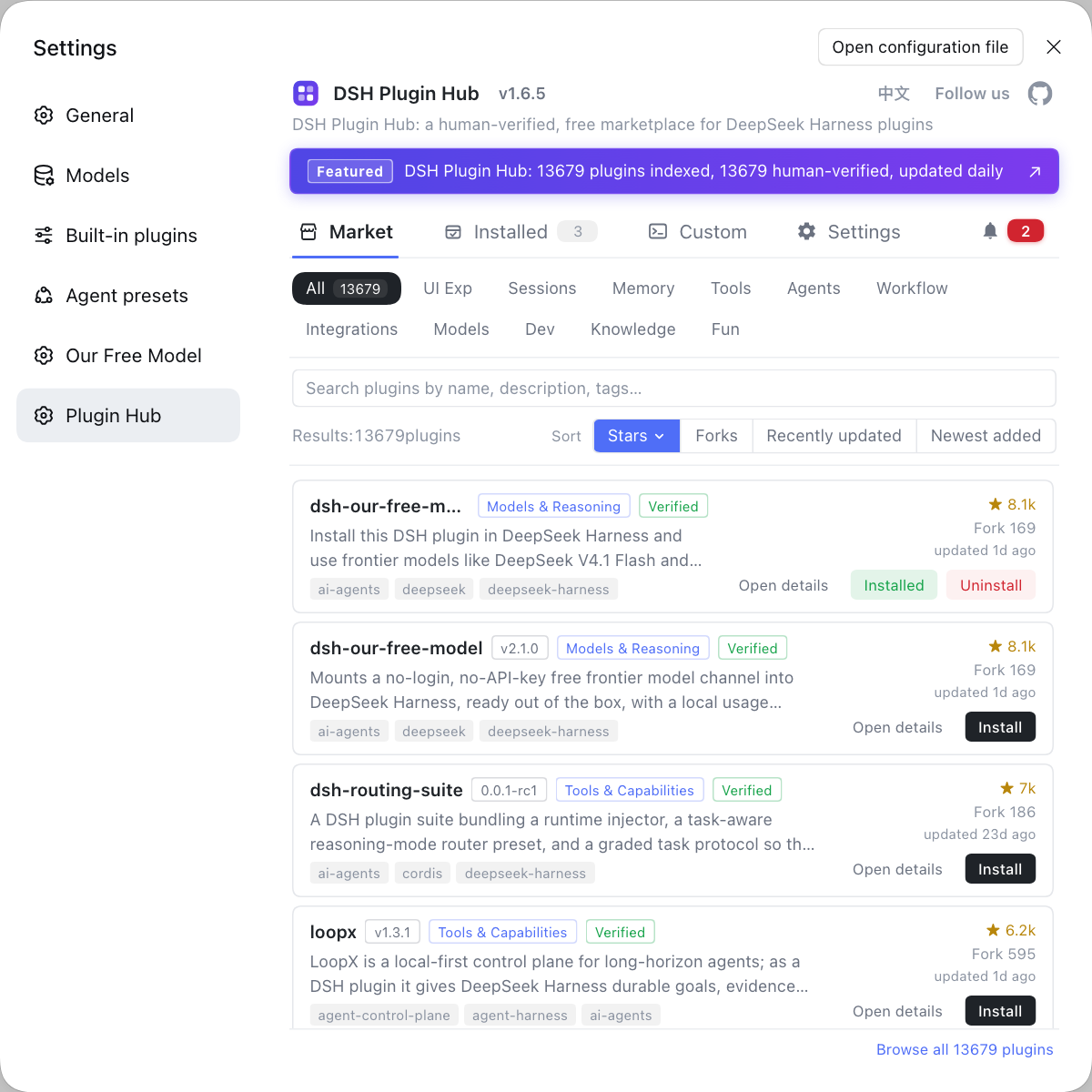
Rather than test-installing one free search DSH plugin after another to see whose fallback is steadier, compare them side by side in the DSH Plugin Hub market and install in one click, where engine, time filtering and whether a key is needed all sit on the card. The official entry is https://dsh-plugin.org/.
Sources: DeepSeek Harness docs - tool schema catalog, dsh-free-search (DSH Plugin Hub), dsh-web-search-free (DSH Plugin Hub).
FAQ
Built-in web search goes through DeepSeek Harness's official tool catalog as web_search and web_fetch and usually needs the official key or metered billing, while a free DSH plugin swaps in keyless third-party engines to replace or supplement that channel. The built-in path is stable and controllable with no extra sources; the free plugin's advantage is zero keys and multi-engine fallback. They are not mutually exclusive: keep only one, or let a plugin take over both search and fetch.
Common free search DSH plugins include dsh-free-search, dsh-free-web-search and dsh-web-search-free, and several same-named entries rely on keyless public engines rather than paid APIs. dsh-free-search defaults to Bing with built-in DuckDuckGo and other engine fallbacks; dsh-free-web-search ships both a registered free / free-http provider style and a built-in Bing, DuckDuckGo and SearXNG style; dsh-web-search-free has variants that use an anonymous keyless backend or accept a Tavily key for multi-engine fallback. Read which channel it replaces before installing.
A free search DSH plugin installs with the standard dsh plugin command into the web profile, for example dsh plugin --profile web add dsh-free-search. It hooks the Web UI and tool chain, so use --profile web; some entries are npm packages and some install straight from a github: repo, so follow the command the Hub entry gives. After install, restart dsh web and send a question that clearly needs the network to verify the tool fires.
Free engines carry no official quota promise, so rate limits, occasional failures and result drift are normal, which is exactly why multi-engine auto-fallback exists. A good implementation switches to the next available engine when one fails and caches results to cut duplicate requests, so "no results" is more often a temporary engine-side problem than a broken plugin. For more stability, pick an entry that lets you add your own API key and rotate multiple keys.
Free web search only solves getting a live answer; it does not read a full page's body text or connect your private retrieval sources. DeepSeek Harness search DSH plugins split into web search, page reading and external retrieval, and the free dimension sits mainly in the first. Add a reader plugin when you need the full text, and an external-retrieval plugin when you must hit your own data source. Decide whether you want an answer or the full page, and the choice stops being confusing.
Related Terms
- free web search plugin
- A free web search plugin is a DSH plugin that gives DeepSeek Harness keyless web retrieval by using public engines instead of the official channel that needs a key or metered billing. It usually ships multi-engine fallback built in.— DSH Plugin Hub - dsh-free-search
- web_search / web_fetch
- web_search and web_fetch are the built-in Web tools in the DeepSeek Harness official tool catalog, handling retrieval and page fetching respectively and registered into the tool registry by the plugins that provide them. Free search plugins typically replace or supplement these two tools' backends.— DeepSeek Harness docs - tool schema catalog
- auto-fallback
- Auto-fallback is the mechanism by which a free search plugin switches to the next available engine in order when one engine fails or rate-limits, so a single point of failure does not fail the whole search.— DSH Plugin Hub - dsh-free-search
- provider
- In the DeepSeek Harness search context, a provider is a concrete search backend implementation, such as the free or free-http providers a plugin registers. Search and fetch requests are tried in provider order and switch on failure.— DSH Plugin Hub - dsh-free-web-search
Sources
- DeepSeek Harness docs - tool schema catalog· deepseek-harness
- dsh-free-search (DSH Plugin Hub entry)· dsh-plugin.org
- dsh-web-search-free (DSH Plugin Hub entry)· dsh-plugin.org