dsh-claude-style: Claude-style DSH plugin for DeepSeek Harness
dsh-claude-style is an interface-class DSH plugin that gives the DeepSeek Harness web GUI a Claude Code-style desktop theme, recreating the ivory and warm-black canvas, accent colors, and interaction details such as permission sections and the model picker (source). This guide explains what it changes, how to install and use it, and the trade-offs of style plugins.
DSH plugin overview: it changes the look, not the functionality
dsh-claude-style is a "style" plugin - it only changes interface presentation and interaction styling, without touching models, tools, or permissions. Start by separating three layers:
| Layer | Who changes it | Example |
|---|---|---|
| Appearance | Style plugins | dsh-claude-style (Claude-style theme) |
| Layout | Structure plugins | dsh-better-sidebar (sidebar workbench) |
| Capability | Model / tool plugins | routing, memory, IM integration, etc. |
In one sentence: it makes you "look like Claude," but you are still the DeepSeek Harness you were already using.
What the DSH plugin changes: making the Web GUI Claude-style
The changes are concentrated in one place: the look and interaction details of the DeepSeek Harness web GUI. Specifically (source):
- Colors and canvas - two canvas bases, ivory and warm black. Expected: the overall tone switches to Claude-style.
- Accent color - recreates the signature accent color, replacing the default highlight. Expected: buttons, selected states, and so on echo the new theme.
- Interaction details - styles for permission sections, the model picker, and the like are aligned. Expected: common controls look consistent.
It acts on the interface layer inside the browser. If you run the desktop app, its interface likewise comes from this Web application, and whether the theme applies depends on the scope the plugin declares.
How to use the DSH plugin: installing and the changes once enabled
Installing it is just installing a DSH plugin; the theme takes effect after a restart. The steps:
-
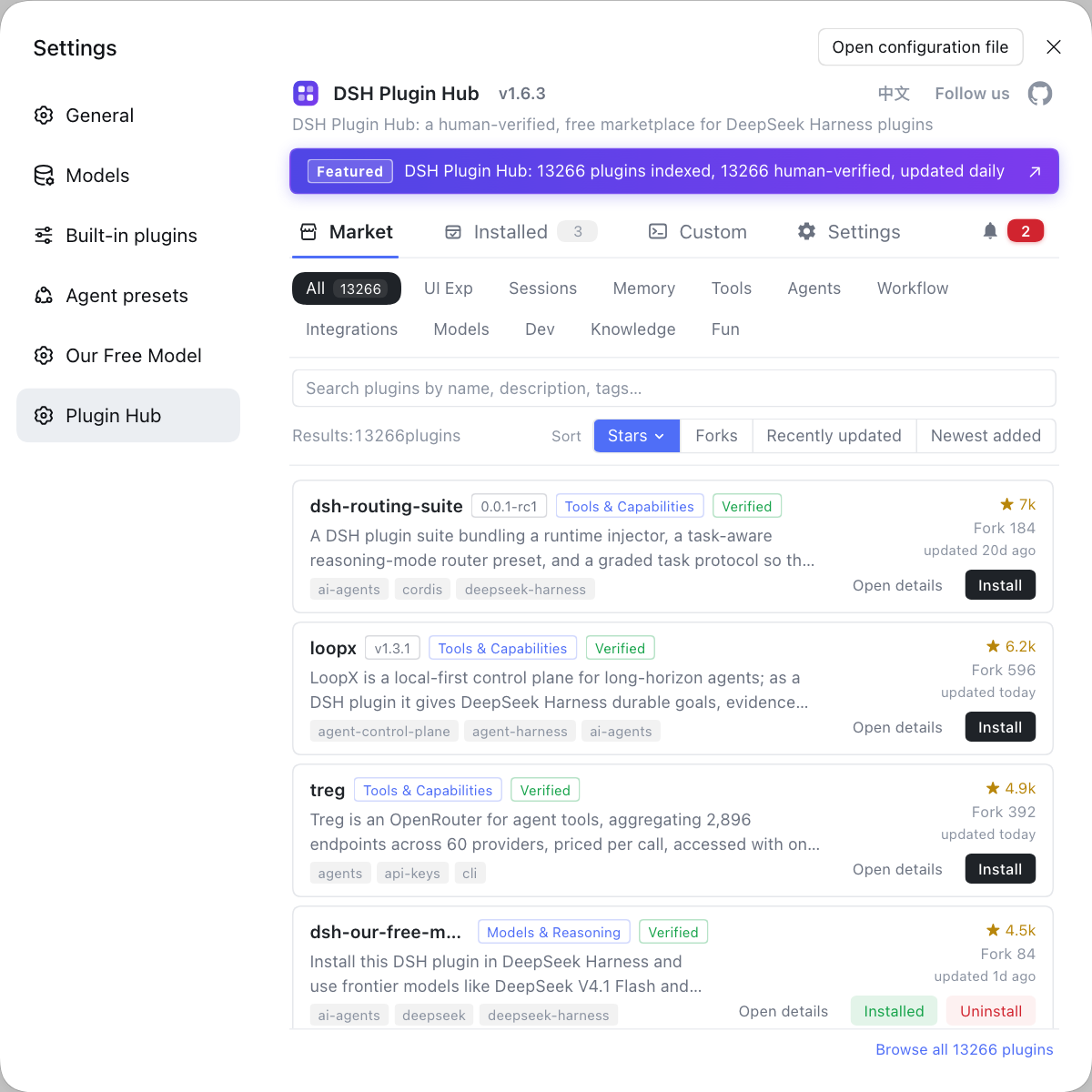
Pick an install method - go to the DSH Plugin Hub and click install in the interface category, or run:
bashdsh plugin --profile web add dsh-claude-styleExpected: the plugin enters the web profile, with no install errors.
-
Restart the service - stop and start
dsh web. Expected: no plugin parse errors at startup. -
Check the interface - open the Web GUI and see whether the theme is applied. Expected: the colors, canvas, and control styles become Claude-style.
-
Tweak as needed - if the plugin offers theme options (such as a light/dark switch), pick one in the configuration. Expected: the look you like.
Normally it works once enabled, with no functional configuration to change.
DSH plugin trade-offs and caveats
A style plugin's payoff is appearance; its cost is compatibility and habit. Three trade-offs:
- Difference from the default experience - after switching themes, the colors and some control styles change, so people used to the default interface may need to re-adapt to positions and look.
- Whether it affects functionality - generally not: sessions, models, tools, and the plugin mechanism all stay the same; some themes adjust interaction details along the way, which is a styling rather than a capability change.
- Uninstalling restores it - theme plugins usually do not change data or configuration, so a restart after uninstall returns you to the default look, at low cost for trial and error (source).
If what you want to change is "layout" rather than "style," that is another class of plugin: dsh-better-sidebar, the sidebar workbench.
DSH plugin notes
These are the DSH plugin points to remember before installing and using this one. Item by item:
- Do not expect new capabilities: it only changes the look; it will not make the model or tools more capable.
- Restart after installing: the theme loads at startup, so you will not see changes without a restart.
- Check compatibility: themes track changes in the core package and the interface version, so check the maintenance status before installing.
- Stackable but sparingly: it can coexist with layout plugins, but installing too many interface plugins easily causes visual interference.
- Uninstall if unsatisfied: uninstalling to restore is safer than editing styles by hand.
Sources: dsh-claude-style (dsh-plugin.org), Nwflower/dsh-claude-style, dsh-claude-style (npm), dsh CLI README
FAQ
It changes the interface: dsh-claude-style is a Claude Code-style desktop theme for the DeepSeek Harness web GUI, recreating the ivory and warm-black canvas, accent colors, and interaction details. In other words it lives in the appearance and interaction layer - it does not touch model capabilities or edit the system prompt; what you see after installing is still the same DeepSeek Harness, only it looks more like Claude.
Installing it is just installing a DSH plugin: click install in the market, or run dsh plugin --profile web add dsh-claude-style, then restart dsh web. The changes are concentrated in the look and interaction details of the Web GUI, such as the color scheme, canvas, accent color, permission sections, and model picker; the functionality itself is unchanged.
Generally no: theme plugins only change presentation and interaction styling; sessions, models, tools, and the plugin mechanism all stay the same. Some themes also adjust interaction details, though - if the position of some control moves, just look for it in the new theme's layout; if it feels awkward, you can uninstall to restore.
They change different things: dsh-better-sidebar changes the layout, tucking files, terminal, and changes into a sidebar workbench; dsh-claude-style changes the style, making the overall look Claude-style. One changes structure, the other changes appearance; you can install either alone or both together.
Uninstalling restores it: remove dsh-claude-style from the installed list and restart dsh web, and the interface returns to the default theme. Theme plugins usually do not change data or configuration, so no functional residue is left after uninstall; if you changed related config options, just clear them.
Related Terms
- dsh-claude-style
- dsh-claude-style is an interface-class DSH plugin that adds a Claude Code-style desktop theme to the DeepSeek Harness web GUI, recreating the ivory and warm-black canvas, accent colors, and interaction details such as permission sections and the model picker.— dsh-claude-style (dsh-plugin.org)
- desktop theme
- A desktop theme is an appearance scheme that uniformly adjusts interface colors, canvas, and control styles, acting at the presentation layer. In DeepSeek Harness it is distributed as a plugin, and installing it into a profile only affects that interface.— Nwflower/dsh-claude-style
- Web GUI
- The Web GUI is the graphical interface DeepSeek Harness presents in the browser, started by dsh web. Theme plugins usually act at this layer, changing the look by overriding styles and interaction details.— dsh CLI README
- style plugin
- Style plugins are DSH plugins that only change the interface look and interaction styling without altering model or tool behavior. Their payoff is appearance, uninstalling restores everything, and the risk is mainly compatibility rather than functionality.— dsh-claude-style (dsh-plugin.org)
Sources
- dsh-claude-style (dsh-plugin.org plugin entry)· dsh-plugin.org
- Nwflower/dsh-claude-style· Nwflower
- dsh-claude-style (npm package page)· npm
- dsh CLI README (plugin add semantics)· deepseek-ai