dsh-context: DSH plugin context visualization guide
The dsh-context DSH plugin renders what the model actually read this turn into a visual view inside DeepSeek Harness — read-only, it never changes what the model receives, but it lets you see how context is assembled, how it evolves, and where it gets compacted (source). This guide covers three things: what problem it solves, how to use the /context command and the Context panel after installing, and its typical uses and limits when chasing context bloat.
What dsh-context does: visualizing DeepSeek Harness context
dsh-context opens up each turn of a DeepSeek Harness conversation: which sections it is made of, how it evolves, where it was compacted, which files were touched, and how agents cooperated. A DeepSeek Harness session assembles the system prompt, history messages, tool results, and projected content into the single input the model truly reads, and that input is normally a black box — you can only guess how large it grew or which section dominates (source). dsh-context exposes it through four surfaces:
- Context Insights page — cross-session overview: a seven-day token/cost curve, an activity heatmap, a composition ring chart, and session cards. Expected: you can tell which days burned the most and where the money went at a glance.
- Context tab — view the current session's context sections by structure. Expected: you can pinpoint exactly which section is growing.
- Context panel — a persistent right-hand panel showing current occupancy in real time. Expected: you watch it while chatting, without switching pages.
/contextcommand — pull up context detail straight from the conversation. Expected: you query without leaving the input box.
Note this is not the same question as "why plugins eat context": that one is about the overhead a plugin itself introduces, while dsh-context is about seeing, clearly, context that has already happened. One is cause, the other is observation.
Install the dsh-context DSH plugin: /context and the Context panel
Installing dsh-context follows the standard DSH plugin flow — one command and you are done, with no extra build or restart. It is a purely front-end visualization plugin, introducing no new tools and rewriting no model request, so the bar is low. Steps:
- Install — run in your terminal:
Expected: the terminal echoes that the plugin joined thebash
dsh plugin --profile web add dsh-contextwebprofile. - Update to the latest version (optional):
Expected: the current newest version is pulled.bash
dsh plugin --profile web update dsh-context@latest - Open the UI — start
dsh weband openhttp://127.0.0.1:3080in your browser. Expected: a Context tab appears on the left and the Context panel can be expanded on the right. - Try it in a conversation — type
/context. Expected: details for the current turn are pulled up directly. - Look at the cross-session overview — open the Context Insights page. Expected: you see the seven-day curve, heatmap, and composition ring chart.
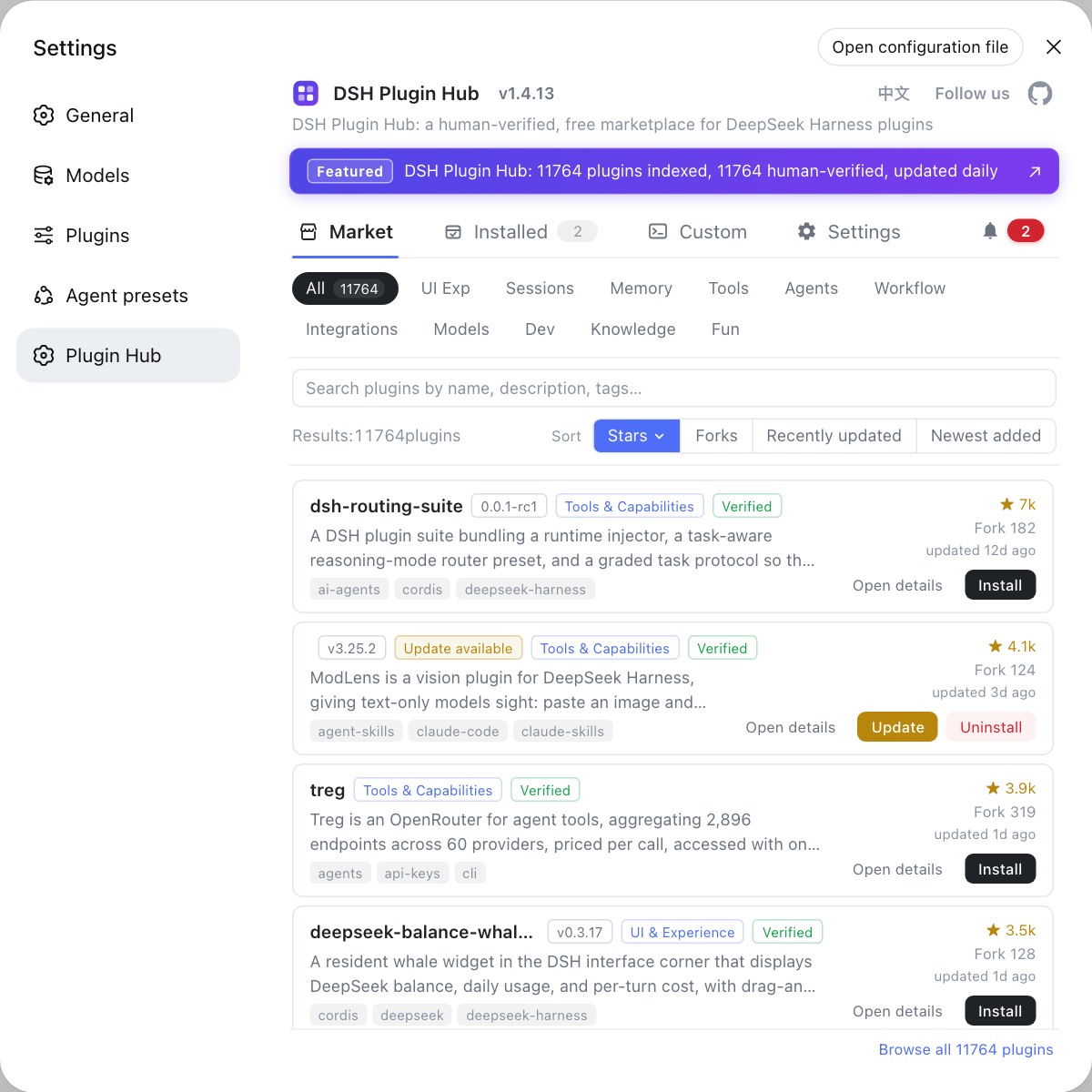
You can also skip the command line: search dsh-context on DSH Plugin Hub and use one-click install for the same result.
Where dsh-context fits in DeepSeek Harness, and its limits
The most practical use of dsh-context is triaging "why did context suddenly grow", but it is read-only, so seeing a problem is not the same as fixing it. Three typical scenarios:
- Triaging context bloat — when a session gets slower and pricier, use the Context tab to see which section is growing: too many tool results, or a stretch of history that never got compacted. Expected: you locate the specific section, then decide what to do.
- Locating what was compacted — compaction reduces long history to key points; the view shows which stretch was compacted and into what. Expected: you judge whether anything critical was lost.
- Watching file activity and the agent network — with multiple agents, see who called whom and which files were touched. Expected: you untangle the call chain for one task.
Two limits to remember: first, it is read-only — it will not delete history or cut tokens for you, so reducing load still needs a compaction strategy or a memory plugin; second, it shows the input DeepSeek Harness has already assembled, and does not guarantee the model reads it the way you expect.
Notes when using the dsh-context DSH plugin
- Version alignment: dsh-context has a minimum supported version; too old a DeepSeek Harness build may refuse to install it or drop UI surfaces, so confirm with
dsh --versionbefore upgrading. - Read-only by design: it is a diagnostic tool, not a slimming tool; to genuinely save tokens, pair it with a compaction or memory plugin.
- Data stays local: the visualization reads local session data, so mind where it is stored when sensitive conversations are involved.
- The panel takes space: a persistent Context panel occupies the right side; on narrow screens you can collapse it without affecting the data.
- Installed but no UI: first confirm it went into the profile you are actually using (such as
web), then refresh; if the UI is still missing, verify compatibility on DSH Plugin Hub.
Sources: dsh-context (DSH Plugin Hub), session subsystem (DeepSeek Harness docs).
FAQ
The dsh-context DSH plugin visualizes how context is assembled and evolves; it answers a different question from why plugins eat up context. It opens the black box of "what did the model actually read this turn": which sections the context is made of, how it evolves as the conversation goes, which part was compacted away, which files were touched, and how agents cooperated. "Plugins eating context" is about the overhead a plugin itself adds — the cause of growth, not the measurement of it.
One command is enough — run dsh plugin --profile web add dsh-context, with no extra build or restart required. It is a purely front-end visualization plugin: it registers no new tools and does not rewrite model requests, so the install bar is low. To move to the newest version, run dsh plugin --profile web update dsh-context@latest; confirm the resulting version from your own local output.
After installing dsh-context in DeepSeek Harness, start dsh web, open the Web UI, and you get a Context tab on the left, an expandable Context panel on the right, and a /context command that pulls up details. The Context tab shows the current session's context sections by structure, the Context panel is a persistent right-hand occupancy view, and the Context Insights page gives a cross-session overview. The three entry points correspond to three granularities: single turn, persistent, and cross-session.
dsh-context is read-only: it displays the input DeepSeek Harness has already assembled and never deletes history, trims tokens, or rewrites the model request. In other words, it helps you see the problem but does not fix it for you; shrinking context still needs a compaction or memory plugin. This distinction matters: treating a diagnostic tool as a slimming tool is the most common misuse.
For triaging context bloat, dsh-context comes first: use the Context tab to find which section is growing, then decide whether a compaction or memory plugin is the fix. It shows whether tool results are piling up, whether a stretch of history was compacted away, and what the file activity and agent call chain looked like during one task. Seeing the shape before acting beats swapping plugins blindly.
Related Terms
- dsh-context
- The DeepSeek Harness context-visualization DSH plugin. It shows each turn's context composition, evolution and compaction, file activity, and the agent network, and is read-only — it does not change what the model reads.— DSH Plugin Hub - dsh-context
- Context panel
- The persistent right-hand panel that dsh-context provides, showing the current session's context occupancy and section breakdown in real time. It lets you watch context change while you keep chatting.— DSH Plugin Hub - dsh-context
- Context Insights
- The cross-session overview page in dsh-context, aggregating a seven-day token and cost curve, an activity heatmap, a context-composition ring chart, and session cards. It answers which days burned the most and which section the money went to.— DSH Plugin Hub - dsh-context
- /context
- The in-session command registered by dsh-context that pulls up details for the current turn. It folds context diagnosis into the input box so you never have to leave the conversation.— DSH Plugin Hub - dsh-context
Sources
- dsh-context (DSH Plugin Hub entry)· dsh-plugin.org
- DeepSeek Harness docs - session subsystem· deepseek-harness