DSH plugin agent presets: DeepSeek Harness config & teams
A dsh agent preset means packing "which role to play, which system prompt to use, which tools are allowed" into one reusable agent configuration. It governs how a single agent shows up — with what identity and under what constraints — while agent teams govern how several agents collaborate; the two stack layer on layer. This piece makes three things clear: what an agent preset is, how to configure and switch it, and how it relates to the team collaboration built by DSH plugin. (source)
What a dsh agent preset is: a bundle of persona, system prompt and toolset
A dsh agent preset is one reusable configuration of how an agent shows up, built from three parts: a preset persona, a system prompt and a toolset (source). In DeepSeek Harness an agent's show-up config is not hard-coded but a variable part controlled by presets — the same model, with a different role and toolset, can behave very differently. Each of the three does one job:
- Preset persona: defines who this agent is, what it is good at and its tone, fixing its self-positioning in a conversation. The official subagent capability flags include exactly a
personaitem, showing that the role character is a formal config recognised by the framework. - System prompt: defines its code of conduct and boundaries, the instruction text that guides how it does things. It decides behavioural tendencies such as "ask first or act first on an ambiguous request".
- Toolset: defines which tools it may call, directly shaping both its capability surface and its error surface. The wider the tools granted, the more it can do and the more ways it can go wrong.
The reason the three can be packed into one config is that each already has a formal slot in the framework. The role character maps to persona, one of the capability flags a subagent provider publishes (SubagentCapabilities) — the same capability descriptor also carries agentOptions, outputSchema, depthLimit and toolFilter, showing that "with what identity it shows up" is not mysticism but a set of switches honestly declared and checkable. The system prompt maps to the prompt layer; it decides how the agent does things but does not change its permission range — no matter how strict the prompt, it cannot stop an over-reaching tool call, which still has to pass the sandbox tier and approval gate. The toolset maps to tool visibility, deciding which tools this show-up can see.
Put the three in one table and their boundaries are clearer:
| Part | What it decides | Framework slot | Does it change permissions |
|---|---|---|---|
| preset persona | who it is, what it is good at, its tone | SubagentCapabilities.persona | no |
| system prompt | how it does things, conduct and boundaries | the prompt layer | no |
| toolset | which tools it may call | tool visibility / toolFilter | no, only the visible range |
Packing the three into one preset means you do not restate everything from scratch each time you open a session: need a "code reviewer" and you apply the reviewer preset, need a "research assistant" and you apply that preset. The difference from casually typing "you are now so-and-so" is that a preset is persistent, reusable config, while an offhand line only affects the current turn.
One key boundary to remember: a preset changes only "how it shows up" and grants the agent no new tools. Swapping a preset does not conjure up a tool the agent never had; the tools themselves come from plugins, and a preset merely selects which of a set of existing tools are visible. So "the preset is professional" and "this agent really gets work done" are two different things — the latter depends on where the tools come from and how wide the permissions are opened.
In one line: a preset fixes "how to speak to people, the rules for doing things, and the tools in hand" into a one-off setup.
Agent config and switching: where presets live and how they apply to a session
Configuring and switching agent presets happens in the config layer and in session startup parameters — a preset is data, and switching applies that data to some agent or subagent (source). Operationally it roughly goes like this:
- Where to configure: presets belong to the config layer, managed alongside the profile's
cordis.patch.ymland related plugin settings; changing a preset is really changing config, not code. - How to apply: specify which preset a session uses at startup, or switch mid-session; a subagent can carry a preset when spawned, so it works under a specified persona.
- How to verify: after applying, check two places — whether the agent's self-description and behaviour match the preset's positioning, and whether the visible tools match the preset's declared toolset.
- How to switch: several presets coexisting and switching by task is the main use of the mechanism, letting one kernel play different roles.
Switching a preset after a session is already running is not something the native interface supports directly, and it is exactly this gap that community plugins fill. The typical one is dsh-preset-switcher: it puts a "current mode ▾" dropdown in the session-title action bar, listing every preset (for example standard, code, minimal, cordis), and one click switches the current session's mode; underneath it reuses the native atomic primitive agentPresets.recompose to relink the agent scope, and on success appends an agent-preset/selected event so the projection and the title label update in step. It also has a "stale-preset repair" ability: it scans the session log and resets sessions that reference a deleted preset back to default, backing up the log automatically and skipping active sessions first. This yields several checkable behaviours: only loaded, active sessions can be switched, sessions owned by a subagent are refused, and the new toolset and persona take effect only from the next model step.
A parameterised approach suits "pick a template by name". dsh-subagent-templates turns "reconfigure the model, preset and reasoning effort on every call" into "pick a template by name": each template fixes a starting model, agent preset and optional persona, so the delegating side only has to say the template name instead of assembling a full route every call. What it creates is an ordinary root session that appears in the normal session list, so the model picker, preset picker and permission presets all stay available; the user's choice beats the template — once the user changes the model picker, the child session runs on the user's choice.
Reading "configure" and "switch" separately keeps both operation and troubleshooting clear. Verify whether a preset really takes effect with these steps:
- Confirm the preset has landed in the config layer: find the preset entry in the profile's
cordis.patch.ymland related plugin settings. Expected: you can read config corresponding to the presets you see in the plugin. - Apply it to a session: specify it at session startup, or switch with the plugin's dropdown. Expected: the "current mode" label next to the session title changes accordingly.
- See whether the tool list narrows or widens with the preset: after switching, check this session's visible tools. Expected: the visible tools match the preset's declared toolset, and the range changes with the switch.
- See whether behaviour matches the positioning: have the agent do a small task related to the preset's role. Expected: its self-description and approach match the preset's positioning (a reviewer looks at risk points first, say).
- Confirm a subagent also carries the preset: spawn a subagent on the same task. Expected: the subagent works under the specified persona rather than reverting to the default identity.
In one line: config decides "which presets exist", switching decides "which one is used this time" — read the two separately and neither configuring nor troubleshooting gets confusing.
One more point: a preset lands in the config layer, not the model layer. Switching a preset does not change which model you connect to or which model route you take; it only changes how the agent shows up. Changing model access is a matter of the model-adapter config, so do not mix the two up. For ordinary users this means you can pick a preset by task first and decide the model separately, with no mutual pull.
The relationship with agent teams: DSH plugin collaboration builds on presets
Agent presets and agent teams are two layers, the show-up config of a single role and the orchestration of several roles: every member in a team is essentially a subagent carrying a preset (source). Unpacked:
- A preset is a unit, a team is an orchestration: a preset defines who an agent is and what it can do; a team defines how several agents divide work and in what dependency order they act.
- Team members each carry a preset: when a multi-agent plugin creates a member it assigns a role, and that role lands on a preset; member tool visibility is then re-filtered by a team-level tool policy.
- What DSH plugin fills in is the orchestration layer: the official side offers the subagent seam (the ability to delegate work to a child agent), while orchestration such as "auto-assemble a team, split dependencies, schedule" is done by community DSH plugin.
- The two stack, not replace: having presets does not mean having a team, and having a team still requires well-configured presets so each member plays its part.
Take dsh-agent-teams as an example and the relationship becomes very concrete: it turns the current session into a lead and assigns each member a role when creating it — the role lands on a preset; member tools are then trimmed again by toolPolicies, declaring allow / deny by member id, hiding disallowed global tools from the schema and refusing the call. This shows that a "team" is not conjuring an extra batch of agents but "giving a batch of subagents their own presets and tool policies, then orchestrating them". The same preset system, used singly, is "an assistant with a swapped persona"; used in numbers with scheduling added, it grows into a team.
Put the two layers in one comparison table and the boundary gets clearer:
| Dimension | agent presets | agent teams (collaboration) |
|---|---|---|
| What it governs | one agent's role, prompt and toolset | several agents' division, dependencies and scheduling |
| Who provides it | the config layer (profile and plugin settings) | the orchestration layer of community DSH plugin |
| Typical use | applying one persona when opening a session | splitting a big goal into parallel subtasks |
| Minimum parties | one agent | one lead plus several members |
To see how team collaboration runs in depth, see how to use DSH plugin multi-agent teams; for the delegation mechanism itself see how to use DeepSeek Harness subagents. You can browse agent-category plugins in DSH Plugin Hub.
Common misconceptions about dsh agent presets
Treating a preset as an all-purpose role switch is the most common misunderstanding. Corrected one by one:
- "Applying a preset adds new capability" — it does not add capability. A preset only defines how an agent shows up and grants no tools; the tools come from plugins, and the preset merely selects which of a set of existing tools are visible.
- "A persona can constrain over-reach" — it cannot. The system prompt does not change the permission range, and an over-reaching tool call still has to pass the sandbox tier and approval gate.
- "Switching a preset = switching the model" — no. A preset lands in the config layer, model access in the model-adapter layer, and the two do not pull on each other.
- "A preset and a skill are the same thing" — not the same but two things: a preset is an agent's show-up config, a skill is a loadable instruction set; one is an identity, the other a capability.
- "Any session can switch presets at any time" — not necessarily. The native interface refuses to change a session already under way; a plugin can fill that gap, and sessions owned by a subagent are refused.
Notes and limits
Presets make agents more usable, but a few boundaries and prerequisites must be set first. Point by point:
- Presets and teams are maintained separately: changing a member's preset does not necessarily change the team's division policy, so check both.
- Check the tool list after switching presets: confirm the visible tools match expectations so you do not run with an over-wide toolset.
- Be cautious with presets of unknown origin: presets often ship with plugins, so installing a plugin that carries one imports someone else's prompt and tool combination, and it too must be vetted by source and permission.
- A preset lands in the config layer while the switching entry comes from the plugin: both are needed; if no switching entry shows in the interface after installing, go back to the config layer and check the preset entry.
Closing line: a preset configures "how to show up", a team orchestrates "how to collaborate" — configure presets well first, and team collaboration has reliable parts to work with.
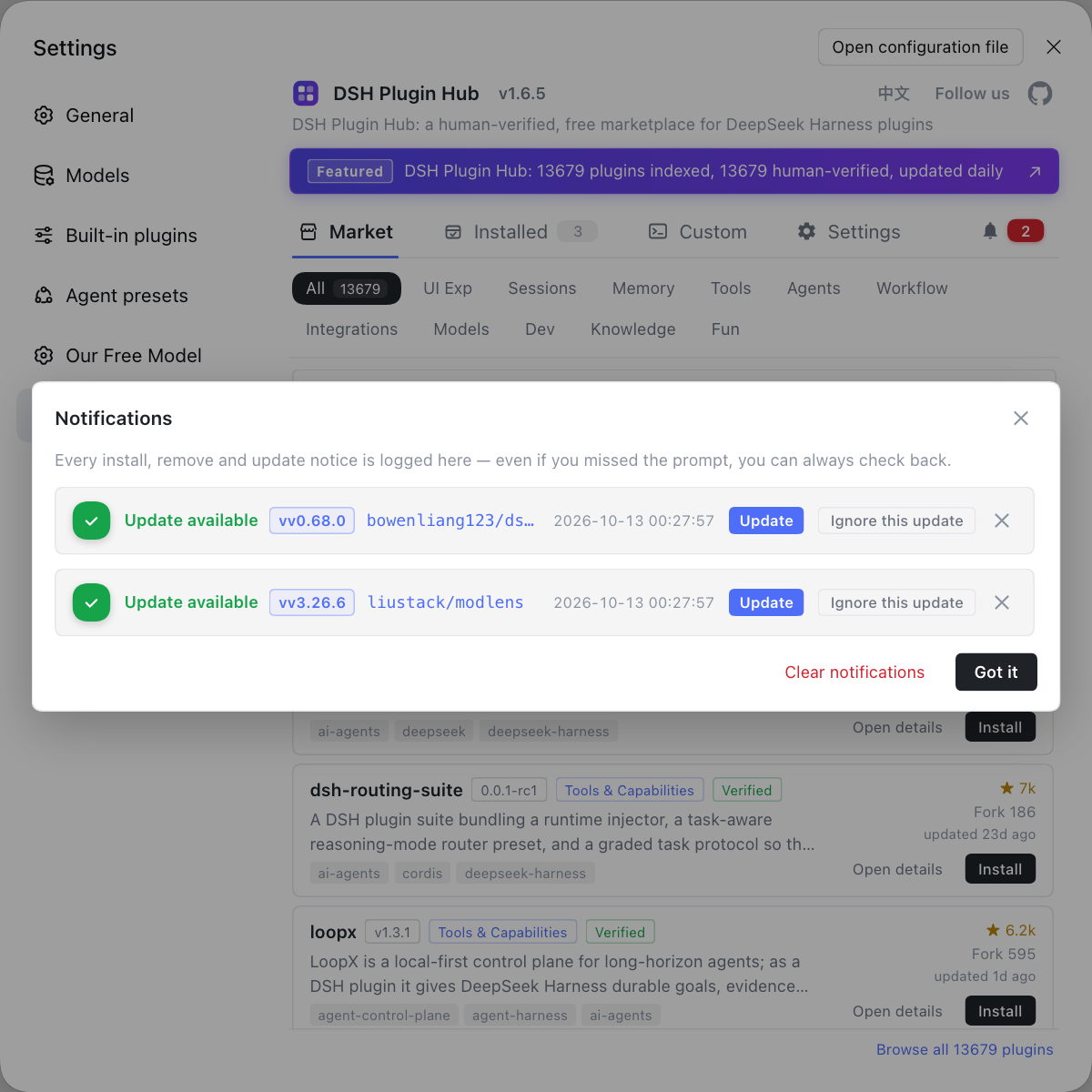
Rather than assembling an agent preset from scratch and re-explaining the role across sessions by hand, pick a few ready-made presets and collaboration plugins under the agent category in the community-official DSH Plugin Hub (dsh-plugin.org); after installing, open the notification center to watch install progress and the pending-restart reminder, then restart the gateway to use them.
Sources: DeepSeek Harness 官方文档 - Subagent 子系统, dsh CLI README, dsh-agent-teams 插件条目.
FAQ
A dsh agent preset is one reusable configuration for how an agent shows up, built from three parts: a preset persona, a system prompt and a toolset. The persona defines who this agent is, what it is good at and its tone; the system prompt defines its code of conduct and boundaries; the toolset defines which tools it may call. Packed into one preset, the three can be reused across sessions without restating the identity and rules every time.
A DeepSeek Harness agent preset belongs to the config layer, managed alongside the profile's cordis.patch.yml and related plugin settings, so changing a preset is really changing config, not code. To switch, specify which preset a session uses at startup or switch mid-session, and a subagent can also carry a preset when it is spawned. Verify in two places: whether the agent's behaviour matches the preset's positioning, and whether the visible tools in the tool list match the preset's declared toolset.
DSH plugin agent presets and agent teams are two layers, the show-up config of a single role and the orchestration of several roles: a preset defines who an agent is and what it can do, while a team defines how several agents divide work and in what dependency order they act, and every member is essentially a subagent carrying a preset. The two stack rather than replace each other — having presets does not mean having a team, and a team still needs well-configured presets for its members.
An agent preset made by a DSH plugin differs from a hand-configured one in reuse and presentation: the plugin often bundles the preset with a switching entry, letting you pick it in the UI and switch it in a session, while hand-configuring means maintaining config files yourself. Verify in three places: after applying, the agent's self-description and behaviour match the preset's positioning, the visible tools match the preset's declaration, and switching presets changes the visible tool range accordingly.
Related Terms
- agent preset
- An agent preset is a reusable configuration of how an agent shows up in DeepSeek Harness, made of a preset persona, a system prompt and a toolset, deciding with what identity and under what constraints the agent joins a session.— DeepSeek Harness 官方文档 - Subagent 子系统
- persona
- A persona is an agent's role character, defining who it is set to be, what it is good at and in what tone it acts, and is a capability flag a subagent provider can declare (SubagentCapabilities.persona).— DeepSeek Harness 官方文档 - Subagent 子系统
- system prompt
- The system prompt is the instruction text in DeepSeek Harness that guides an agent's code of conduct and boundaries, defining how it does things without changing its permission range.— DeepSeek Harness 官方文档 - Subagent 子系统
- subagent
- A subagent is the capability seam in DeepSeek Harness that delegates work to a child agent; it is an optional capability outside the agent loop, and several name-registered providers can coexist in the same context.— DeepSeek Harness 官方文档 - Subagent 子系统
Sources
- DeepSeek Harness 官方文档 - Subagent 子系统· deepseek-harness
- dsh CLI README(profile 与配置层)· deepseek-ai
- dsh-agent-teams 插件条目· DSH Plugin Hub