Fix DeepSeek Harness Web UI issues: CLI works but Web UI doesn't
DeepSeek Harness Web UI issues come in three typical groups: skills working in the CLI but not the Web UI (profile capability mismatch), crypto.randomUUID is not a function followed by a missing Composer input box (plain HTTP outside a secure context disables Web Crypto), and skill search that keeps missing (prefix-only matching). Fix them in this order: use HTTPS/localhost → align the profile → search by prefix → repair image references.
DeepSeek Harness Web UI issues: the three symptoms
The three symptoms differ: a skill difference is a configuration problem, a missing input box is a secure-context problem, and a failed search is a matching-rule problem. One by one (source: dshbase troubleshooting):
- Skills work in CLI but not the Web UI — the skill works in the terminal but disappears or is unusable in the browser, common when both the CLI and the Web UI are used;
crypto.randomUUID is not a function+ missing Composer input box — opening the page over plain HTTP by IP shows this error in the console, then the input box fails to render and cannot accept text (source: Discussion #4653);- Skill search misses — typing a keyword in the skill menu finds nothing, or the list only shows a few prefix-matching entries;
- All three can be mistaken for "the Web UI is broken", but the fixes are different — match the symptom first.
Why DeepSeek Harness Web UI fails: plain HTTP breaks Web Crypto, profile mismatch, prefix search
Four root causes: plain HTTP disables Web Crypto (missing input box); the CLI and the Web UI read different profiles (skill mismatch); skill search is prefix-only (misses); Markdown image references are broken (images do not render). In detail:
- Plain HTTP disables Web Crypto —
crypto.randomUUID()only exists in a secure context:https://, orhttp://localhost/http://127.0.0.1; accessing by IP over plain HTTP (e.g.http://192.168.1.50:3080) is not a secure context andcrypto.randomUUIDisundefined(source: MDN), so the frontend script crashes and the Composer input box disappears; - Profile capability mismatch — skills are provided by plugins under a profile; if the CLI and the Web UI read different profiles, their capabilities differ (source: dshbase troubleshooting);
- Skill search is prefix-only — the search filters by name prefix, so a middle word, an alias or a localized name misses;
- Broken Markdown image references — a wrong relative path, a moved or deleted file, or a dead external link prevents images from rendering (source: dshbase troubleshooting).
Fix DeepSeek Harness Web UI: HTTPS/localhost, align profile, search by prefix
Route by symptom: a missing input box means change how you access, a skill mismatch means align the profile, a failed search means use a prefix, and missing images mean repair the reference. Step by step:
- Use HTTPS or localhost (fixes crypto.randomUUID and the missing input box):
- Local use: open
http://localhost:3080orhttp://127.0.0.1:3080— these are secure contexts; - Remote use: put an HTTPS reverse proxy in front of dsh web (e.g. Nginx with a certificate), or use SSH port forwarding and access
http://localhost:3080; - After refreshing the page the input box returns and the error disappears (source: Discussion #4653).
- Local use: open
- Align the profile (fixes skills working in CLI but not the Web UI):
bash
# Explicitly use the web profile in the CLI and retry the skill dsh --profile web- Confirm the Web UI is on the same profile as the CLI; switch if not;
- Confirm the plugins under that profile are installed and activated, then restart the web service: press
Ctrl+Cin the terminal and rundsh webagain.
- Search skills by prefix (fixes the failed search) — search the first letters of the skill name, e.g.
mcpfor MCP skills; if you do not know the exact name, browse the skill list page by page instead of relying on search. - Repair Markdown image references (fixes missing images) — check the referenced path:
- Relative path: confirm the image is reachable from the current file's directory;
- Absolute path: confirm the file exists on disk;
- External link: confirm the URL is reachable; refresh the page after fixing.
How to verify a DeepSeek Harness Web UI feature fix: access method, profile, and skill regression
Three checks confirm the fix: the access method is a secure context, the profile matches the CLI, and skills and images are back — only when all three pass is it fixed. In order:
-
Confirm the access method is a secure context — the browser address bar should show
https://,http://localhost:3080orhttp://127.0.0.1:3080; over plain HTTP by IP, thecrypto.randomUUIDerror will reappear. -
No console errors — open DevTools (F12) → Console and refresh; no more
crypto.randomUUID is not a function, and the Composer input box renders normally. -
Confirm the profile matches — explicitly use the web profile in the CLI and check the profile shown at the top of the Web UI:
bashdsh --profile web dsh plugin --profile web listBoth pointing at the same profile with a complete, activated plugin list means the skill mismatch is gone.
-
Skill regression — a prefix search in the skill menu (e.g.
mcp) hits, and invoking the skill responds normally. -
Image rendering check — pages with image references render after refresh; if not, walk through step 4 of the fix section and check paths and external links.
Notes: DeepSeek Harness Web UI — match the symptom first
- If the input box disappears, change the access method first — do not rush to reinstall;
crypto.randomUUIDis a secure-context problem, not an installation problem. - If skills differ between the CLI and the Web UI, align the profile first, then check plugin activation.
- Prefix-only skill search is by design; a failed search does not mean the skill is not installed.
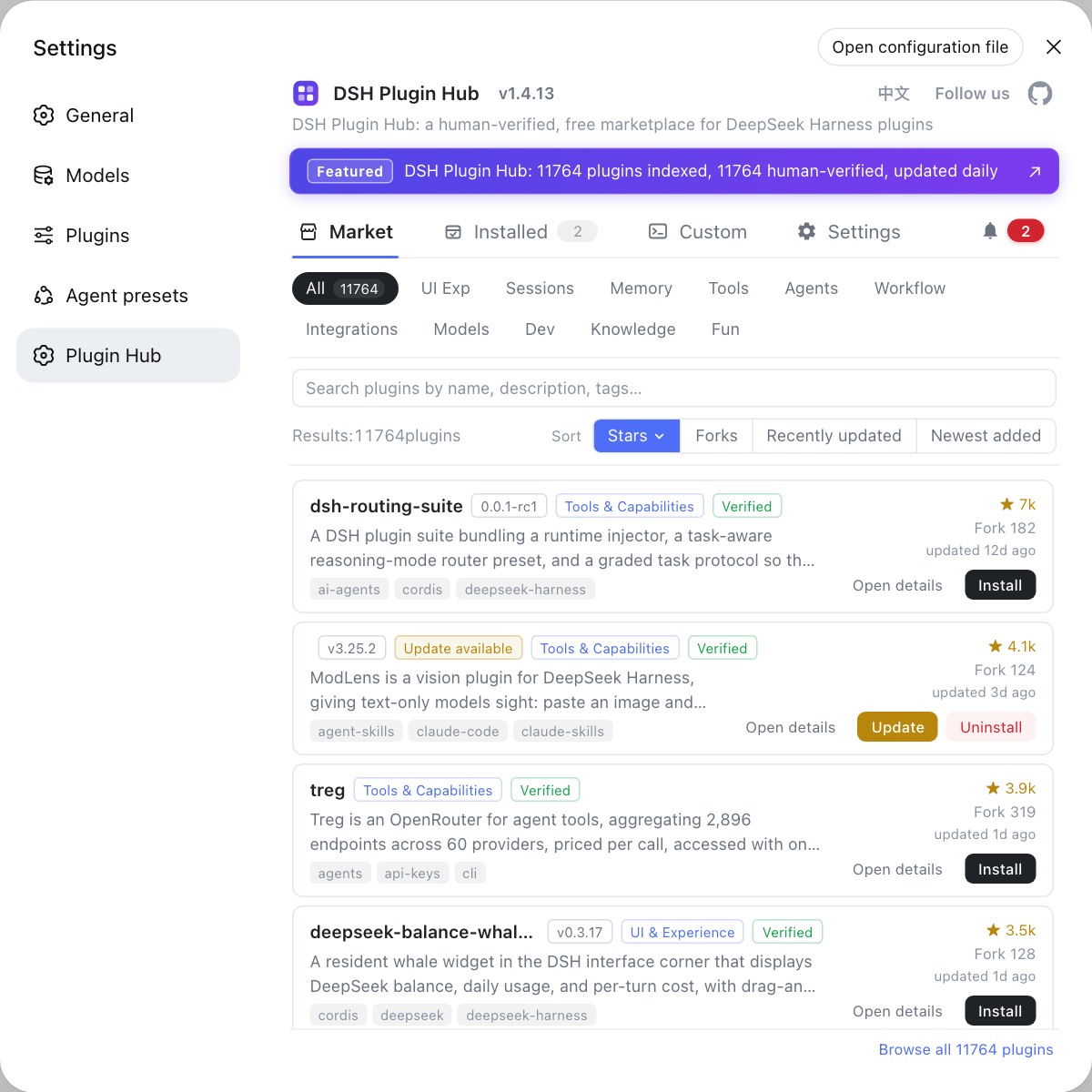
- Skills come from plugins — to install more, browse the curated community catalog in the DSH Plugin Hub and install with one click.
- See install error troubleshooting for other DeepSeek Harness install errors.
Sources: dshbase troubleshooting, deepseek-harness Discussion #4653, Mozilla MDN Secure contexts, DeepSeek Harness apps/web
FAQ
Skills failing in the DeepSeek Harness Web UI are usually a profile capability mismatch: the CLI and the Web UI read plugin and skill configuration from different profiles. Align them to the same profile (use dsh --profile web in the CLI and confirm the Web UI is on the web profile), then restart the web service and the skills become available (source: dshbase troubleshooting).
In DeepSeek Harness Web UI, crypto.randomUUID() only exists in a secure context (https://, or http://localhost / http://127.0.0.1); accessed over plain HTTP by IP it is undefined, the frontend script crashes and the input box disappears. Switch to https or localhost access, or provide a secure context through a reverse proxy (source: MDN Secure contexts).
DeepSeek Harness skill search filters by name prefix: searching a middle word, an alias or a Chinese name may miss. Search the first letters of the skill name (e.g. mcp for MCP skills) or browse the skill list page by page; to install more skills, browse plugins by category in the DSH Plugin Hub and install them there.
Yes. Broken Markdown image references in DeepSeek Harness (wrong relative path, moved or deleted file, dead external link) prevent the page from rendering the image. Check whether the referenced file exists and whether the path is correct, fix it and refresh the page to restore it (source: dshbase troubleshooting).
Related Terms
- crypto.randomUUID
- crypto.randomUUID() is the Web Crypto API that generates UUIDs in the browser and only exists in a secure context (https, localhost, 127.0.0.1); under plain HTTP it is undefined and calling it throws crypto.randomUUID is not a function.— Mozilla MDN
- secure context
- A secure context is a browsing environment the browser treats as trustworthy: https:// or http://localhost / http://127.0.0.1; plain HTTP over an IP address is not a secure context and capabilities such as Web Crypto are disabled.— Mozilla MDN
- profile capability
- A profile capability is the set of plugins and skills enabled under a profile such as web; if the CLI and the Web UI read different profiles, the same skill works in one and not the other.— dshbase troubleshooting
- Composer
- Composer is the message input area of the DeepSeek Harness Web UI that accepts prompts and attachments; when the frontend script crashes over crypto.randomUUID, it disappears or stops accepting input.— deepseek-ai (GitHub Discussions)
Sources
- dshbase troubleshooting (Web UI errors)· dshbase
- deepseek-harness Discussion #4653: crypto.randomUUID is not a function after installing on Linux· deepseek-ai (GitHub Discussions)
- MDN: Secure contexts definition· Mozilla MDN
- DeepSeek Harness apps/web (web frontend source)· deepseek-ai