Fix DSH plugin crash: duplicate loader entry and Failed to load plugins
A crashing DSH plugin shows two errors: duplicate loader entry id from a bundle dependency hoisted twice (colliding entry ids), and Failed to load plugins when a plugin fails to mount at startup. Remove the duplicate from the profile's bundle config for the first; disable plugins one by one to find the culprit for the second. Handle it in four steps: clean and reinstall, check dependency conflicts, disable one by one, roll back to a stable version.
DSH plugin crash: the two error texts — a duplicate loader entry and a fatal mount failure
duplicate loader entry id is the loader rejecting a duplicate entry while building the bundle stack; Failed to load plugins is a plugin failing to mount at startup with no recovery action. The two messages (source):
duplicate loader entry id: <package>— the loader refuses at startup or install: a dependency that already declares a bundle was hoisted into the bundle stack again and the entry ids collide (source);Failed to load plugins— startup reaches the mount phase and fails, the UI enters a fatal screen with no recovery button;- The pattern: the first usually appears after installing a new plugin, the second after a batch of upgrades/reinstalls — both make the host start abnormally.
Why DSH plugins crash: dependencies hoisted twice, mount exception
Two roots: a dependency hoisted twice creates a duplicate entry in the bundle stack, and a plugin throwing during mount takes the whole startup down. In detail:
- Hoisted twice:
dsh plugin addpromotes a dependency that already declares a bundle into the bundle stack again, producing a duplicate entry id (source) — common when plugin A and plugin B share the same bundle dependency and both declare the layer; - Mount exception: a plugin throws during the startup mount phase (missing dependency, incompatible version, initialization failure) and the UI offers no recovery (source);
- Combined scenario: after a batch reinstall the dependency tree changes, which can both collide duplicate entries and invalidate a plugin's mount prerequisites.
Fix DSH plugin crash: clean and reinstall, check conflicts, disable one by one, roll back
Clear duplicates first, then isolate the culprit: clean up and reinstall, inspect the dependency tree, disable plugins one at a time, roll back to a stable version. Step by step:
- Clean and reinstall — remove the most recently installed/updated plugins first, then add them back one at a time:
Restart the host — a clean start means the duplicate entry is gone;bash
dsh plugin --profile web remove <the plugin added most recently> dsh plugin --profile web add <the same plugin> - Check dependency conflicts (for duplicate loader entry id) — open the profile's package.json (
~/.dsh/profiles/<name>/package.json) and inspectdsh.profile.bundlesfor duplicates: if a duplicate exists, delete it and keep one copy, save, then runpnpm installto sync dependencies; - Disable one by one (for Failed to load plugins) — move all plugins out of the profile and restart; a working start means it is a mount problem. Then add one plugin back and restart each time — the one that crashes the host when re-added is the culprit (source);
- Roll back to a stable version — uninstall the crashing version and install the previously stable one (
dsh plugin --profile web add <package>@<old-version>), or wait for the author's fixed release; - Verify — restart the host: a normal UI with no fatal screen and no
duplicate loader entry idmeans it is fixed.
How to verify a DSH plugin crash fix: clean bundle stack, per-plugin regression, and stability
Three gates confirm the fix: the bundle config has no duplicates, the host starts without a fatal screen, and plugins come back one by one without crashing — only then is it safe for real use. In order:
-
Confirm the bundle stack has no duplicates — inspect the profile's bundle declaration:
bashcat ~/.dsh/profiles/web/package.json | grep -A6 '"bundles"'Each package appearing once in the
bundleslist means it is clean; a duplicate means the conflict is still there — back to step 2 of the fix section. -
Restart the host and confirm no fatal screen:
bashdsh webThe startup log reaches the Web server listening line without
duplicate loader entry idorFailed to load plugins, and the UI opens — the second gate passes. -
Add plugins back one at a time — add one plugin and restart to verify each time:
bashdsh plugin --profile web add <plugin>If the host does not crash, add the next one; the plugin that crashes the host when re-added is the culprit (back to step 3 of the fix section).
-
Check the current install list (to confirm the regression scope):
bashdsh plugin --profile web listThe list matches your expectation with no leftover entries, meaning the cleanup is complete.
-
Stability observation to close — use the host continuously for a while (run a few tasks, restart once or twice) with no crashes; since you backed up the profile config first (note 4 of the fix section), a misstep can be rolled back quickly.
Notes: DSH plugin — clean first, then isolate the culprit
- For
duplicate loader entry id, checkdsh.profile.bundlesfor duplicates first — do not reinstall everything blindly. - For
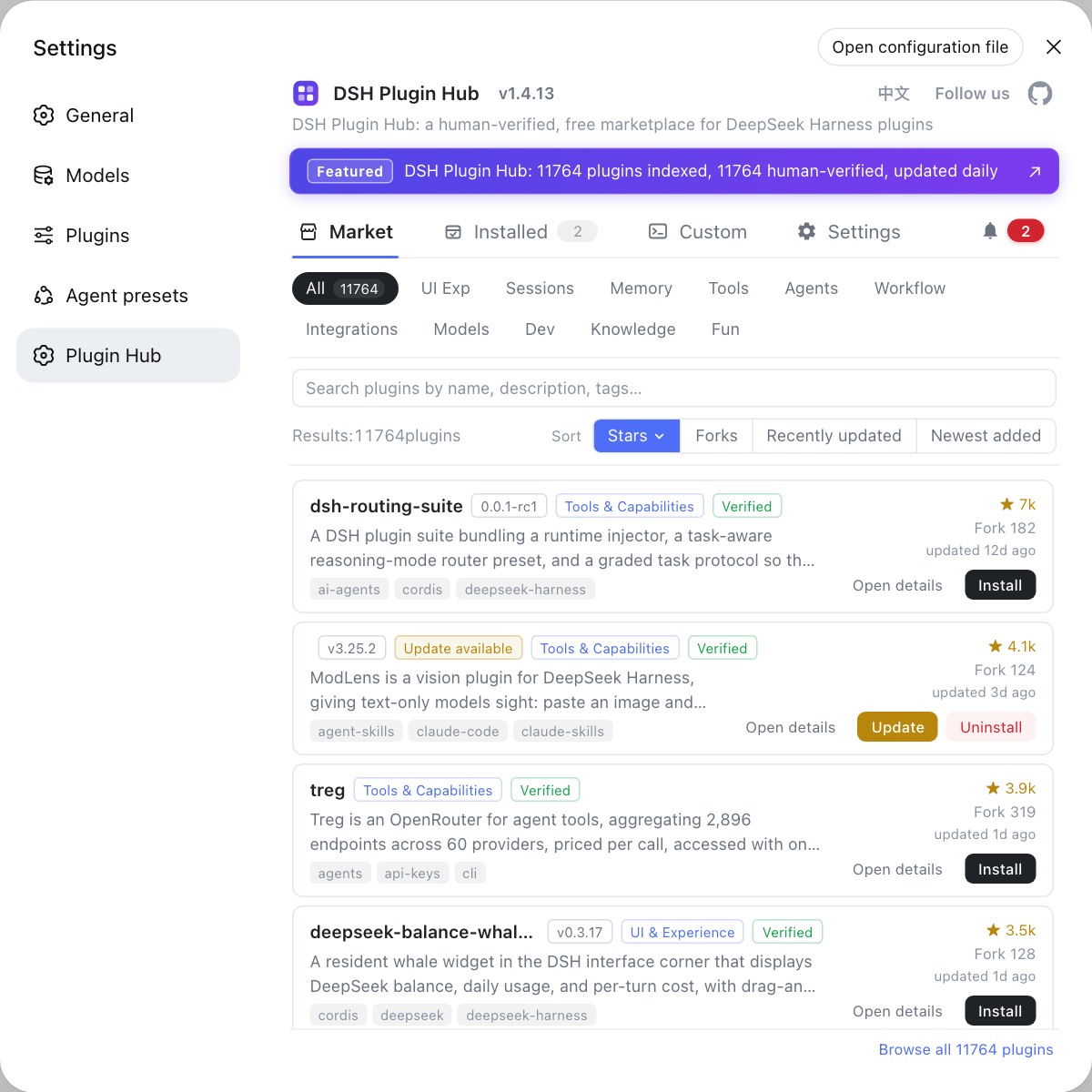
Failed to load plugins, use the add-one-back-at-a-time method to find the culprit — one plugin per restart. - After isolating the crashing plugin, disable it and either wait for the author's fix or find an alternative on DSH Plugin Hub — hub plugin pages track version iteration so you can follow the fix progress.
- Back up the profile config (copy
~/.dsh/profiles/<name>/) before reinstalling to avoid losing config on a misstep. - See install error troubleshooting for other DeepSeek Harness install errors.
Sources: dshbase troubleshooting, DeepSeek Harness loader source, DeepSeek Harness plugin publishing docs
FAQ
In a DSH plugin, "duplicate loader entry id" means a bundle dependency was hoisted twice: dsh plugin add promoted a dependency that already declares a bundle into the bundle stack again, producing a duplicate entry id. Remove the duplicate from the profile's bundle config and re-add the plugin (source: dshbase troubleshooting); the loader's duplicate-entry check throws this error (source: loader source).
For a DSH plugin, "Failed to load plugins" means some plugin failed to mount during startup and the UI offers no recovery action. Move the problematic plugin out of the profile (or reset the profile), restart, then add plugins back one at a time to find the culprit (source: dshbase troubleshooting).
To find which DSH plugin crashes the host, disable one at a time: first move all plugins out of the profile and restart — a clean start means it is a mount problem; then add one plugin back and restart each time — the one that crashes the host when re-added is the culprit; once identified, uninstall it or wait for the author's fixed release.
To roll back a crashing DSH plugin: uninstall the crashing version and install the previously stable one (or wait for the author's fix); the DSH Plugin Hub store records versions and update times on plugin pages, so after disabling the culprit one by one you can find an alternative on the hub or track the fixed release.
Related Terms
- duplicate loader entry id
- duplicate loader entry id is the error the DSH loader throws for a repeated bundle entry: a dependency that already declares a bundle gets hoisted into the bundle stack again and the entry ids collide.— DeepSeek Harness loader source
- Failed to load plugins
- Failed to load plugins is the fatal-screen message shown when a plugin fails during startup mounting; the UI offers no recovery action, so the user must remove the offending plugin and restart.— dshbase troubleshooting
- bundle stack
- The bundle stack is the ordered set of configuration layers a profile accumulates; a bundle dependency hoisted twice produces a duplicate entry in the stack and the loader refuses to start.— DeepSeek Harness plugin publishing docs
- mount
- Mount is the phase where a plugin initializes when the host starts; an exception during mounting makes the plugin fail to load and can end in a fatal screen.— dshbase troubleshooting