Install & Use DSH Plugin Hub: Community Plugin Marketplace
DSH Plugin Hub is the community plugin marketplace DSH plugin for DeepSeek Harness, built into Settings → Plugin Market. A single command — dsh plugin --profile web add dsh-plugin — installs it, letting you browse, search, and install community plugins without leaving the app.
DSH Plugin Hub Overview
This guide covers three things: what DSH Plugin Hub is, how to install it, and how to use it. It is an open-source plugin built to the official plugin spec by the dsh-plugin.org team — a different thing from DSH itself. Install DeepSeek Harness first, then add DSH Plugin Hub as a plugin. If you don't have DSH running yet, see How to install DeepSeek Harness first.
What is DSH Plugin Hub? The community plugin marketplace for DeepSeek Harness
DSH Plugin Hub is a community plugin marketplace DSH plugin embedded in Settings → Plugin Market, solving the "installed DSH but don't know what to add, or where to manage it" problem. Core features:
One-click everything · fully visualized
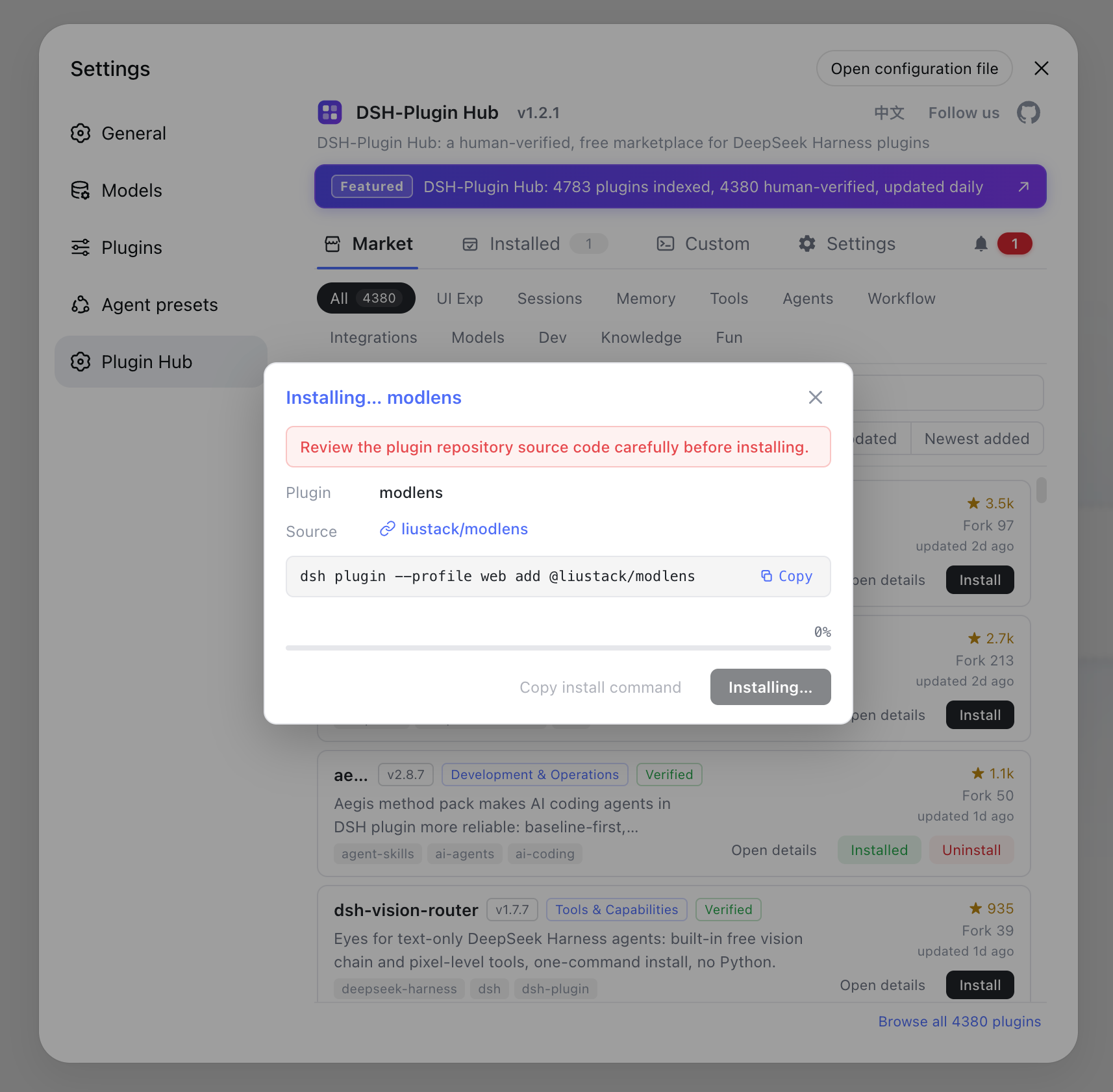
- One-click install — click and done: a serial background queue with live progress in the dialog, cancellable anytime; most plugins take effect on page refresh, no restart needed
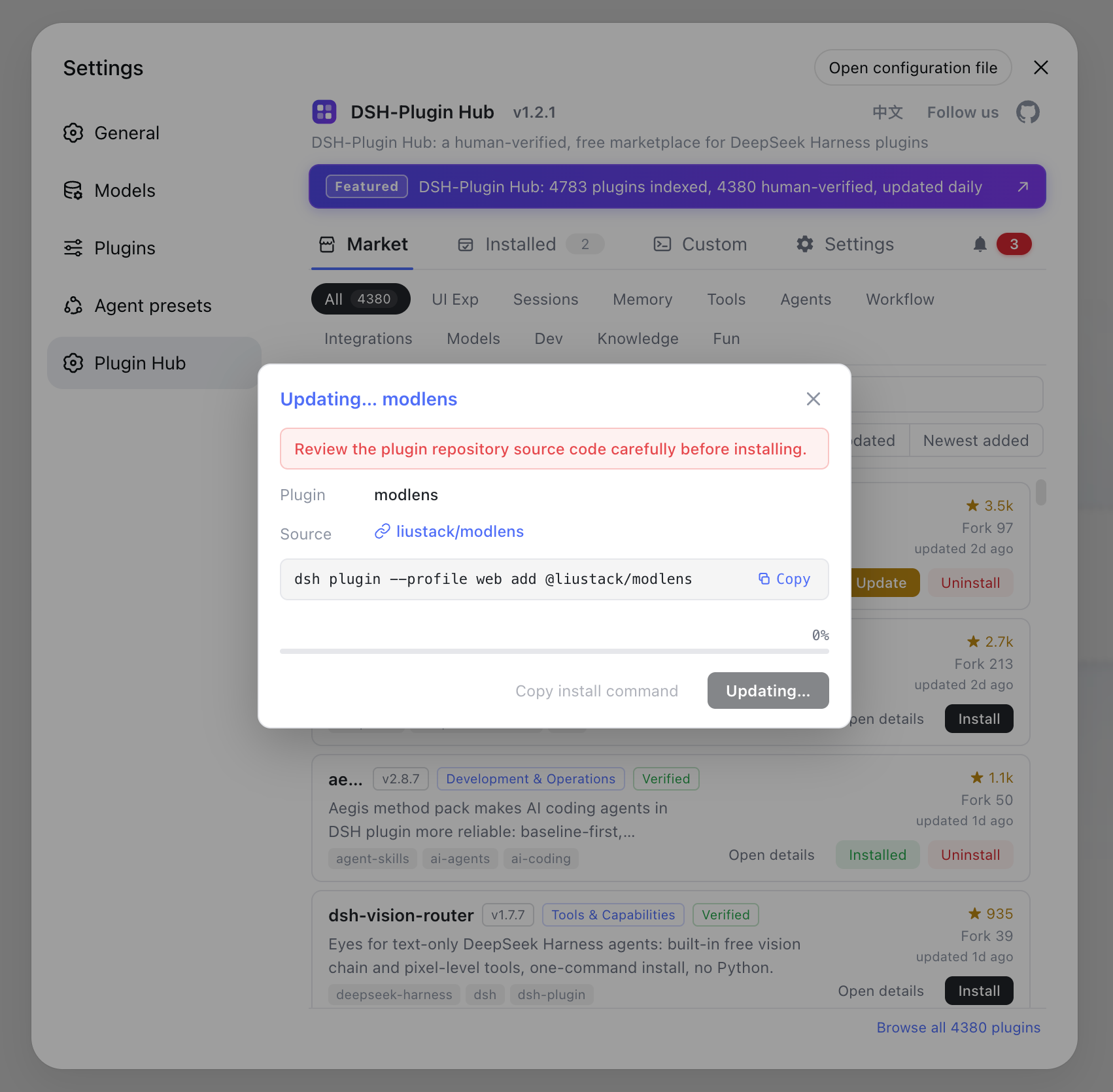
- One-click upgrade — new versions are detected automatically; the card button turns into "Update" and overwrite-installs in one click
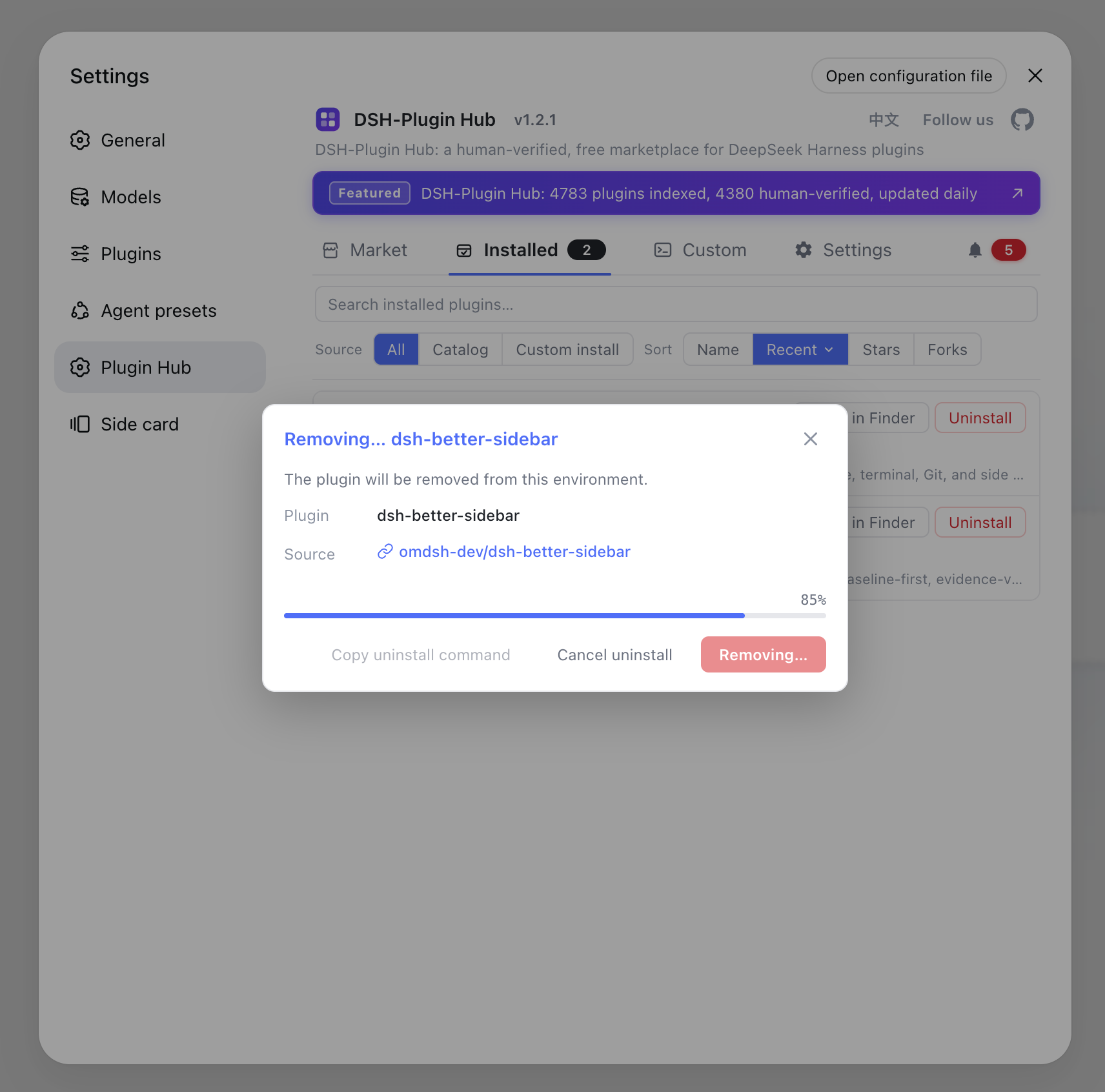
- One-click uninstall — fully visualized with live progress; changes take effect immediately
- Full trace — every install / upgrade / uninstall, success or failure, is recorded in the notification center for later review
Notification center
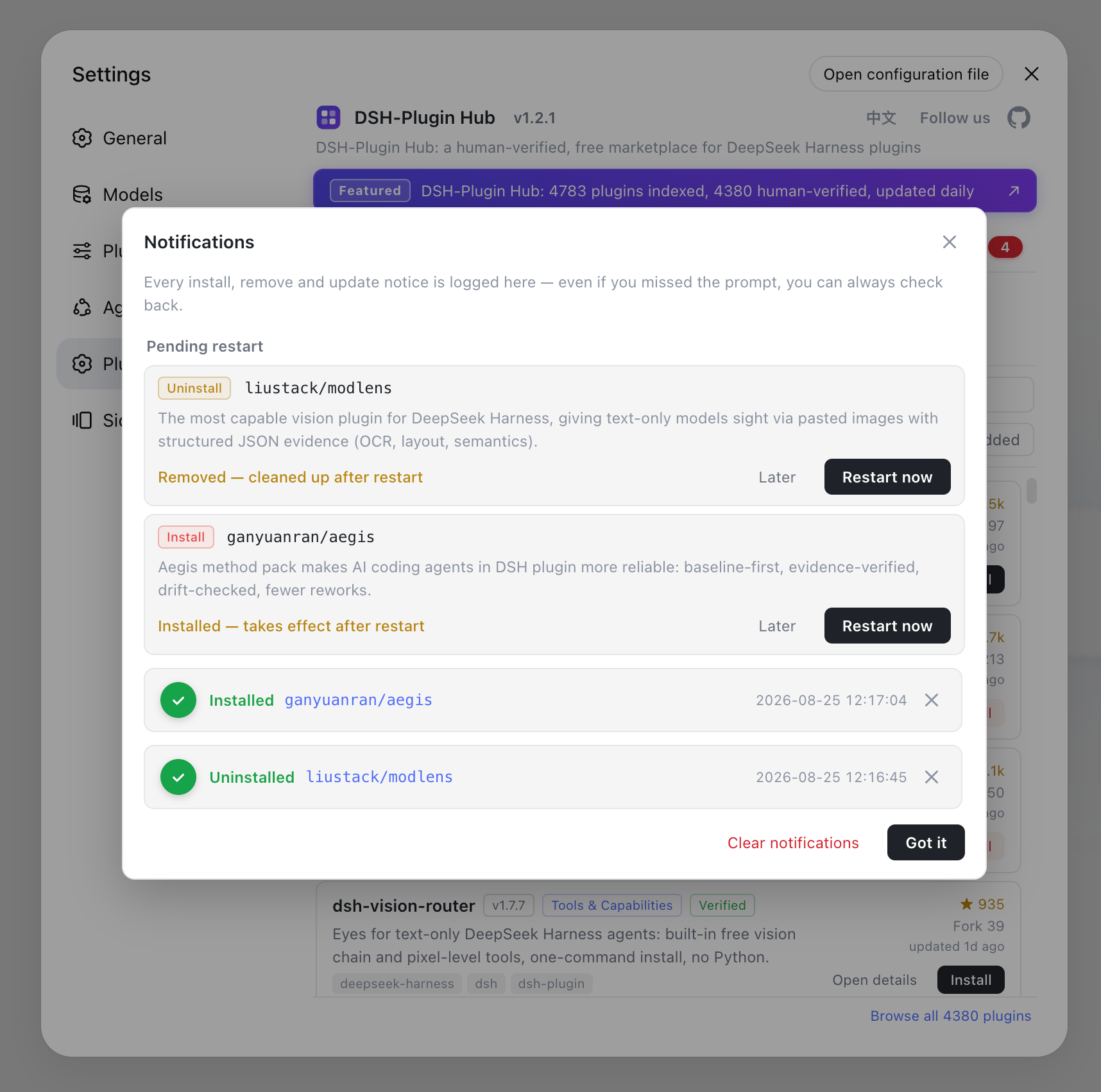
- Live progress and cancel for running tasks, pending restarts, and full success / failure history in one place
- Failed installs can be filed as a GitHub Issue in one click; pending restarts offer "later" or "restart now"
Rich catalog · human-curated
- Indexes 10000+ human-curated community plugins, reviewed and published daily by dsh-plugin.org
- Covers UI & experience, sessions & messages, memory & context, tooling and more — browse by category or search straight to it
- Every plugin shows its verification status (verified), star / fork ratings, version and last-update time — fully sourced
Bilingual · easy to filter
- The UI follows your system language by default and switches manually anytime from the top-right; copy and plugin data switch together
- Sort by popularity / newest / earliest indexed, with bilingual descriptions and capability tags at a glance
- Filter by installed / not installed and search across names, descriptions and tags
Always in sync · lightweight & private
- Same data source as the website; the catalog updates automatically, no manual upgrade needed
- Browser-side only, no host dependencies, no telemetry, no data collection
Note this is an independent community project with no affiliation with DeepSeek Harness (source).
How to install DSH Plugin Hub: two commands
Installing DSH Plugin Hub takes a single dsh plugin command; the npm package name is recommended. The prerequisite is a running DSH — start it once with npx @deepseek-ai/dsh web so the web profile auto-initializes and dsh plugin has somewhere to install into (source).
npm install (recommended):
dsh plugin --profile web add dsh-plugin
Install from GitHub (the plugin ships a built-in browser bundle, so no build or authorization is needed):
dsh plugin --profile web add github:dshplugin/dsh-plugin-hub
After installing, restart dsh web and open Settings → Plugin Market — the DSH Plugin Hub marketplace entry will be there. If it doesn't show up, make sure the web profile includes dsh-client-modules and try again.
How to use DSH Plugin Hub: browse, search, and install plugins in the Plugin Market
After installation you can run the whole plugin workflow without leaving the app. From Settings → Plugin Market you can:
- Browse: scan 10000+ human-curated community DSH plugins by category, with name, description, stars, and last-update time on each card;
- Search: look up plugins by keyword to quickly find the tool or UI enhancement you want — sort by popularity / newest / earliest indexed and filter by installed / not installed;
- Install: open a detail page to see its intro, compatible DSH version, and install command, then copy and run it in your terminal;
- Upgrade / uninstall: new versions turn the card button into "Update" for one-click overwrite install; uninstall is fully visualized with live progress;
- Share: use Open in browser to share a plugin with a teammate or bookmark it.
Want your own DSH plugin listed too? Publish it to GitHub and add the dsh-plugin topic — the dsh-plugin.org directory discovers and indexes it automatically; see the submit page. For generic install command details, check How to install a DSH plugin.
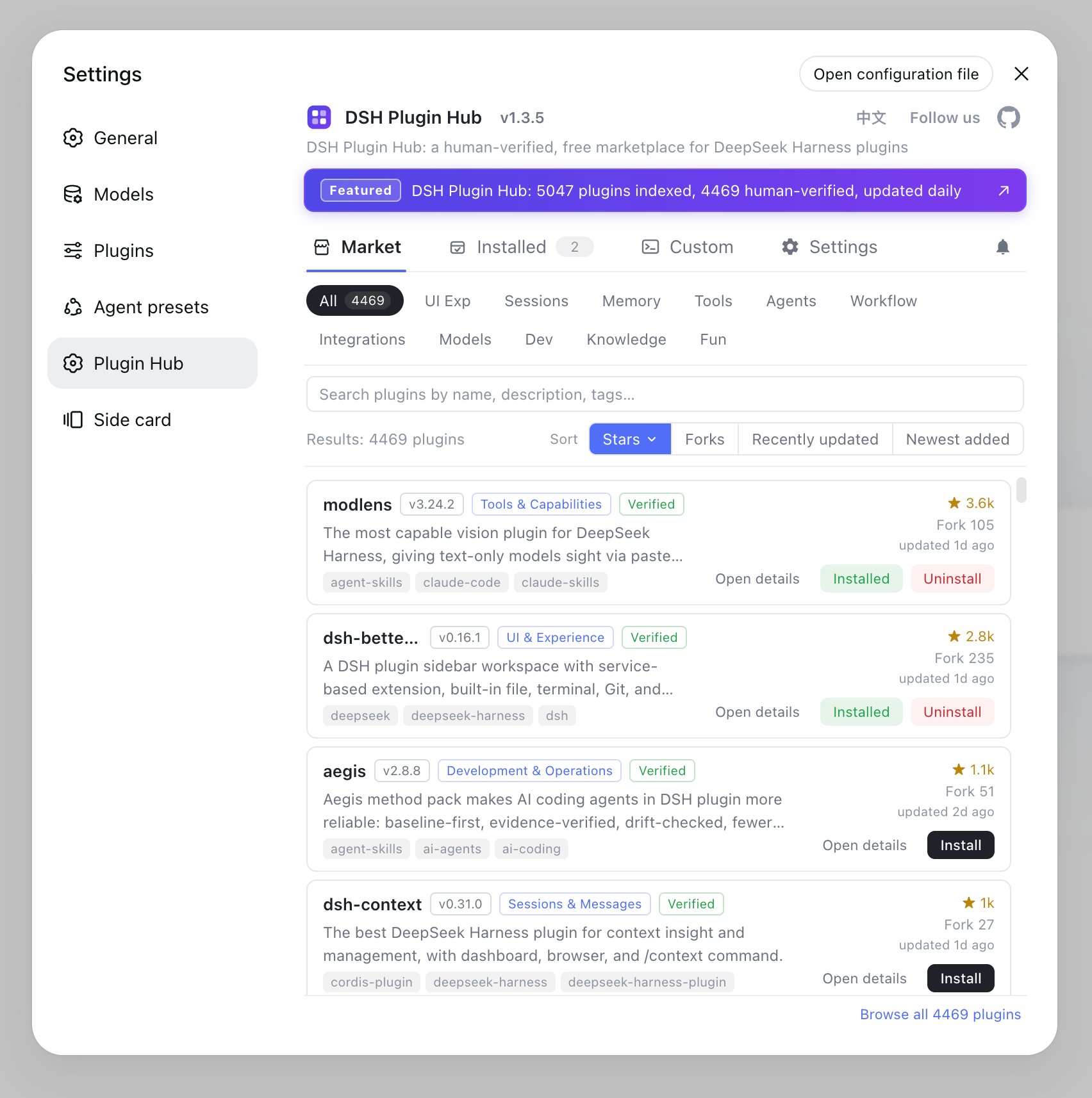
Open Settings → Plugin Market and you'll land on the DSH Plugin Hub marketplace home — browse 10000+ community plugins by category, with name, description, stars and last-update time on each card:
One-click install — a serial background queue with live progress in the dialog, cancellable anytime; most plugins take effect on page refresh, no restart needed:
One-click uninstall — fully visualized with live progress; changes take effect immediately:
One-click update — new versions are detected automatically; the card button turns into "Update" and overwrite-installs in one click:
Notification center — every install / upgrade / uninstall, success or failure, is recorded here; failed installs can be filed as a GitHub Issue in one click, and pending restarts offer "later" or "restart now":
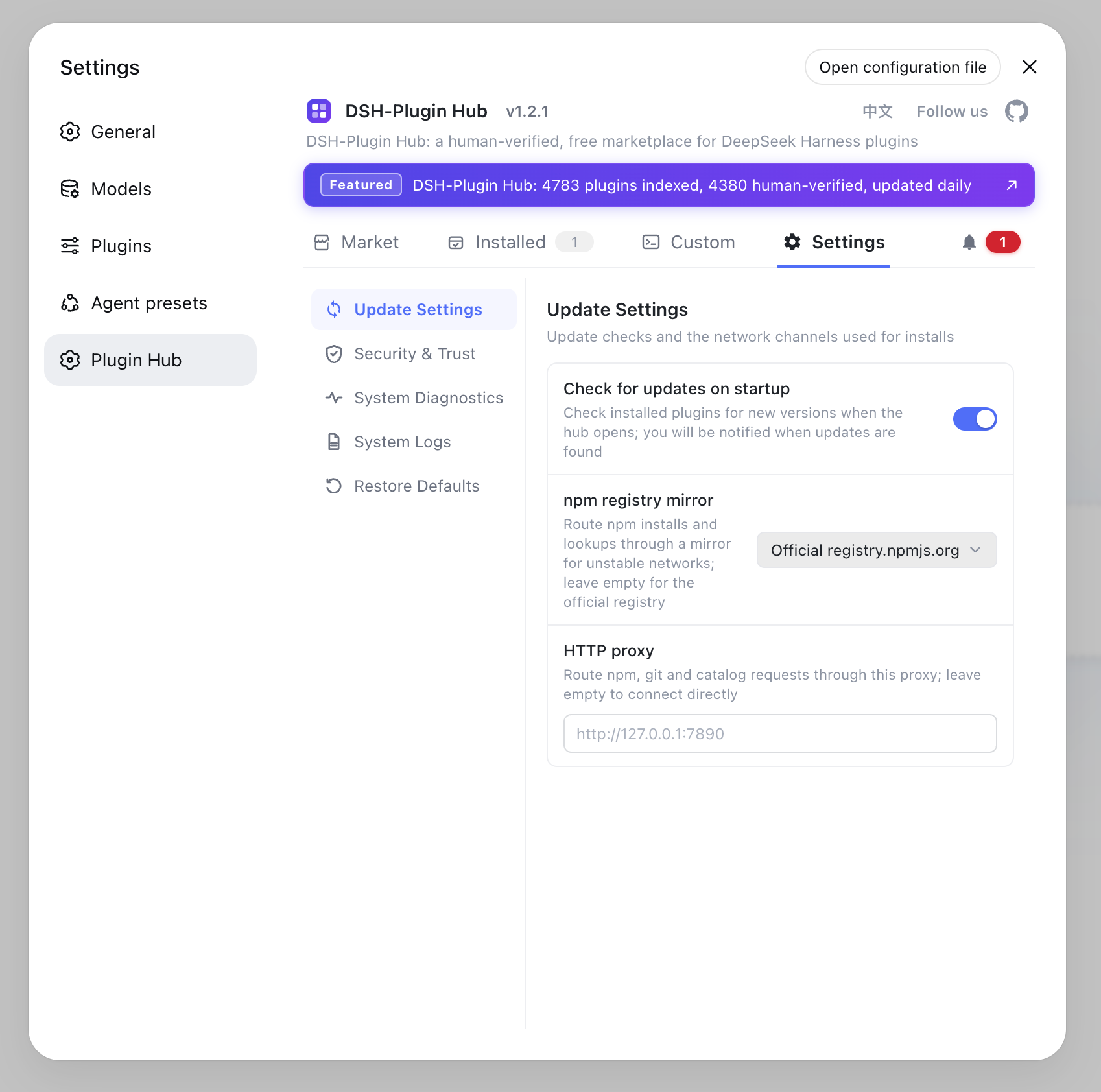
Settings — update checks, npm mirror and proxy channel, command-line install toggles and log location, all managed in one place:
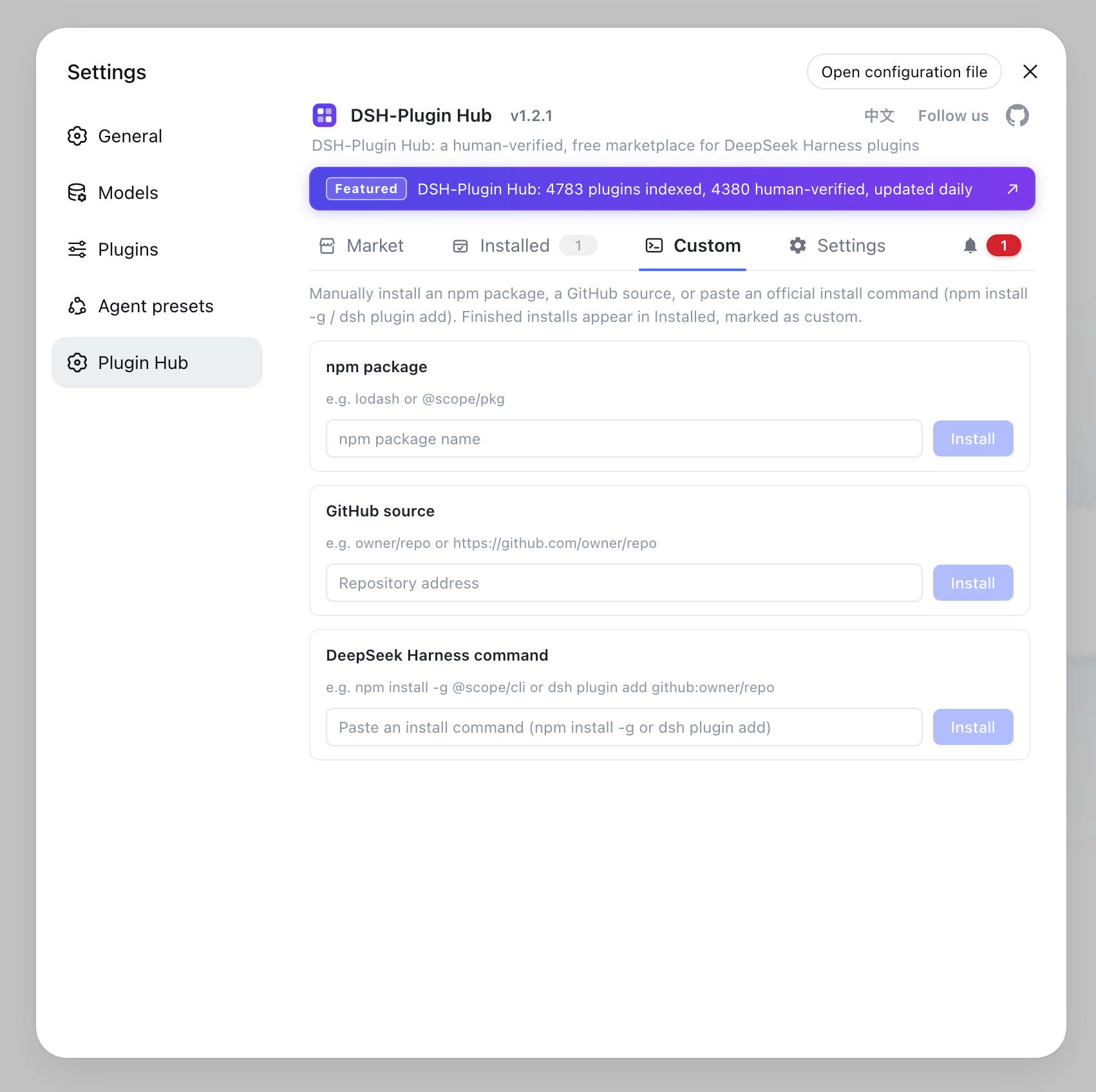
Custom install — install any npm package or GitHub source outside the catalog, or paste an official install command; finished installs are marked as custom:
DSH Plugin Hub Notes
Three things to know before using DSH Plugin Hub: developer preview, version compatibility, and the independent-project nature.
- Developer preview: DSH is still in preview (currently
0.1.0-rc.6), so plugin interfaces may change — defer to the official docs when something breaks. - Version compatibility: DSH Plugin Hub currently supports the DSH 0.1.0 series (
0.1.0-rc.6and same-series versions), declares the officialdsh.bundlemanifest, and requiresdsh-client-modulesin the web profile. - Independent project: this is an independent community project with no affiliation with DeepSeek Harness, released under the MIT license.
Sources: dshplugin/dsh-plugin-hub, dsh-plugin.org, dsh CLI README
FAQ
DSH Plugin Hub is a community plugin marketplace DSH plugin for DeepSeek Harness (DSH), built by the dsh-plugin.org team to the official plugin spec. Once installed it embeds in Settings → Plugin Market. DeepSeek Harness is the host; DSH Plugin Hub is a plugin running inside it.
The recommended one-liner is dsh plugin --profile web add dsh-plugin (npm package). You can also install from GitHub with dsh plugin --profile web add github:dshplugin/dsh-plugin-hub. After installing, restart dsh web and open Settings → Plugin Market to use it.
Restart the dsh web service and refresh the browser page. Confirm the install command succeeded and the web profile includes dsh-client-modules. DSH Plugin Hub is a browser-only plugin whose entry mounts on the Plugin Market slot, so both prerequisites must be met.
The data shares the exact same source as dsh-plugin.org: the website collects, human-reviews, and publishes community plugins daily, and DSH Plugin Hub pulls the latest catalog from that same source after install, with no manual upgrades needed.
Open Settings → Plugin Market to browse and search community plugins, open a detail page to check its intro and copy the install command, or use Open in browser to share and bookmark a plugin. The marketplace indexes 10000+ human-curated community plugins, reviewed and updated daily by dsh-plugin.org.
Sources
- dshplugin/dsh-plugin-hub· dshplugin
- dsh-plugin.org plugin hub· dsh-plugin.org
- dsh CLI README· deepseek-ai