DSH plugin: a crashed tool_use poisons every later turn
A DSH session's "crash once, broken forever" is a chain that can be fully explained and fully recovered: a turn crashes mid tool call and leaves a tool_use with no result in history; the DeepSeek Messages serializer requires "a tool call must get its result immediately", so every later turn is stopped by local validation before the request goes out, reporting DeepSeek Messages tool calls need immediate results (INVALID_REQUEST). The crash's root cause is TOOL_RUNTIME_SCHEDULER being defined with Symbol() rather than Symbol.for(), resolving to undefined across module graphs — a one-line fix; while "why the log cannot self-heal" is a second, independent problem — interruptedTurnClosers only runs when the log ends mid-turn, and here turn/end was already written, so the log is deemed balanced and the repair never triggers. A poisoned session cannot be saved by upgrading; you must repair the log or start a new session.
Triage first: one crash leaves three layers of problems
Conclusion first: treat "the crash", "the poisoning", and "the permanent failure" as three independent layers of failure, so you can tell which layer you are stuck on and what each layer requires. This is the article's most important triage step — their symptoms are similar (all "the session is unusable") but the handling is completely different, and mixing them wastes effort.
Layer 1, the turn in which the crash happened: the tool scheduler throws on the very first call, and the turn ends with an error. The reported environment is DSH 0.1.6-alpha.2, macOS arm64, provider deepseek-official, model deepseek-flash, reasoning effort high, tool mode native. The crash message is Cannot read properties of undefined (reading 'prepare'), error code UNKNOWN (#7318).
Layer 2, the breakpoint left in the log: the model declared N tool calls in one assistant message, and the host wrote a tool/call for only the first one before dying. The rest have neither tool/call nor tool/result; the one that did get tool/call also has no tool/result. They all become dangling tool_use entries.
Layer 3, every later turn failing instantly: when turning history into DeepSeek Messages, the serializer refuses any pending tool call and reports DeepSeek Messages tool calls need immediate results, wrapped outward as INVALID_REQUEST. Note the failure happens before any new tool call is made, so changing your prompt, model, or tools does not help.
The three layers' timeline grows like this in the log:
assistant/message   content: [ …, {type:'tool-call', id:'call_00_…'}, {type:'tool-call', id:'call_01_…'} ]
tool/call           { callId: 'call_00_…', name: 'grep' }     <-- only the first call gets a tool/call
step/end            { turn: 6, step: 1 }
turn/end            { reason: { kind: 'error', error: { message: "Cannot read properties of undefined (reading 'prepare')", code: 'UNKNOWN' } } }
… the next user message …
assistant/attempt   finish.reason.failure = { message: "DeepSeek Messages tool calls need immediate results", code: 'INVALID_REQUEST' }
turn/end            { reason: { kind: 'error', error: { …INVALID_REQUEST… } } }
To judge whether your session is this class, do these four steps:
-
Look at the start of the turn first: does the failure happen with no new
tool/callproduced at all? If so, the request was stopped locally and the problem is in history, not the runtime. -
Then count the tool calls: take the last
assistant/messagebefore the crash and count itstype: 'tool-call'blocks; then count the whole log'stool/callandtool/resultentries. -
Compare the difference: block count −
tool/resultcount is the number of danglingtool_useentries. The three reported samples are the table below (#7318).Session tool/calltool/resulttool-call blocks in the crashing message dangling tool_usesession-69a110fd389 388 2 2 session-c607c71a1 0 2 2 session-40158bc71 0 1 1 -
Confirm it is unrelated to any tool: the three samples crashed on three completely different tools —
grep,pwsh,subagent— and all on that turn's first tool call;session-69a110fdhad 388 calls across the 5 turns before the crash, all normal. Together these three points say: the problem is not a broken tool nor a wrong config but an environmental failure that varies over time — exactly the signature of the module-identity problem in the next section.
Root cause and one-line fix: Symbol()'s module-instance identity
Root cause confirmed: TOOL_RUNTIME_SCHEDULER is defined with Symbol(), whose identity is per module instance; when the dsh-tools package lands in two bundles / two module graphs at once, registration uses one symbol and lookup another, the lookup returns undefined, and the first tool call throws reading 'prepare'. Changing Symbol() to Symbol.for() fixes it — a one-line change.
The crash's read site on the native path is packages/core/agent-loop/src/tool-calls.ts:170:
callSeqs[index] = appendToolCall(session, turn, step, call.block)   // :168  durable tool/call already written
started++                                                          // :169
const prepared = await ctx.tools[TOOL_RUNTIME_SCHEDULER].prepare(call.exec)  // :170  this line throws
Note :168 has already written the tool/call into the persistent log and :169 has incremented started before :170 throws. That is why a dangling tool_use is always written to the log — the crash happens "after bookkeeping, before execution". The same symbol lookup also appears at packages/core/tools/src/ptc.ts:615, and both scheduling paths share one root cause (#7318).
The original definition is at packages/core/tools/src/index.ts:463:
export const TOOL_RUNTIME_SCHEDULER: unique symbol = Symbol('@deepseek-ai/dsh-tools.scheduler')
The fix is one line (the community fork's single commit 4dcf2d1):
export const TOOL_RUNTIME_SCHEDULER: unique symbol = Symbol.for('@deepseek-ai/dsh-tools.scheduler')
Why that line suffices: Symbol() produces a brand-new, never-equal identity on every evaluation, whereas Symbol.for(key) goes through the global symbol registry, so the same key resolves to the same symbol in any module instance and any bundle. Then the registrar and the lookup necessarily use the same key, and registry[TOOL_RUNTIME_SCHEDULER] can no longer be undefined (fork diff).
This is not a convention the community invented either — other cross-package symbols in the repo (e.g. dsh.subagent.*, dsh.typert.owned-value) already use Symbol.for(), and only this one was missed. The report is careful: the original reporter only "mentioned it in passing", suspecting it might be an artifact of a local build; only after a maintainer reproduced the same failure on a Linux source build was the root cause nailed down.
If you want to verify the fix yourself, do these four steps:
- In a source checkout, change
Symbol(toSymbol.for(atindex.ts:463, keeping the argument unchanged. - Rebuild (the community's measured environment was macOS arm64, a
0.1.6-alpha.2source build). - Open a new session, have it run a request that triggers a tool call, and confirm the first call no longer throws
reading 'prepare'. - Note: this step only proves "no new poisoned sessions are produced". It does nothing for an already poisoned old session — that is the next problem.
If you do not plan to change source, the least you can do is: stop expecting an upgrade to rescue a poisoned session. One report rolled the build back to 0.1.6-alpha.1 and the session still failed on turn 3; neither a rollback nor a new build can change what is already written in the log (#7318).
Why the log cannot self-heal: the trigger gap in interruptedTurnClosers
The second independent problem: DSH does have a "session interruption self-repair" mechanism, interruptedTurnClosers, that appends synthetic result events for unfinished tool calls; but its trigger is "the log ends abruptly within the same turn". Here turn/end was already written with an error reason, so the log is structurally balanced and the repair never runs — while the assistant message still carries unresolved calls that nobody cleans up.
First, why does the failure path not write a synthetic result? The scheduler-failure handling in tool-calls.ts is organized like this (#7318):
// on scheduling failure
catch (error) {
    // …
    throw error;                          // :235 rethrow directly
}

// the only synthetic-result recovery path (never reached)
if (aborted) {
    appendSkippedToolCall(…)              // :238
}
Two gaps compound:
- The catch rethrows directly at
:235, so theappendSkippedToolCallbranch is never reachable; - Even if it were reachable, the loop starts from
group.slice(started)and would skip the call that already appended atool/callat:168.
Then why does the persistence layer not care? packages/core/session/src/repair.ts's interruptedTurnClosers only appends synthetic TOOL_NOT_STARTED / TOOL_OUTCOME_UNKNOWN when the log ends mid-way. Here the log is:
tool/call   { callId: 'call_00_…' }     <- written
step/end    { turn: 6, step: 1 }        <- the step closed
turn/end    { reason: { kind: 'error', … } }   <- this turn also closed (with an error reason)
Having a turn/end ⇒ the turn is "closed" ⇒ the log is considered balanced ⇒ repair never runs. This is the direct reason "the session is permanently unrecoverable from the app's perspective": it is not that the repair capability is absent but that its trigger is narrower than the failure's shape (#7318).
The community's direction is consistent: extend the crash-repair pass to "turns that carry pending calls and end with an error". The supporting evidence: after someone manually inserted the events interruptedTurnClosers should have written, both the v3 format validator and the runtime invariant checks accepted them, and the session recovered immediately. So what is missing is only "who triggers it", not "the legality of these events".
Manual recovery of a poisoned session: four steps, including zstd framing
Until an official fix lands, a poisoned session can be recovered by hand: stop the process → back up → decompress and insert a synthetic tool/result for each unresolved tool-call → recompress following the rule that "the header line is its own first zstd frame". These steps come from an actual community recovery record and are essentially "manually replaying what interruptedTurnClosers would have written".
Step 1, stop every dsh process holding the session lock. The session log is locked; editing the file while a process is alive can be overwritten or corrupted.
Step 2, back up the original log. The file is at ~/.dsh/sessions/<workspace-key>/<session-id>/session.v3.jsonl.zstd:
cp ~/.dsh/sessions/<workspace-key>/<session-id>/session.v3.jsonl.zstd \
   ~/.dsh/sessions/<workspace-key>/<session-id>/session.v3.jsonl.zstd.bak
Step 3, decompress and insert synthetic results:
zstd -d session.v3.jsonl.zstd -o log.jsonl
Then, for each tool-call block in the last assistant/message that has "no matching tool/result", the rules are:
- Insert a synthetic
tool/resultafter itstool/callevent; if the call never started (notool/call), insert it after the assistant message. - The synthetic event uses the current open step's
turn/step,surfaceOp: "append", a followingseq, and renumber subsequent events. - For a call that had started:
error: { name: "ToolOutcomeUnknownError", code: "TOOL_OUTCOME_UNKNOWN" }, withsourceEventSeqs: [<seq of the tool/call>]. - For a call that never started:
error: { name: "ToolNotStartedError", code: "TOOL_NOT_STARTED" }, and the message id must beinterrupted-tool-result-<callId>-<seq>— the canonical repair identity the v3 format validator accepts. - The message content carries one
tool-resultblock withisError: true, and the explanatory text reusesrepair.ts's wording verbatim for consistency.
Step 4, when recompressing, the header line must be its own first zstd frame. The persistence layer asserts first frame is not exactly one header line, so you cannot compress the whole JSONL into a single frame, or it will see the file as broken from byte zero (#7318):
head -1 log.jsonl | zstd > out.zst && tail -n +2 log.jsonl | zstd >> out.zst
After these four steps the session recovers and new turns complete normally.
Two things must be stressed: this is surgery on the persistent log, not a supported path; and it incidentally proves the repair events' legality — both the v3 validator and the runtime invariant checks accept these synthetic events, so "extending crash repair to error-ending turns" should be a safe fix direction. If you are unsure whether your edit is correct, the safer choice is: copy the essential context into a new session and continue there, rather than risk corrupting the log.
Troubleshooting and prevention notes
- Do not confuse "the model returned an error" with "local serialization blocked it".
DeepSeek Messages tool calls need immediate resultsis not returned by the model; it is thrown atserialize.ts:117/:121and the request never left. The test: the failing turn produces no newtool/call. - Do not expect switching model, provider, or tools to bypass it. History is session-level and validation happens at request construction, independent of the model.
- Do not expect an upgrade or rollback to rescue a poisoned session. A dangling
tool_usealready in the log is not cleaned by a new build;session-40158bc7still failing on turn 3 after rolling back to0.1.6-alpha.1is direct evidence. - The fastest way to tell "is it this failure" is to count the books. The
tool-callblock count in the lastassistant/messagebefore the crash minus thetool/resultcount: a positive difference means yes. - The one-line fix only solves "new crashes", not "old poisoning". After changing to
Symbol.for()no new dangling calls are produced; but the repair path's gaps (interruptedTurnClosers's trigger,appendSkippedToolCallbeing unreachable) are a separate problem needing its own fix. - A preventive habit: once a crash happens, stop sending messages into that session. Sending another message just fails repeatedly on the same bad history and piles more
INVALID_REQUESTassistant/attemptentries into the log, making it harder for a later manual repair to identify "the last normal message". The right order is: confirm the crash, then decide whether to repair the log or copy the context into a new session.
When the session is locked by a dangling call, the annoying part is not the log repair itself but having to guess "which layer is actually broken right now". The steps above can rescue the data, but if you also want to clear out other plugins' repeated pitfalls in the environment, install DSH Plugin Hub — the official plugin marketplace built into the DeepSeek Harness desktop app, for browsing, installing, uninstalling, and updating plugins, with update detection, system diagnostics, and a system-logs panel, and a notification center that records install/uninstall/update history, in-progress task progress, and pending-restart reminders:
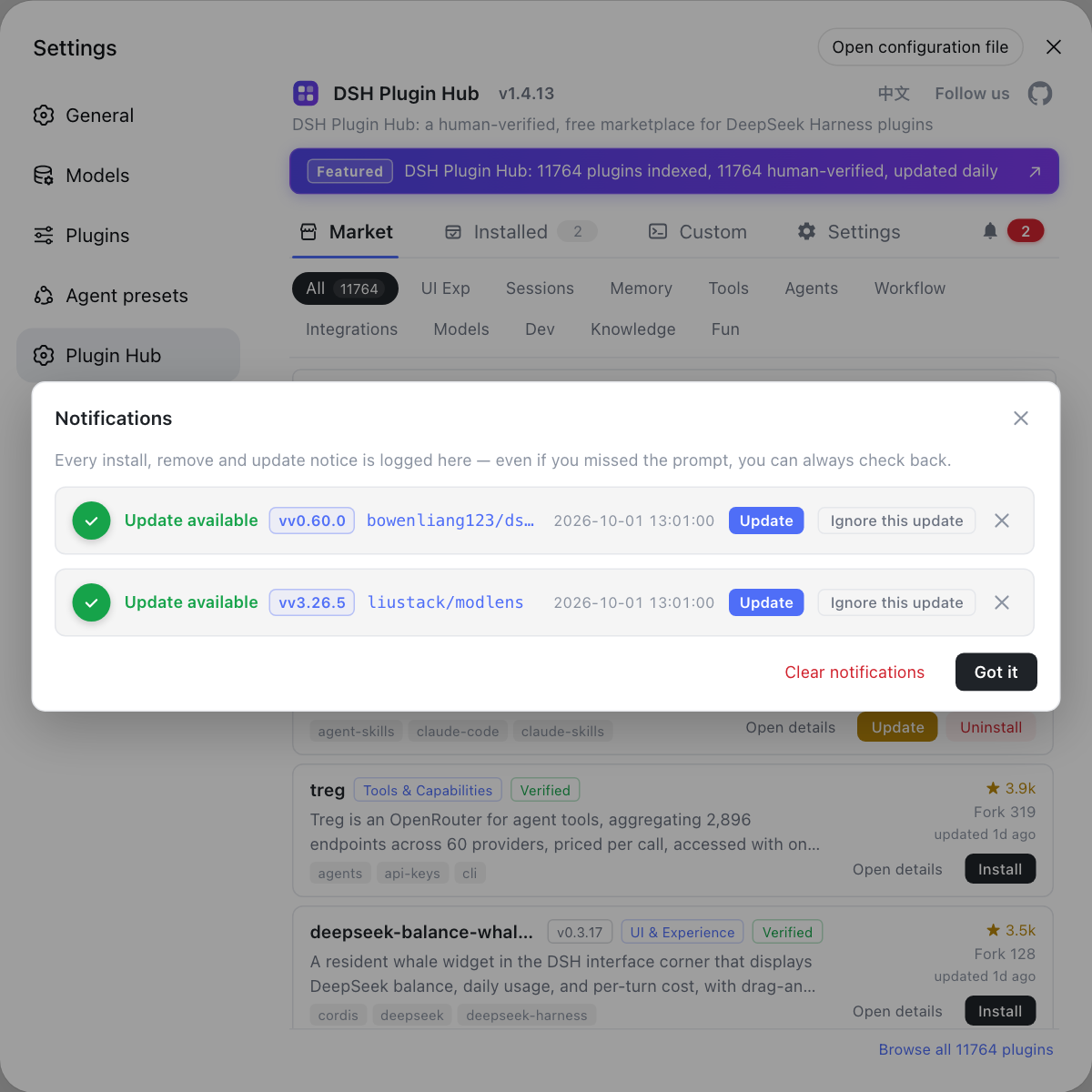
When troubleshooting session-level failures like these, looking at plugin-ecosystem changes and host logs together saves a lot of effort.
Source: Discussion #7318, Discussion #7265, sheldonzhang312-hub/deepseek-harness · fix/tool-runtime-scheduler-symbol (diff 4dcf2d1).
FAQ
Because what broke is this session's **persistent log**, not the runtime. The crashed turn left a tool_use with no result in history, and when the serializer turns history into DeepSeek Messages it throws on any unfinished tool call and requires that history not end with an unresolved tool. From that moment on, every turn of this session fails 'before actually calling the model', regardless of the model, the network, or your new prompt. A new session has clean history and is naturally fine.
Not the model and not a network error. It is thrown by DSH's own DeepSeek Messages protocol serializer: packages/llm/llm-deepseek/src/protocols/messages/serialize.ts:117 throws when serializing to any pending tool call, and :121 throws when history ends with an unresolved tool. The outer layer wraps it as INVALID_REQUEST and writes it into assistant/attempt's finish.reason.failure. In other words, this is 'local history failed self-validation', and the request never left the machine.
No. A poisoned session has the fault **baked into the log**: one report shows that after rolling the build back to 0.1.6-alpha.1 the session still failed on turn 3. A new build only fixes the possibility of 'crashing again'; it cannot save the dangling tool_use already written to the log. Recovery requires either the log repair in section four of this article, or simply starting a new session.
You can do a rough check before decompressing: in the session directory find session.v3.jsonl.zstd, decompress it to JSONL with zstd -d, then count the type: 'tool-call' blocks in the last assistant/message and compare with the tool/call and tool/result event counts. The typical shape: the model emits 2 tool-calls in one message but only the first writes a tool/call, and there is no tool/result at all — so 2 unresolved. The three reported samples were 389/388/2, 1/0/2, and 1/0/1 (tool/call count / tool/result count / tool-call blocks in the crashing message).
No, it fixes the **crash**, not the **repair path**. Changing TOOL_RUNTIME_SCHEDULER from Symbol() to Symbol.for() stops 'a turn's first tool call throwing reading 'prepare'', i.e. it stops producing new poisoned sessions; but the dangling tool_use already written to the log is still uncleaned and interruptedTurnClosers is still not triggered. The community discussion explicitly separates these as 'two independent problems'.
Related Terms
- unresolved tool_use
- An assistant `assistant/message` declares a tool-call block (`type: 'tool-call'`), but no matching `tool/result` can be found anywhere in the corresponding event stream. The DeepSeek Messages protocol requires a tool call to be immediately followed by its result, so a dangling `tool_use` makes the entire history unserializable — it is not 'the model made a mistake' but 'the persistent log has a breakpoint that will not heal itself'.— https://github.com/deepseek-ai/deepseek-harness/discussions/7318
- TOOL_RUNTIME_SCHEDULER
- The registry key for the tool runtime scheduler, defined at `packages/core/tools/src/index.ts:463`. It was originally `Symbol('@deepseek-ai/dsh-tools.scheduler')`: a `Symbol()`'s identity is **per module instance**, so when the same package is loaded twice (two bundles / two module graphs), registration uses one symbol and lookup another, the lookup gets `undefined`, and the first tool call throws `Cannot read properties of undefined (reading 'prepare')`.— https://github.com/sheldonzhang312-hub/deepseek-harness/commit/4dcf2d1
- interruptedTurnClosers
- The synthetic-closing logic in `packages/core/session/src/repair.ts`: when a session log **ends abruptly mid-way (within a turn)**, it appends synthetic result events for unfinished tool calls, rebalancing the log. Its trigger is 'the log ends with an unclosed turn'; if `turn/end` has already been written (even with an error reason), the log counts as balanced and this repair never runs — exactly the 'self-healing gap' in this problem.— https://github.com/deepseek-ai/deepseek-harness/discussions/7318
- TOOL_OUTCOME_UNKNOWN and TOOL_NOT_STARTED
- Two normalized 'tool result unknown' error codes used for synthetic closing. When the tool **had already started** (a `tool/call` exists) but its result was lost, use `ToolOutcomeUnknownError` / `TOOL_OUTCOME_UNKNOWN`; when the tool **never got to start**, use `ToolNotStartedError` / `TOOL_NOT_STARTED`. The not-started one's message id must be of the form `interrupted-tool-result-<callId>-<seq>`, the canonical identity the v3 format validator accepts.— https://github.com/deepseek-ai/deepseek-harness/discussions/7318
Sources
- #7318 — [Bug] A crashed tool call leaves an unresolved tool_use in history; the session then fails forever with "DeepSeek Messages tool calls need immediate results"· deepseek-ai (GitHub Discussions)
- #7265 — Tool scheduler crash `Cannot read properties of undefined (reading 'prepare')` (same-origin context)· deepseek-ai (GitHub Discussions)
- sheldonzhang312-hub/deepseek-harness · fix/tool-runtime-scheduler-symbol (one-line fix, diff 4dcf2d1)· GitHub (community fork)