DSH plugin: settings.yaml silently lost after upgrade
After upgrading DSH to the 0.1.7 line, two "settings quietly disappeared" symptoms appear: one is the settings page becoming entirely default, with LLM providers and model selection gone; the other is any option you change in the settings panel bouncing back to its old value immediately, with cordis.patch.yml's mtime untouched — neither gives any error. The first comes from the one-shot migration added in 0.1.7: importLegacyDocument() renames settings.yaml to .imported before writing section by section, so if the write channel is unavailable at that moment the whole document is permanently marked consumed and never retried (#7534, #7814). The second comes from dsh-app-boot being loaded as two module instances in the same process, with the root Include entry written into instance A's module-level WeakMap and read in instance B, so the write is rejected (#7675). The good news is that almost no data is lost — the old values are all in .imported. This article follows "triage → the two mechanisms → recovery and fixes", each step with paste-ready commands and file locations.
Triage first: two symptoms, do not fix them as one
Before acting, confirm which one you hit — their data locations, log signatures, and workarounds all differ.
| Test | One-shot migration loss | Settings changes silently reverted |
|---|---|---|
| Settings page | entirely blank / back to defaults | options bounce back to stored values immediately |
Does ~/.dsh/settings.yaml.imported exist | yes | maybe not |
cordis.patch.yml mtime | unchanged | unchanged (write rejected) |
| Log signature | settings: section … was not imported + cannot get required service "configEditor" in inactive context | settings/rejected: dsh: profile reload requires the root Include entry |
| Blast radius | one-shot after upgrade | every settings write (plus plugin start/stop, hot reload) |
| Root cause location | the import order in dsh-settings | the module-level WeakMap in dsh-app-boot |
The two chains converge in the same bad layout: the dual module instance is exactly the cause of migration failure mode A (see the next section), so some people see both symptoms at once.
Mechanism one: the one-shot migration's "commit-point inversion" — rename before write
In one sentence: the migration renames then writes, and "the write channel is unavailable" looks exactly like "a section was rejected" in the code, so any single failure is treated as "already handled" and the document is never consumed again.
The order is the defect itself
In the import path introduced by 0.1.7 (commit 601d6761e4, feat(settings): project volatile Config through profile-backed forms (#4587), included in dsh-v0.1.7-alpha.1), importLegacyDocument()'s order is (#7814):
async importLegacyDocument() {
    const path = join(profile.home, "settings.yaml");
    if (!existsSync(path)) return;
    const imported = `${path}.imported`;
    await rename(path, imported);               // <- the commit point is before all writes
    const sections = parse(await readFile(imported, "utf8"));
    for (const [section, values] of Object.entries(sections ?? {})) {
        const ns = LEGACY_SECTION_ENTRIES[section] ?? section;
        try {
            await this.update(ns, values);      // <- every section throws when configEditor is unavailable
        } catch (error) {
            this.ownerContext.logger.warn("settings: section %s of %s was not imported into entry %s", section, imported, ns);
            this.ownerContext.logger.warn(error); // <- failure only warns; no retry, no UI notice
        }
    }
}
The JSDoc says this is deliberate: "The document is renamed before the first write, so a partial import never repeats" — the price of anti-repetition is never retrying after failure (#7814). And this import is a one-shot continuation attached to ctx.root.loader.await().then(…) (index.ts:235); "await settled" does not equal "the service is available".
Trigger path one: startup audit failure, import into a disposed context
The community reproduced the most complete one on a 0.1.6-alpha.2 → 0.1.7-alpha.1 upgrade (#7534):
@deepseek-ai/dsh-app-boot's startup audit finds required entries not activated (here a staleweb-appfrontend dist and theclient-modulesbundle), throwsStartupErrorandawait ctx.fiber.dispose()s the whole tree;- And the one-shot import and that disposal are continuations of the same loader-settled moment (
app-boot/src/index.ts:971-977firstawait ctx.get('loader')?.await(), then audits, then disposes); - So all 10 sections are written into an already disposed context: each write resolves
this.ownerContext.configEditor(index.ts:382) and getscannot get required service "configEditor" in inactive context; - Each section's
try/catchdowngrades the fatal error to a warning and continues the loop — "the service is dead" and "this section was rejected by the current composition" are indistinguishable here (index.ts:248-256); - The document was renamed to
.importedbefore the first write (index.ts:245-246), and later startups return early becausesettings.yamldoes not exist (index.ts:244);this.closedalready existed (index.ts:227) but is never checked byimportLegacyDocument; and after the loopindex.ts:257unconditionally printssettings: imported …— a startup that imported nothing at all can still report success.
The measured timeline (within the same 10 ms window):
ts …25.630Z  launch: 2 required plugins did not activate (stale dist; the loader takes ~10 s to settle)
ts …35.278Z  hmr: 'config reload at %C failed' / HMR is disposed
ts …35.288Z  settings-forms: 'section ui-onboarding … was not imported'
ts …35.288Z  settings-forms: Error: cannot get required service "configEditor" in inactive context
… 10 sections, all in the same millisecond
That reporter's 10 sections were ui-onboarding, ui-theme, agent-presets, permission, agent-default-model, llm-pi-ai, provider-quotas, dsh-better-sidebar, glance-theme, subagent-model-selection — LLM providers, theme, permission presets, and default model all reverted.
Trigger path two: port in use + HMR reload startup race
Another report on 0.1.7-rc.1 hit the same race via a different entry (#7814): the host's port was already in use at startup, compounded by an HMR reload, leaving the context holding configEditor inactive when the import ran, so 4 sections (ui-onboarding, ui-theme, llm-pi-ai, agent-default-model) all threw the same error — note this is not "partial failure" but the write channel being entirely unavailable; the author calls it "atomicity inversion". He also re-checked 0.1.7-rc.2: that function is verbatim identical to rc.1 and the defect remains.
Three mutually independent failure modes: A / B / C
After checking the sections in .imported one by one, the community found that any one alone suffices to silently lose a section (#7814):
| Mode | Where it throws | Trigger | Matching fix |
|---|---|---|---|
| A | profile reload requires the root Include entry (dsh-app-boot) | two instances/copies of the same package, so the module-private WeakMap cannot see the write | eliminate the dual instance (see mechanism two) |
| B | No configurable plugin entry "<ns>" (dsh-settings) | the legacy section name ≠ the real entry id | map the legacy name to the real entry id |
| C | has no volatile fields (dsh-settings) | the entry declares no volatile() field | currently no fallback channel |
Mode B's key detail: the code's legacy mapping table has only three entries (dsh-settings's LEGACY_SECTION_ENTRIES):
const LEGACY_SECTION_ENTRIES = {
	"ui-developer-tools": "ui-settings",
	"ui-onboarding": "ui-settings-general",
	shell: process.platform === "win32" ? "pwsh-sandbox" : "bash-sandbox"
};
The import falls back verbatim (const ns = LEGACY_SECTION_ENTRIES[section] ?? section;), so off-table section names (e.g. agent-presets, subagent-model-selection, dsh-better-sidebar) are looked up as-is and throw. The code performs no name-to-id translation — which is precisely why mode B failures exist. The reporter notes specifically: this also means the product changing an entry id makes a section that imported fine in one version stop matching in the next, so B is self-accumulating (#7814).
Mode C's key detail: SettingsForms.write() requires "the entry declares at least one volatile() field" before calling edit(), and volatile() exists only in @deepseek-ai/schemastery 3.18.4 and later (the word appears 0 times in the original schemastery@3.18.0). So any third-party plugin using the original schemastery can never have its config section migrated — silently skipped, no notice, no alternative entry, stuck "visible but immovable" (#7814).
Mechanism two: the module-level bootstrapIncludes split into two instances
In one sentence: app-boot stores the "root Include entry" in a module-scoped WeakMap, while ESM caches modules by the resolved URL string; as soon as the same file has two path spellings, the writer and reader live in different instances.
How drive-letter case creates two instances
On Windows, if the packaged CLI's launch path has a lowercase drive letter (a PATH entry d:\Users\<user>\Application Data\npm, where npm's generated dsh.ps1 launches dsh web), any change in the settings panel is rejected by the Host and silently reverted (#7675):
mountRootInclude()hands the root Include entry to other in-process consumers via module-level state (bootstrapIncludes, a module-levelWeakMap), so this handoff is visible only inside the module instance that ran it:tsconst bootstrapIncludes = new WeakMap<Context, Entry>() // :255 const entry = bootstrapIncludes.get(ctx) // :274 <- reader 1 if (entry === undefined) throw new Error(`${binName}: profile reload requires the root Include entry`) // :275 bootstrapIncludes.set(ctx, entry) // :581- The runtime resolution table normalizes every package directory with realpath (
realModuleDirectory()), andinstallRuntimeInterception()makes every plugin import resolve from those normalized paths; - On Windows realpath returns an uppercase drive letter, while the launcher's own module URL keeps the spelling from process start — npm's generated shim runs
node "$basedir/node_modules/@deepseek-ai/dsh/lib/bin.js", where$basedircomes straight from the PATH entry; - ESM caches modules by resolved URL string, so
file:///d:/…/dsh-app-boot/lib/index.jsandfile:///D:/…/dsh-app-boot/lib/index.jsare two module instances of the same file. The launcher records the Include in the lowercase instance;dsh-config-editor,dsh-hmr, anddsh-plugin-managerare imported through interception (uppercase) and callreconcileProfilePatches(ctx.root, …)from the uppercase instance, where that table is empty, hitting the throw at:274-275(#7675).
Only the packaged install form reproduces it: the same profile launched from source (node --import tsx/esm apps/cli/src/bin.ts web) is completely normal, because then all module URL spellings agree — "source fine, packaged broken" is precisely the fingerprint of two module instances (#7675).
Not just drive letters: duplicate physical directories hit it too
The same root cause has another trigger path on Linux/Docker (#7675): the CLI tree is at /npm-global/... (global npm) and the profile tree at /dsh-home/profiles/web/node_modules (pnpm, nodeLinker: hoisted), each holding a separate physical directory of @deepseek-ai/dsh-app-boot — not a symlink, different inodes, but byte-identical content.
⚠️ This one is nasty: because the bytes are identical, comparing by md5 or version number misjudges the two as "the same". Module identity cannot be decided by "path spelling" or "content equality".
Blast radius: two read paths, two symptoms
bootstrapIncludes has two readers, which is why the symptoms differ (#7675):
const entry = bootstrapIncludes.get(ctx)                     // :274  reader 1 (reconcile)
...
const required = new Set(failures.filter(({ entry }) => entry === bootstrapIncludes.get(ctx)   // :929  reader 2 (audit)
  || requiredStartupEntryIds.has(entry.options.id)).map(({ entry }) => entry))
if (required.size > 0) throw new StartupError(...)           // :932  fatal
- Reader 1's throw, if swallowed/degraded by the caller ⇒ presents as a silent settings revert (the original post's symptom);
- Reader 2 counts "the bootstrap Include is not active" among the required items ⇒ startup becomes fatal.
That is: for the same bad layout, one person sees "changes do nothing" and another "it will not start". On the write side it covers 6 call sites / 4 modules (#7675):
| # | Location | Scenario |
|---|---|---|
| 1-3 | dsh-config-editor/lib/index.js:69 / :119 / :122 | settings writes, and reconcile when rolling back a failed write |
| 4 | dsh-plugin-manager/lib/index.js:2033 | reconcile after plugin install/uninstall |
| 5 | dsh-plugin-manager/lib/types/index.js:812 | same (shipped with the package) |
| 6 | dsh-hmr/lib/index.js:370 | hot reload |
Detection and workaround
Detection (no server, no profile needed): import the same dsh-app-boot/lib/index.js under two URLs, one with an uppercase drive letter and one with lowercase; you get two unequal module instances, and the exported reconcileProfilePatches are not the same function either. Boot a minimal include tree with one instance, then call reconcileProfilePatches on that ctx from the other, and the same error reproduces (#7675).
In-place workaround (pick one) (#7675):
- Launch
lib/bin.jsdirectly with a full path using an uppercase drive letter (bypassing the shim's spelling):powershellnode "D:\Users\<user>\AppData\Roaming\npm\node_modules\@deepseek-ai\dsh\lib\bin.js" web - Or fix the PATH entry's case:
d:\...\npm→D:\...\npm, so the shim passes an uppercase path. - Or edit
~/.dsh/profiles/<profile>/cordis.patch.ymldirectly and restart, letting a preference take effect.
Upstream fix direction: move this handoff out of module scope — at boot, attach the root Include entry to the boot context (or to the already-shared profileContext service), and have reconcileProfilePatches() and auditStartupEntries() read it first and fall back to the existing WeakMap; or use Symbol.for("…bootstrapIncludes") as a process-level registry. "Putting state in module scope" inherently breaks when "the same module resolves to two URLs", and Windows drive-letter case creates exactly two URLs. (The same file's :607 assembledActivationRejections is the same class of cross-instance module state and should be migrated alongside it.)
Recovery and repair: rescue the data first, then choose a fix
Remember the first principle: almost all data is in .imported, so do not rush to reinstall or delete .dsh.
Step one (universal): recover .imported by hand
- Find the file:
~/.dsh/settings.yaml.imported(on Windows%USERPROFILE%\.dsh\settings.yaml.imported). - Open it and note which sections and values there are.
- In the current profile's entry form, write each recoverable section as an override line in
cordis.patch.yml(- id: <entry id>plusconfig: …), validated against the 0.1.7 Config schema:
# ~/.dsh/profiles/<profile>/cordis.patch.yml
- id: llm-pi-ai
  config:
    # copy the corresponding section's fields from settings.yaml.imported one by one
- id: ui-theme
  config:
    preference: dark
- Restart DSH and confirm the settings page has recovered, item by item.
Real recovery experience (#7534): most of the 10 sections recovered this way;
provider-quotasneeded no recovery because that plugin now keeps its own storage; whileglance-theme(the plugin still calls the removedctx.settings.register) anddsh-better-sidebar(no longer mounted) cannot be recovered by config and are third-party plugin work. Another report (#7814) also confirms:.importedis preserved as-is, and writing it back intocordis.patch.ymlin the target form recovers in one pass.
Step two: treat by failure mode
| Mode | What you do |
|---|---|
| A (dual instance) | First eliminate the dual instance via the "detection and workaround" above: fix the PATH drive-letter case, launch with the uppercase full path, or in a Docker/pnpm dual tree replace the profile's physical directory with a symlink to the CLI copy (both realpaths converge to one URL, Node caches by URL, and only one instance remains). |
| B (legacy section name ≠ entry id) | Rename the section to the real entry id before writing it into cordis.patch.yml (e.g. agent-presets's real id is agent-preset-registry, subagent-model-selection maps to subagent-model-selection-settings, dsh-better-sidebar maps to better-sidebar). |
C (no volatile()) | There is currently no fallback channel. If you are a third-party plugin author, mark the config fields as volatile() (requires @deepseek-ai/schemastery>=3.18.4); otherwise you can only wait for upstream to provide a channel or CLI subcommand that writes the patch document without going through volatile. |
Step three: the upstream patch (community, not official)
The community gave a patch for importLegacyDocument, along the lines of "readiness gating + not consuming a document that cannot be written" (#7534):
- Readiness gating: the one-shot import waits on the launcher-committed
appReady— whose contract already states "a startup that failed or was externally terminated never calls it" (cmdline/src/index.ts:45);appReady.commit()sits atapps/cli/src/profile-boot.ts:311-315, afterboot()returns, so it is skipped when the audit rejects, leaving the document for the next startup. - Do not rename before reading: read the document first and require the owning fiber to be active before consuming it — "the service was disposed while reading was in flight" imports nothing instead of renaming the only copy.
- An honest closing log: report how many sections were restored and how many rejected, instead of a success line after a run that wrote nothing.
The patch author's verification: pnpm exec vitest run packages/settings/settings packages/api/settings-controller 62 passed, src/index.ts statement/branch/function/line 100% coverage; both readiness tests fail on unpatched source (proving the document really is consumed); tsc -b, oxlint, and the doc-budget/export-JSDoc/translation-pairing checks are all clean.
Two residual issues the community review pointed out (worth resolving before merge, #7534):
- The fallback branch still loses data: when the host provides no
appReadythe patch falls back toawait ctx.root.loader.await()— the original dangerous timing. There is an in-tree instance of this:webworker-runtime/src/worker-host.ts:242-245callsprovideCmdline(hostCtx, { args, exit })without passingready; whereasboot/hmr/src/index.ts:208-209chooses the opposite for the same problem:if (ready === undefined) throw new Error('Profile HMR requires application readiness')— refusing to run rather than quietly falling back to unsafe timing. Either align with HMR (refuse or at least warn once), or supplyreadyinworker-host.ts. - The rename is still not a postcondition: the patch's liveness check (
assertActive()) runs only once before the rename and is not rechecked in the loop; a dispose landing exactly "after the rename, before the last write" still gets each section swallowed as a rejection with the document already consumed. Recommendation: move the rename to after the loop (flush-to-imported rather than rename-then-import): becauseupdate()goes throughmergeLayers(:347-350), re-applying the same batch of sections is idempotent, so the failure direction changes from "lost" to "retry", at the cost of both files existing until the next reconciliation on a crash. Also,restored === 0 && rejected > 0currently still logsinfo, which is the only case requiring operator intervention; recommend making itwarn.
Prevention is in core, recovery can be mountable (#7534): the import scheduling is written in the SettingsForms constructor and plugins cannot intercept it, so prevention must be upstream; but recovery is mountable — ctx.settings is a public service whose write path (update(ns, patch) / replace / mutate) is exactly the one the failed import calls, and with the document path <profile.home>/settings.yaml.imported, a plugin can re-apply the swallowed document through supported APIs (the only design question is when to re-apply — an explicit call is the honest choice, otherwise it overwrites the user's later edits). The one small obstacle is that LEGACY_SECTION_ENTRIES is module-private, so an out-of-tree recovery plugin needs to copy those three documented aliases.
Troubleshooting notes
The first principle for this class is "check whether the file exists before deciding to touch code" — the data is almost never lost. Eight points:
- Check
.importedfirst: if~/.dsh/settings.yaml.importedexists, the one-shot migration ran and may have failed; your old values are inside it (#7814). - Look at the startup log directory:
~/.dsh/logs/startup-*.log, for the three stringswas not imported,cannot get required service "configEditor" in inactive context, andprofile reload requires the root Include entry, corresponding to migration failure, disposed context, and dual module instance (#7534). - Tell "read broke" from "write cannot get in": call the Host's settings RPC directly; if
describe's storage-layeruseralready holds the new value while the runtimevaluestill holds the old one andmutatereturnssettings/rejected, the failure is in "applying the patch into the Loader", i.e. the dual instance; this long-lived file-layer vs runtime-layer inconsistency is the fingerprint (#7675). - "Source fine, packaged broken" points straight at the dual instance: a single instance cannot produce that difference (#7675).
- Do not use md5 / version number to judge module identity: in a Docker/pnpm dual tree the two physical directories are byte-identical with different inodes, and comparing content misjudges them as the same (#7675).
- The same bad layout presents two symptoms: reader 1 (reconcile) degraded ⇒ silent revert; reader 2 (audit) counted as required ⇒ fatal startup. Asking "was it changes-do-nothing or will-not-start" classifies quickly (#7675).
- Migration failure is not environment-specific: macOS (global npm), Windows (source launch), and Linux all have independent reproductions, and
0.1.7-rc.2and rc.1 have that function verbatim identical (#7814). - Beware YAML 1.1's
offwhen copying config across versions: YAML 1.1 parses the bare keyoffas booleanfalse, so re-serializing writesfalse:; some plugins (e.g.llm-pi-ai'sresolveModelReasoning) only iterate valid tiers, and the extra"false"key is neither errored nor warned, just ignored, so the model's "thinking off" tier vanishes. Verify with dump-config: with the key correct the output quotes it as'off': none, and contaminated it showsfalse: none(#7534).
When troubleshooting this class, use DSH Plugin Hub's installed list and settings page to first confirm the DSH version and plugin status, and export diagnostics on the system-logs page; that rules out the "plugin incompatibility" layer first, before deciding whether to recover .imported or deal with the dual module instance.
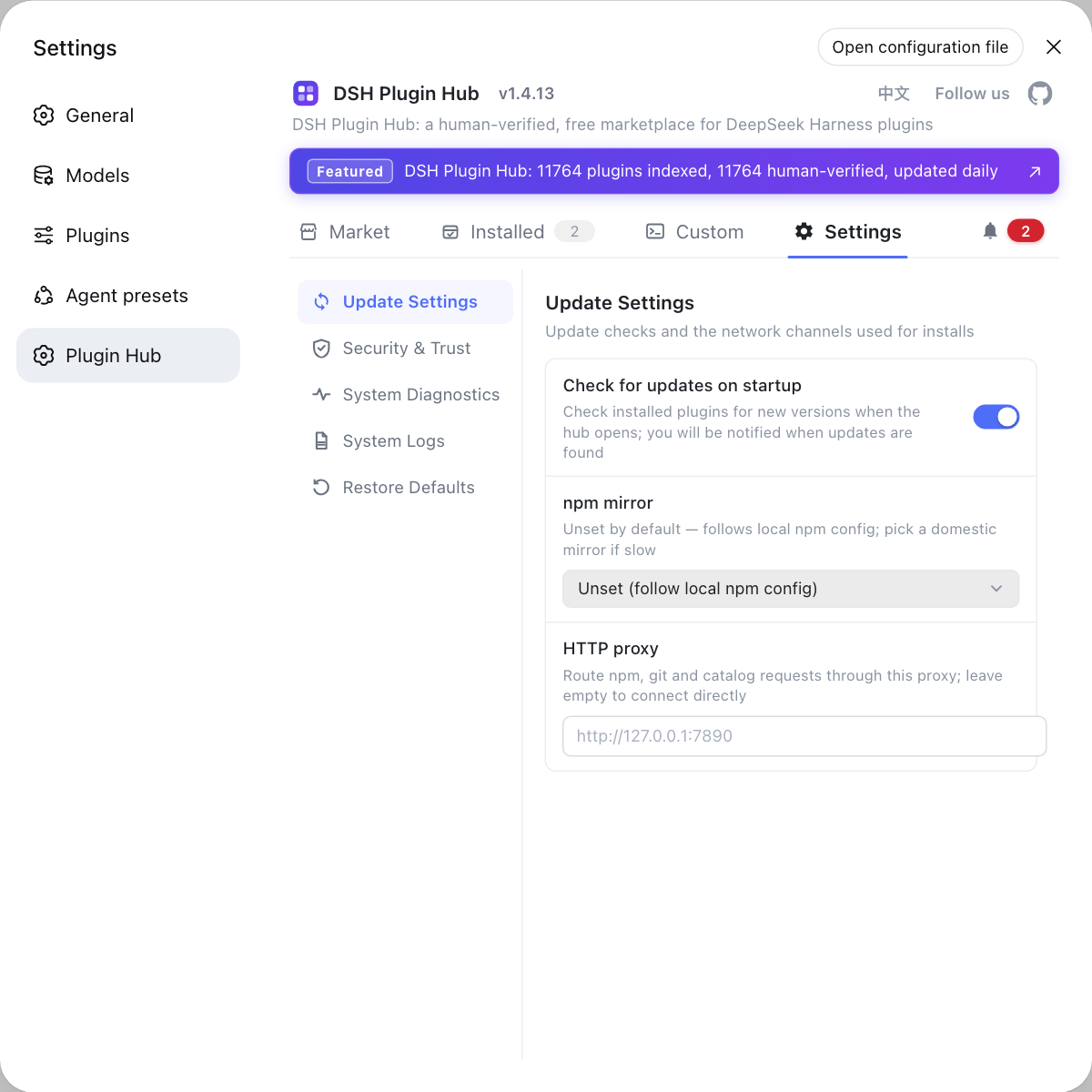
Source: Discussion #7534, Discussion #7675, Discussion #7814.
FAQ
Almost nothing is lost. The old values are still in ~/.dsh/settings.yaml.imported — the migration logic renames settings.yaml to .imported first and then writes section by section, and when a write fails the file has already been renamed with no code path reading it again, so you just see that 'nothing consumes it'. Write the sections from .imported back into cordis.patch.yml in the current profile's entry form (one - id: <entry id> plus config: … per section) and it recovers in one pass.
This is another root cause: dsh-app-boot is loaded as two module instances in one process. The root Include entry lives in a module-level WeakMap; the write happens in instance A and the read in instance B, so reconcileProfilePatches() throws dsh: profile reload requires the root Include entry, the Host rejects the write, the browser treats the rejection as a recoverable re-read, and it falls back to the stored value. On Windows the most common trigger is a lowercase drive letter in a PATH entry (d:\...\npm); any path-spelling difference (junction, symlink, duplicate physical directory) causes the same split.
Look in two places. First, check whether ~/.dsh/settings.yaml.imported exists — its presence means the one-shot migration ran. Second, see whether the failure is on read or on write: call the Host's own settings RPC, and if describe's storage-layer user already holds the new value while the runtime value still holds the old one and mutate returns settings/rejected, the patch file was read but the failure is in 'applying the patch into the Loader', i.e. the dual module instance; if the settings page is entirely blank and the log says was not imported, it is a migration failure.
Because two places read that module-level WeakMap: reconcileProfilePatches() (throws when it cannot read, usually degraded by the caller ⇒ presented as a silent settings revert) and auditStartupEntries() (counts 'the bootstrap Include is not active' among the required items ⇒ throws StartupError, fatal at startup). One root cause therefore presents as two completely different symptoms.
As of the reports cited here, both fixes are still under discussion. The community has a usable patch (gating the one-shot import on the startup readiness signal appReady instead of loader.await(), and making 'read but cannot write' not consume the document), and others have pointed out residual issues in the patch's fallback branch and in 'rename is still a single-instant check'. On your version line the most robust immediate move is to recover .imported by hand and edit cordis.patch.yml directly; if the rejection is caused by the dual instance, launching with a full path using an uppercase drive letter, or fixing the PATH entry's letter case, works around it immediately.
Related Terms
- settings.yaml.imported
- Since 0.1.7, the legacy `settings.yaml` left in the harness home is renamed to `settings.yaml.imported` during the one-shot import. The rename happens **before** the first write, to prevent a partial import from repeating; the cost is that once a write fails, the document is never retried and no code path consumes it again, so the old values survive only in that file.— https://github.com/deepseek-ai/deepseek-harness/discussions/7534
- commit-point inversion (atomicity inversion)
- The one-shot migration placing its 'commit point' before all writes: rename first, then update section by section. Correct semantics would be 'rename only after all writes succeed', allowing retry on failure; inverted, any single section's write failure marks the whole document as consumed, so it cannot resume or retry.— https://github.com/deepseek-ai/deepseek-harness/discussions/7814
- bootstrapIncludes
- The module-level `WeakMap` in `dsh-app-boot` holding the 'root Include entry' (key: Context, value: Entry). Because it is module-scoped, when the same package resolves to two module instances the writer and reader each hold their own copy, the reader always gets `undefined`, and `reconcileProfilePatches()` throws `profile reload requires the root Include entry`.— https://github.com/deepseek-ai/deepseek-harness/discussions/7675
- appReady (startup readiness signal)
- The readiness signal the launcher commits after the startup audit passes, whose contract states plainly that 'a startup that failed or was externally terminated never calls it'. The community patch uses it in place of `loader.await()` as the trigger for the one-shot migration: a startup that never committed readiness therefore does not consume `settings.yaml`, leaving it for the next startup.— https://github.com/deepseek-ai/deepseek-harness/discussions/7534
Sources
- #7534 — [Bug] 0.1.7-alpha.1 and alpha.2: a failed startup still consumes settings.yaml — legacy sections import into a disposed context and are lost permanently· deepseek-ai (GitHub Discussions)
- #7675 — [Bug] [Windows] Settings changes are silently reverted — a drive-letter case difference in the launch path loads dsh-app-boot as two module instances· deepseek-ai (GitHub Discussions)
- #7814 — settings.yaml's one-shot migration fails wholesale under a startup race and never retries: 4 config sections silently lost (0.1.7-rc.1, still present in rc.2)· deepseek-ai (GitHub Discussions)