DeepSeek Harness session_search: CJK misses and index churn
DeepSeek Harness (DSH)'s session retrieval looks like one "tool" but is actually backed by an optional SQLite search backend; when it breaks it gives three symptoms that do not look like the same thing at all: session_search times out at exactly 30 seconds every time (changing keywords does not help, restarting does not help, the log is clean); Chinese substrings are not searchable (searching for 「刑事」 does not find the session containing 「请分析这个刑事案件」); and after an upgrade the sidebar has recovered, yet session_search still times out at 30 seconds. The three faces correspond to three mechanisms: the index is cold-built in memory (path: ':memory:' + commit at the end of a single transaction, so the abort signal from a tool timeout rolls the whole thing back), the FTS5 default tokenizer does not split Han characters (unicode61 treats a run of Han as one token), and the historical corpus revision changes wholesale on any write (one write to a current session makes all history be re-read and re-written). The first two are straightforward to fix (on-disk + timeout, switch tokenizer and rebuild the index); the third requires doing the migration and index build in one go (#9695, #9064, #8783).
First correct a common premise: this retrieval is an optional experimental bundle (
dsh-experimental-session-search/optional-session-query-sqliteand the like), not the default behavior of every install. When you see the 30-second timeout, first confirm that you actually enabled it.
DeepSeek Harness symptom 1: session_search always times out at exactly 30 seconds
In one sentence: this is not "the corpus is too big so it is slow" but "every search cold-builds the index from zero and never finishes" — a structure that must fail, unrelated to what you search for. The symptom signature is clean (#9695):
- The error text is fixed as
tool call timed out after 30000ms, and the time is always exactly 30 seconds; - Changing to any query term makes no difference — because the failure happens in the index-build stage, before the match stage;
- Restarting does not help and
err.logis clean — the abort is a by-design signal that produces no crash stack.
DeepSeek Harness mechanism: in-memory FTS + single transaction + abort means rollback
According to the reporter's and community's source check, the chain is as follows (#9695):
- This search backend is configured with
path: ':memory:', so the index lives only in memory; - Every search cold-builds the whole corpus into the in-memory FTS, and the build is wrapped in a single transaction that commits only at the end;
- When the tool's 30-second budget expires it aborts, the abort signal reaches the backend, which returns
SESSION_QUERY_ABORTEDand rolls back; - After the rollback the index is as if it never existed, and the next search starts from zero again — if one build cannot finish, it can never finish.
DeepSeek Harness numbered fix: change both places, neither alone works
Changing only one does nothing: raising only the timeout makes every search slow for more than 30 seconds; writing to disk without raising the timeout still risks the first cold build being cut off at 30 seconds. Steps:
- Find the config of this search plugin and change the index path from memory to a persistent on-disk file:
# In this plugin's config line (the session-query-sqlite kind)
path: "C:/Users/<you>/.dsh/storages/session-query/index.db"
#   was ':memory:'
- At the same time raise the search timeout, to give the first cold build enough time:
searchTimeoutMs: 120000
#   the default is the same order as the tool budget, i.e. 30000, not enough for the first index build
- Restart DSH for the config to take effect.
- Verify: have the agent call
session_searchonce in a session; expect the first call to take a while (cold-building the index) and later ones to be clearly faster; run the same query a second time and expect it to be steady at the second level rather than exactly 30 seconds. - Watch the log for
SESSION_QUERY_ABORTED; once it no longer appears, the fix succeeded (#9695).
One test record is worth noting: a user made both changes ("on-disk + raised timeout") on a later version and reproduced the fix, showing this path works; the key is changing both places (#9695).
DeepSeek Harness symptom 2: Chinese (CJK) substrings are not searchable
In one sentence: FTS5's default tokenizer treats a run of Han characters as one token, so a substring like 「刑事」 can never match 「请分析这个刑事案件」. This is a tokenization problem, not index corruption (#9064).
DeepSeek Harness three-step confirm and fix
- Do a controlled comparison: search with a complete word from the same text (for example the full four characters) and expect a hit; then search with a two-character substring of it and expect no hit. This difference is the fingerprint of a tokenization problem (#9064).
- Switch the tokenizer: change FTS5's tokenizer from
unicode61to a trigram-based one (or ICU). Trigram cuts the text into three-character windows, which supports Chinese substring matching; the thread mentions a community CJK-oriented search backenddsh-session-query-sqlite-cjkthat can be swapped in directly (#9064). - Rebuild the index: once the tokenizer is changed you must rebuild, or the old index is still built with the old tokenizer — this is the easiest step to miss. When rebuilding, it is advisable to write to disk first (see the
pathconfig in the previous section), so the rebuild is not cut off at 30 seconds again. - Verify: re-run the two-character substring query from step 1 and expect a hit this time; then confirm the original complete-word query still works.
The thread also gives a stopgap that does not change the tokenizer (insert a reserved non-character / custom separator and rebuild the index once), but it is a "reshape the data" workaround, less clean than switching the tokenizer (#9064).
DeepSeek Harness related point: one unreadable session fails the whole search
The same discussion has a second layer of mechanism: when the reader encounters an unreadable session it does not skip it, it fails the whole query. The error is SESSION_QUERY_PERSISTENCE_FAILED (not a "search not enabled" kind of code), appearing as "the search feature is entirely broken" when the real cause is "one session in the store cannot be read" (#9064).
Handling steps:
- Separate the two first, do not suspect the search plugin directly: use an offline session inspection tool to check each session's health and find the unreadable one (or ones).
- Isolate or repair it, then retry the search; expect search to recover.
- Long-term request: upstream should explicitly skip unreadable sessions and report them in the results, instead of failing the whole query — this is the fix direction proposed in the thread (#9064).
DeepSeek Harness symptom 3: one new session write invalidates the whole history index
In one sentence: the historical corpus revision is computed as "the hash of the whole store", so even with no change to historical membership, any write to a current session makes all historical revisions change at once, and retrieval then re-reads and re-writes all legacy sessions every time. This explains the contradiction "after the upgrade the sidebar recovered, but session_search still times out at 30 seconds" (#8783).
DeepSeek Harness numbered recovery: migration + one-time index build + persistent path
- Confirm it is this one: the symptoms are a normal sidebar,
session_searchtiming out at exactly 30 seconds every time, andSESSION_QUERY_PERSISTENCE_FAILED; at the same time you have recently written any session (almost certainly true) (#8783). - Complete the v4 migration of historical sessions (this step is "one-time"; do not search repeatedly while the migration is incomplete).
- Build the index once, and give it a persistent on-disk
path(the config from Symptom 1); this avoids the "rebuilding on every search" loop. - Verify: once built, do two searches in a row — allow the first to be slow, expect the second to return at the second level; then write a new session and retry, expecting it still at the second level (if it slows down again, the revision-churn layer is still at work and you must wait for a core-side fix) (#8783).
- A reproducible feature worth noting: hashing the historical corpus suffix is consistent within one process but inconsistent across processes — a corroborating sign for judging "the revision is computed with the wrong scope" (#8783).
DSH plugin troubleshooting notes
All three fall on the same search backend, and the recommended troubleshooting order is: first confirm whether it is installed, then look at the timeout shape, then the search term's language, and only last suspect the data. Eight points:
- First confirm this is an optional experimental bundle, not present in every install; do not look for a problem in an environment where it is not enabled (#9695).
- "Exactly 30 seconds" is the key fingerprint: any timeout "exactly equal to the tool budget" should first raise the suspicion of a "cannot finish once, restarts every time" structure, not insufficient performance (#9695).
pathandsearchTimeoutMsmust be changed together; changing only one is basically useless (#9695).- Changing the tokenizer requires rebuilding the index, or the change is as good as not made (#9064).
- Do not treat a Chinese miss as a broken index: first use the "complete word hits, substring does not" comparison to confirm it is a tokenization problem (#9064).
- One bad session drags down the whole store's search: on seeing
SESSION_QUERY_PERSISTENCE_FAILED, start from session health (#9064). - A good sidebar ≠ a good index: the fix progress of the two paths is not synchronized, so do not use a normal sidebar to rule out a retrieval problem (#8783).
- State the fix status honestly: all three are unfixed in the versions the discussions refer to; writing to disk, raising the timeout, switching the tokenizer, and isolating the bad session are all user-side handling, and the core-side revision scope and "skip unreadable sessions" are still unchanged.
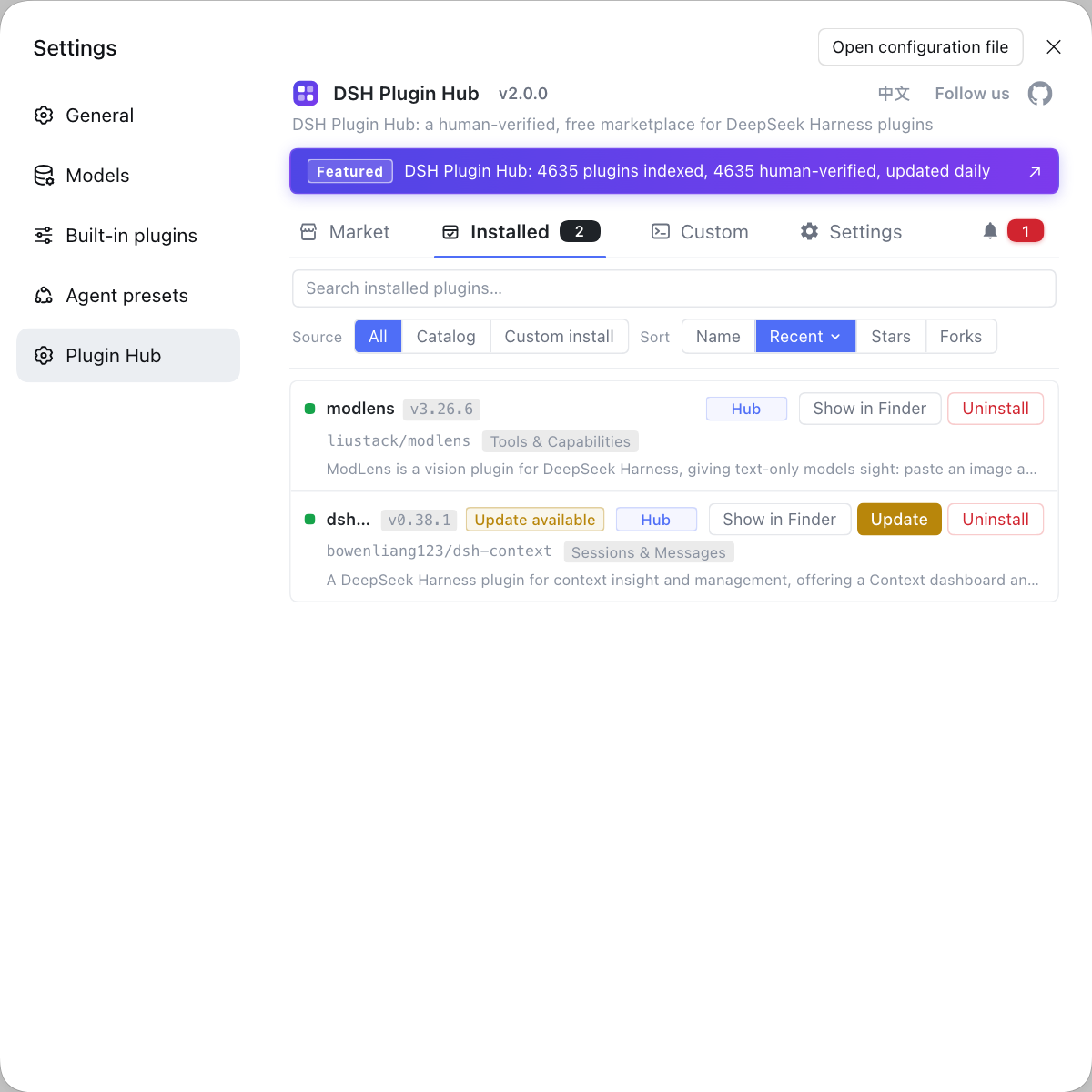
Troubleshooting this kind of "tool mysteriously times out" problem makes it easy to suspect a plugin conflict first. If you want to rule out the plugin variable first, rather than typing commands in various places, use a visual plugin marketplace such as DSH Plugin Hub — the installed list, install/uninstall history, and system logs are all in one panel, so confirming "whether this retrieval bundle is actually installed, and what changed recently" is much faster.
Source: Discussion #9695, Discussion #9064, Discussion #8783.
FAQ
DeepSeek Harness session_search times out at 30 seconds because the index is cold-built in memory, so every search starts from zero. This backend is configured with path: ':memory:', and a search cold-builds the whole session corpus into an in-memory FTS and commits only at the end of a single transaction; when the tool's 30-second budget expires it aborts into the backend, triggering SESSION_QUERY_ABORTED and a rollback, so the next search starts over and it is a guaranteed deadlock. The fix is to move path onto disk and raise searchTimeoutMs at the same time, changing both places, so only the first cold build is slow and later runs are incremental.
In DeepSeek Harness a Chinese miss happens because FTS5 uses the unicode61 tokenizer by default, which treats a run of Han characters as a single token, so substring matching misses. A workable approach is to switch to a trigram-based or ICU tokenizer and rebuild the index for trigram; the thread mentions a community CJK-oriented search backend as an alternative. Note that once you change the tokenizer you must rebuild the index, or the old index remains built with the old tokenizer.
In DeepSeek Harness this error happens because the reader fails the whole query when it encounters an unreadable session instead of skipping it. First separate the two: use an offline session inspection tool to check the health of each session and find the unreadable one; if it really exists, isolate or repair it and search recovers at once. This is also why this kind of failure looks like "search is broken" when it is really "one session in the store cannot be read".
In DeepSeek Harness this is another mechanism: the historical corpus revision changes wholesale on any write. According to the community's line-by-line source check, the historical session revision needed for migration was folded into the whole store's hash, so any write to the current session makes all historical revisions change at once, causing every search to re-read and re-write all legacy sessions. The recovery path is to complete the official v4 migration, build the index once, and give this search plugin a persistent on-disk path.
Related Terms
- session_search
- session_search is the session-retrieval tool DeepSeek Harness provides, letting an agent do full-text search across past sessions. It is backed by an optional SQLite search backend (session-query-sqlite) that is an experimental bundle, not enabled by default in every install.— https://github.com/deepseek-ai/deepseek-harness/discussions/9695
- SESSION_QUERY_ABORTED
- SESSION_QUERY_ABORTED is the error code the session-retrieval backend returns after it receives an abort signal and rolls back the current transaction. When retrieval cold-builds the whole corpus inside a single transaction, an abort triggered by a tool timeout invalidates the whole build, creating a "every search starts from zero" loop.— https://github.com/deepseek-ai/deepseek-harness/discussions/9695
- FTS5 unicode61 tokenizer
- unicode61 is SQLite FTS5's default tokenizer, splitting word boundaries by Unicode rules. It works for Latin text but treats a run of Han characters as a single token, so a substring query like 「刑事」 cannot hit 「请分析这个刑事案件」.— https://github.com/deepseek-ai/deepseek-harness/discussions/9064
- historicalCorpusRevision
- historicalCorpusRevision is a revision value the session-retrieval backend uses to decide whether the historical corpus has changed; ideally it should reflect only changes to the membership and content of historical sessions. The current implementation folds in the whole store's hash, so any write to a current session makes all historical revisions change together.— https://github.com/deepseek-ai/deepseek-harness/discussions/8783
Sources
- #9695 — [Bug] session_search always times out at 30s: :memory: FTS index + single-transaction reconciliation + tool-timeout abort makes a large corpus deadlock by construction· deepseek-ai (GitHub Discussions)
- #9064 — [Bug] session-query-sqlite: CJK substrings are not searchable, and one unreadable Session fails every search· deepseek-ai (GitHub Discussions)
- #8783 — [Bug] Session indexing still fails on 0.2.1-alpha.2: historical revision churn + isolated in-memory Agent index· deepseek-ai (GitHub Discussions)