DeepSeek Harness blank sessions and missing auto titles
One class of problem in DeepSeek Harness (DSH) does not error or crash, it just "looks wrong": a session that only ran commands opens to a welcome page, the view tabs are all gone, and the title is hard-set to New Session; while cleaning up disk you delete the projection cache and the sidebar directly reports "no sessions", making you think all history is lost; with automatic titles enabled the title forever stays at the truncated first sentence, with only one warn in the log. The three phenomena each have a clear source-level test in this batch of threads: the first is that the blank test misses command/run (recognizing only turn/start), so a session that "only ran commands" is forever treated as an empty session, and this flag gates four downstream consumers; the second is that the docs call session_projcache non-authoritative while the implementation uses it as the list source, so when the cache is missing the list is empty and does not rebuild; the third is that the title provider's output limit is configured as 64, and the thinking chain eats all of it, so every title generation ends with length and empty content, writing the failure only to a warn (#9380, #9611, #9661). This article gives tests and handling for "wrongly judged blank → list depends on the cache → title fails silently" one by one.
DeepSeek Harness: a command-only session is treated as blank, hiding title and views
In one line: the blank test recognizes only turn/start, not command/run, so a session that "ran commands but never chatted" is forever treated as an empty session — it shows the welcome page, hides the conversation and trajectory views, and ignores the title you renamed it to. Worse, it brings a heavier consequence: such a session is treated as a "reusable empty session" (#9380).
According to the community's item-by-item source review, the chain is:
- The client computes the
blankflag insession-controller's list logic, and the only event that clears it isturn/start; - A session that only ran commands (
command/run) does not trigger the clearing, soblankstays true; - Four downstream consumers are all gated by this flag:
DefaultConversationViews.tsx(the default view),ConversationMainPanel.tsx(the main panel),Rows.tsx(list rows),snapshot.ts(the snapshot); - So it shows as "welcome page + hidden views + title shown as
New Session+ rename ignored" (#9380).
DSH plugin: three-step confirmation that it is a wrong judgment
- Look at the UI symptom combination: the opened session shows the welcome page, the Chat / Trajectory / plugin view tabs disappear, the title is
New Session(even if you renamed it) — all three at once is highly suspicious (#9380). - Look at the event types in the session file. Find that session file in the session store directory (
~/.dsh/storages/sessions/) and check the event type distribution:
Select-String -Path "<session file>" -Pattern '"type":"(turn/start|command/run)"' -AllMatches |
  ForEach-Object { $_.Matches } | ForEach-Object { $_.Groups[1].Value } |
  Group-Object | Select-Object Count, Name
#   expected: several command/run entries, and turn/start at 0
"Has command/run, no turn/start" is this case's fingerprint (#9380).
- Do a control: send an ordinary message in the same session (producing a
turn/start); expect the views and title to recover immediately — this control instantly distinguishes "wrong judgment" from "truly empty" (#9380).
DeepSeek Harness: handling with a one-line fix and two stopgaps
The fix itself is one line — make the blank test also exclude command/run:
blank = state.blank && event.type !== 'turn/start' && event.type !== 'command/run'
Adding just command/run is enough; the client needs no matching change (#9380). When there is no source to change on the user side, two stopgaps:
- Send a message to bring out a
turn/start; the views and title recover immediately; the downside is that the session is no longer "clean". - Switch to a session installed by a plugin command for verification: if some kind of plugin habitually starts sessions with commands, it is more likely to hit this in the long run — treat such sessions as a known limitation of "needing one conversation turn to display properly".
- Rename and observe again: the title
session.renamewrites does take effect; it is only blocked by theblankgate, so "rename does not work" is the same root cause (#9380).
DSH plugin: deleting the projection cache leaves the sidebar with "no sessions"
In one line: session_projcache is described by the docs as a "non-authoritative cache", but in the current implementation the session list is indeed built from it, so deleting it shows "no sessions" — the session data is still there, the list just no longer rebuilds from the authoritative source. The measurement in the thread: after deleting or moving that directory, the sidebar shows No sessions yet and the workspace list goes blank, while the session files are all still there (#9611).
DeepSeek Harness: three-step recovery, check files then rebuild
- First confirm the session files are still there (the most important step):
Get-ChildItem "$env:USERPROFILE\.dsh\storages\sessions" |
  Sort-Object LastWriteTime -Descending | Select-Object -First 10 Name, Length, LastWriteTime
#   expected: recent session files with reasonable sizes (hundreds of KB to several MB)
As long as there are files here, the data is not lost — it is a list-display problem (#9611).
- Move the cache directory back to its place. If you only "moved" rather than deleted it, move it back; if it is already deleted and in the recycle bin, restore it first. Note: from now on, "move" rather than delete — moving is reversible, deleting requires rebuilding (#9611).
- Let it rebuild. Restart DSH and watch whether the sidebar recovers; per the analysis in the thread, the current implementation does not rebuild this cache automatically in the background, so a more robust approach is to keep a cache backup, or accept the wait for "the list and title previews to regenerate" (#9611).
- To avoid this risk entirely: bring
~/.dshinto your regular backups, and especially do not point a "clean up temp/cache directories" script at it indiscriminately — the kind of accident mentioned in the thread, "an external bulk cleanup wipes the runtime directory too", often starts here (#9611).
One piece of evidence from the thread is worth recording: a user pointed out that the list could just read each session's first zstd frame header (getting the title and time), which means "the list must depend on the full projection cache" is not irreplaceable in the implementation — that is exactly the fix direction: build the list from the session store/header, and use the cache only to supplement titles and previews (#9611).
DSH plugin: automatic titles fail because 64 tokens are eaten by thinking
In one line: the title provider's output limit is configured as 64, and a reasoning route's thinking tokens also count toward max_tokens, so all 64 tokens are used up before any title text is produced, returning finish_reason: length with empty content and ultimately throwing a maxOutputTokens overrun — writing the failure only to a logger.warn, so the UI only shows "the title never updates". The symptom is that the session title stays at the truncated-first-sentence fallback form for a long time (#9661).
According to the reporter's tests and another user's fix suggestion: after enabling @deepseek-ai/dsh-experimental-session-titles-bundle, the bundle's cordis.patch.yml configures the all-prompts title provider with maxOutputTokens: 64; and the provider selects the route's lowest reasoning tier, and a reasoning route's compat.thinkingFormat: deepseek counts thinking tokens into max_tokens, so the budget is eaten by thinking (#9661).
DeepSeek Harness: four-step confirmation and fix
- Confirm the symptom combination: the session title is in the "truncated first sentence" form and stays unchanged for a long time; new sessions are the same; while the session content itself is entirely normal.
- Look at the warn in the log. Expect to find a title-generation-failure
warnin the host log:
Select-String -Path "<DSH log file>" -Pattern "title output reached maxOutputTokens"
#   expected: a few hits
- Override
maxOutputTokensby id in the profile patch, raising it to a reasonable value (for example 4096). The key point is that this kind of override is a shallow replace, so you need to restate the provider line's other fields, not write just one item (#9661):
# In the profile's cordis.patch.yml, override the title provider by id
- patch:
    id: <the title provider's id>
    config:
      maxOutputTokens: 4096
      # The other existing fields must be restated too; a shallow replace does not keep unwritten keys
- Verify: after restarting, create a new session and send a message; expect an auto-generated title within seconds instead of a truncated first sentence; then confirm that
warnno longer appears in the log. - Alternative: switch title generation to a non-reasoning model, or simply do not use this experimental bundle — if you do not need automatic titles, the troubleshooting cost of this silent failure disappears (#9661).
DSH plugin troubleshooting notes
All three belong to "the UI presentation disagrees with the data reality", and the common first principle is: confirm whether the data is there first, then suspect the UI. Seven points:
- Empty or not is about events, not the UI: has
command/run, noturn/startis a wrong judgment, not truly empty; conversely, a session that won't open, or whose log carries an illegal field such asreason:null, belongs to the write/read mismatch family, covered in DeepSeek Harness sessions won't open (#9380). - "Rename does not work" and "shows new session" are the same root cause — do not investigate them as two separate bugs (#9380).
- Being wrongly judged blank has another layer of risk: such sessions get treated as a "reusable empty session", so it is not merely a display problem (#9380).
session_projcacheshould be "moved", not "deleted": moving is reversible; after deleting, the current implementation does not rebuild automatically (#9611).- Do not point cleanup scripts at
~/.dshindiscriminately: this directory holds sessions, storage and runtime state together, so wiping caches and taking them out in the same pass is a common accident (#9611). - When the title does not update, look at the
max_tokens/ reasoning-tier relationship first: reasoning tokens count toward the output limit — the core mechanism of this family (#9661). - State the fix status honestly: the blank test, the list's dependence on the cache, and the title provider's default
maxOutputTokensare all still the status quo in the versions the threads refer to; the title one can be solved on the user side via a profile override, while the first two are core-side changes.
When troubleshooting "list and title" problems like these, it is easy to suspect a plugin broke the UI. If you want to rule out the plugin variables first, use a visual plugin marketplace such as DSH Plugin Hub instead of hand-checking commands everywhere — the installed list, install/uninstall history and system logs are all in one panel, making it faster to confirm "what is installed now and what changed recently".
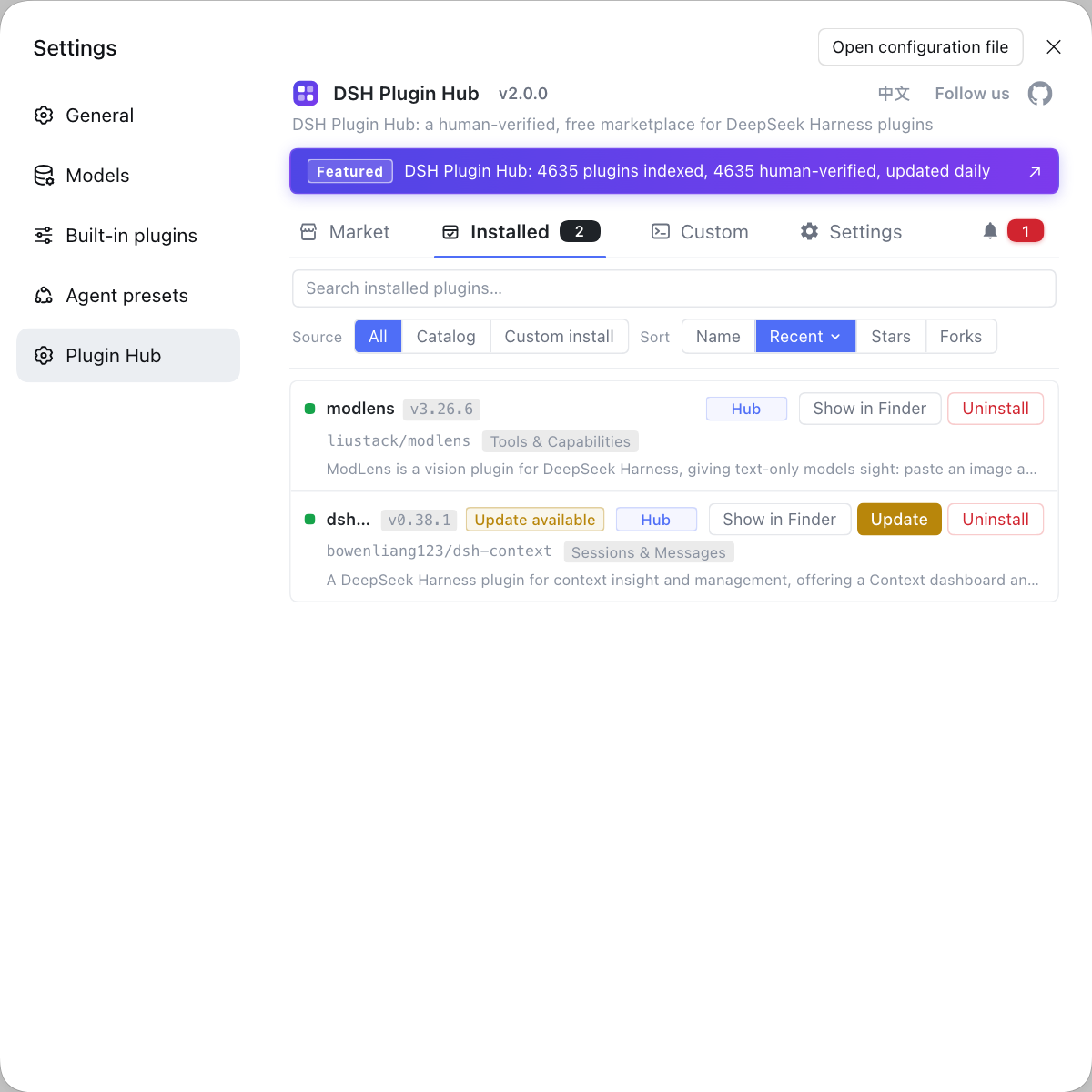
Source: Discussion #9380, Discussion #9611, Discussion #9661.
FAQ
In DeepSeek Harness, a command-only session opening to a welcome page with the tabs gone and the title stuck on New Session is caused by the session being wrongly judged blank. According to the community's source review, the blank test only recognizes turn/start events, not command/run, so a session that only ran commands is forever treated as a blank session; four downstream consumers (the default view, the main panel, the row rendering and the snapshot) are all gated by this judgment, and the title is forced to show as a new session, ignoring any name you renamed it to. The fix is to make the blank test also exclude command/run, i.e. blank = state.blank && event.type !== 'turn/start' && event.type !== 'command/run'; as a stopgap you can create a session and send a message to bring out a turn/start and restore the display.
After deleting session_projcache, the DeepSeek Harness sidebar showing No sessions yet does not mean your sessions were deleted; the list depends on that projection cache. The docs describe session_projcache as a non-authoritative cache, but the current implementation's session list is indeed built from it, so when the cache is missing the list is empty and does not rebuild automatically. To restore, first move the cache directory back to its place (if it is still in the recycle bin or a backup), or regenerate it directly from the session store; to check whether the session files still exist, just look at the file count and modification times under ~/.dsh/storages/sessions.
A DeepSeek Harness auto title staying at the truncated first sentence with only one warn in the log is because the title generation output limit is configured as 64 and these tokens get consumed by the thinking chain. With session-titles-bundle enabled, the title provider selects the route's lowest reasoning tier, and a reasoning route's thinking tokens also count toward max_tokens, so all 64 tokens are used up before any title text is produced, returning finish_reason: length with empty content and ultimately throwing a maxOutputTokens overrun. The fix is to override that provider's maxOutputTokens by id in the profile patch, raising it to a reasonable value like 4096.
To tell whether a DeepSeek Harness session is 'truly empty' or 'wrongly judged empty', look at whether the session has events, not at the UI. Find the corresponding file in the session store directory and check whether it contains events other than the session header: if it has only command/run and no turn/start, it is the family wrongly judged blank; if the file itself is only a few dozen bytes or does not exist at all, then it is a truly empty session. The welcome page and New Session title in the UI are not a test.
Related Terms
- blank session
- A blank session is the DeepSeek Harness client's internal flag for a session that 'has not started a conversation yet'; on a match it shows the welcome page, hides the conversation and trajectory views, and forces the title to render as New Session. It currently clears only on turn/start events, so a session that only ran commands is kept in this state indefinitely.— https://github.com/deepseek-ai/deepseek-harness/discussions/9380
- session_projcache
- session_projcache is the session projection cache directory DeepSeek Harness keeps under ~/.dsh/storages, used to speed up reads of the sidebar list and title previews. The docs call it a non-authoritative cache, but the current implementation's list building depends on it and does not rebuild it automatically when it is missing.— https://github.com/deepseek-ai/deepseek-harness/discussions/9611
- maxOutputTokens
- maxOutputTokens is the output limit of a single model call — the maximum number of tokens the model may return. On a reasoning route the tokens produced by the thinking chain usually also count toward this limit, so setting it too low truncates the output before the main text begins.— https://github.com/deepseek-ai/deepseek-harness/discussions/9661
- fallback title
- A fallback title is the fallback used when automatic title generation fails, usually the session's first sentence truncated. It carries no failure reason, so when title generation fails silently the UI only shows this truncated first sentence with no error.— https://github.com/deepseek-ai/deepseek-harness/discussions/9661
Sources
- #9380 — A session whose only activity is a command stays "blank": its views and title are hidden· deepseek-ai (GitHub Discussions)
- #9611 — After deleting/moving session_projcache the sidebar shows No sessions yet, even though the session files are all there· deepseek-ai (GitHub Discussions)
- #9661 — session-titles-bundle: maxOutputTokens 64 is fully consumed by thinking tokens, so automatic title generation fails silently· deepseek-ai (GitHub Discussions)