What's New in DSH Plugin Hub v1.2.1? Command-Line Install, Update Alerts, Log Viewer
Community OfficialDSH Plugin Hub v1.2.1 is out. This release bundles everything from v1.2.0 and v1.2.1: a command-line install channel, update alerts in the notification center, a built-in log viewer, and all plugin data served from the dedicated API center — install more freely, update more reliably, troubleshoot more easily. This is a mandatory update: every installed machine should upgrade to v1.2.1, or it will stop receiving version-update notifications.
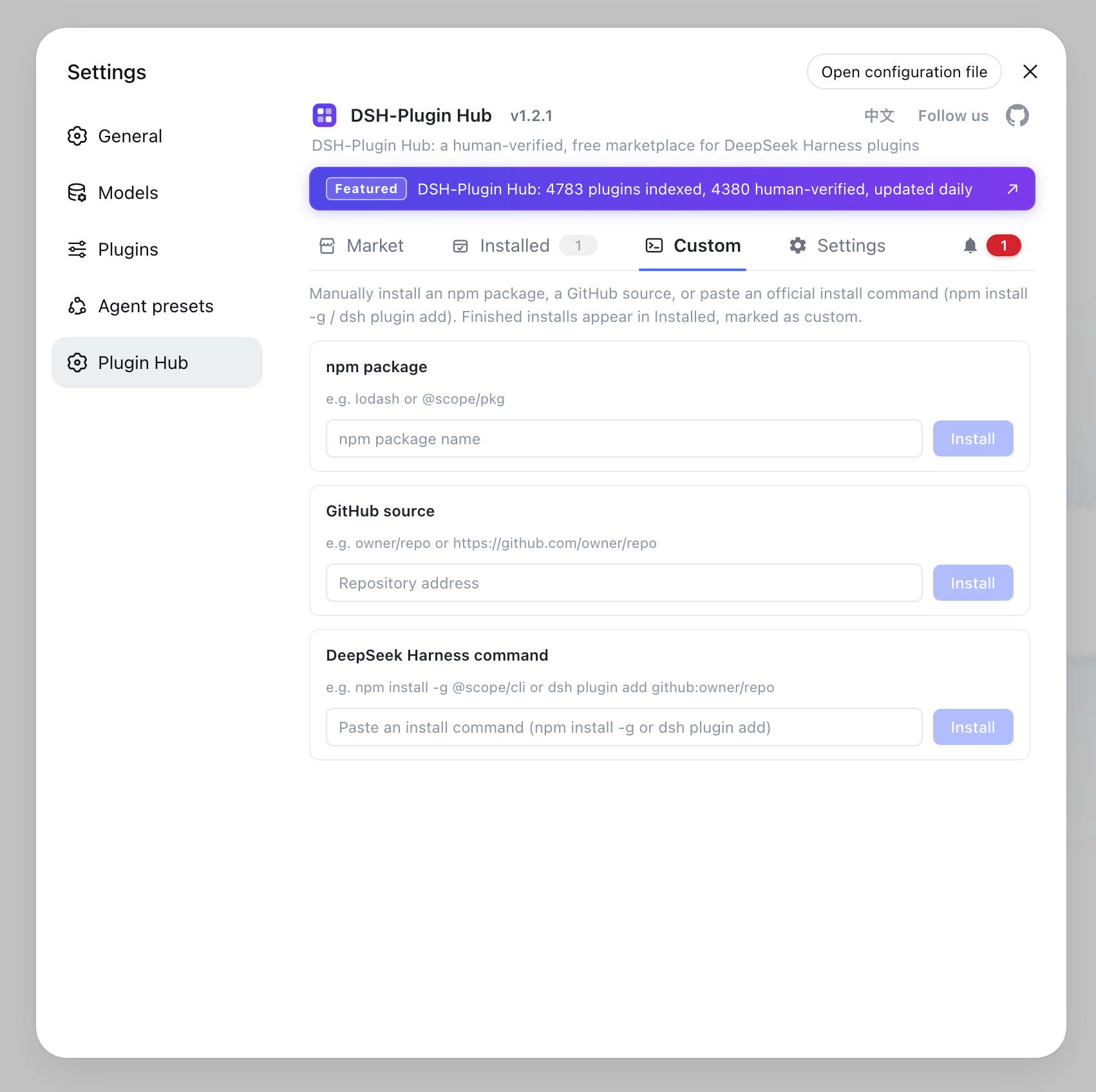
Command-line install: plugins outside the catalog, too
You are no longer limited to the catalog — anything can be installed. Open Custom install and paste an npm package name, a GitHub source URL, or a complete DeepSeek Harness command: any plugin can be installed, with the same live progress and result feedback as the marketplace, and finished installs are automatically marked as custom so their origin is obvious at a glance. Unlisted plugins and niche tools are no longer a barrier.
Update alerts: new versions come to you
When a plugin publishes a new version, the notification center proactively alerts you — click through to update. No more manually checking every plugin's version; available updates surface in the notification center as soon as they exist, and one click completes the upgrade. Version management has never been easier.
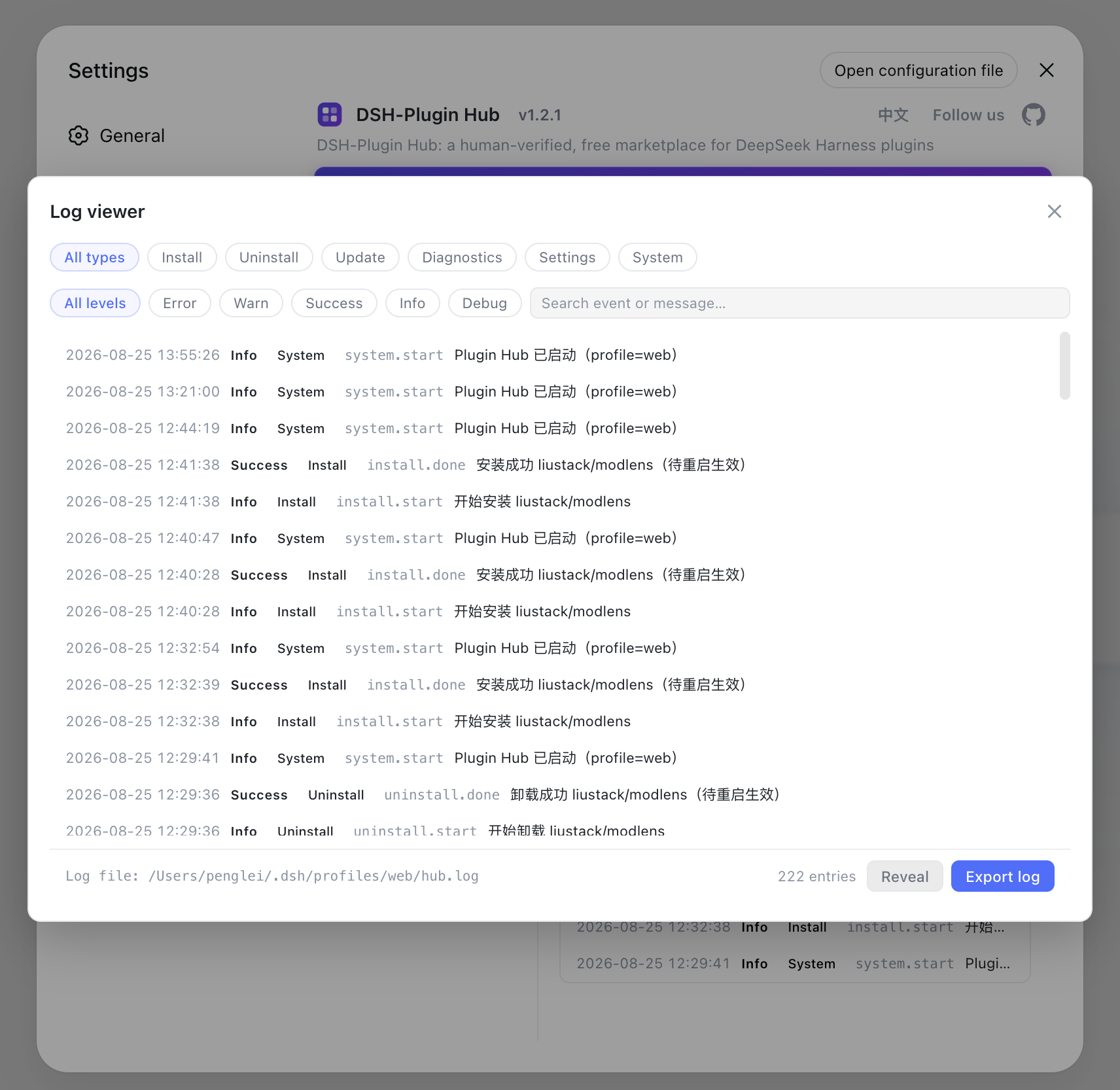
Built-in log viewer: pinpoint issues at a glance
Install, uninstall and system logs are grouped by type and level, with search, filtering and export. Hit an install failure or an incompatible plugin? Open the log viewer to filter by category (install / uninstall / diagnostics / settings / system) and level (debug / info / success / warn / error) and see exactly which step went wrong; combined with one-click reveal of the log file, troubleshooting and reporting are much simpler.
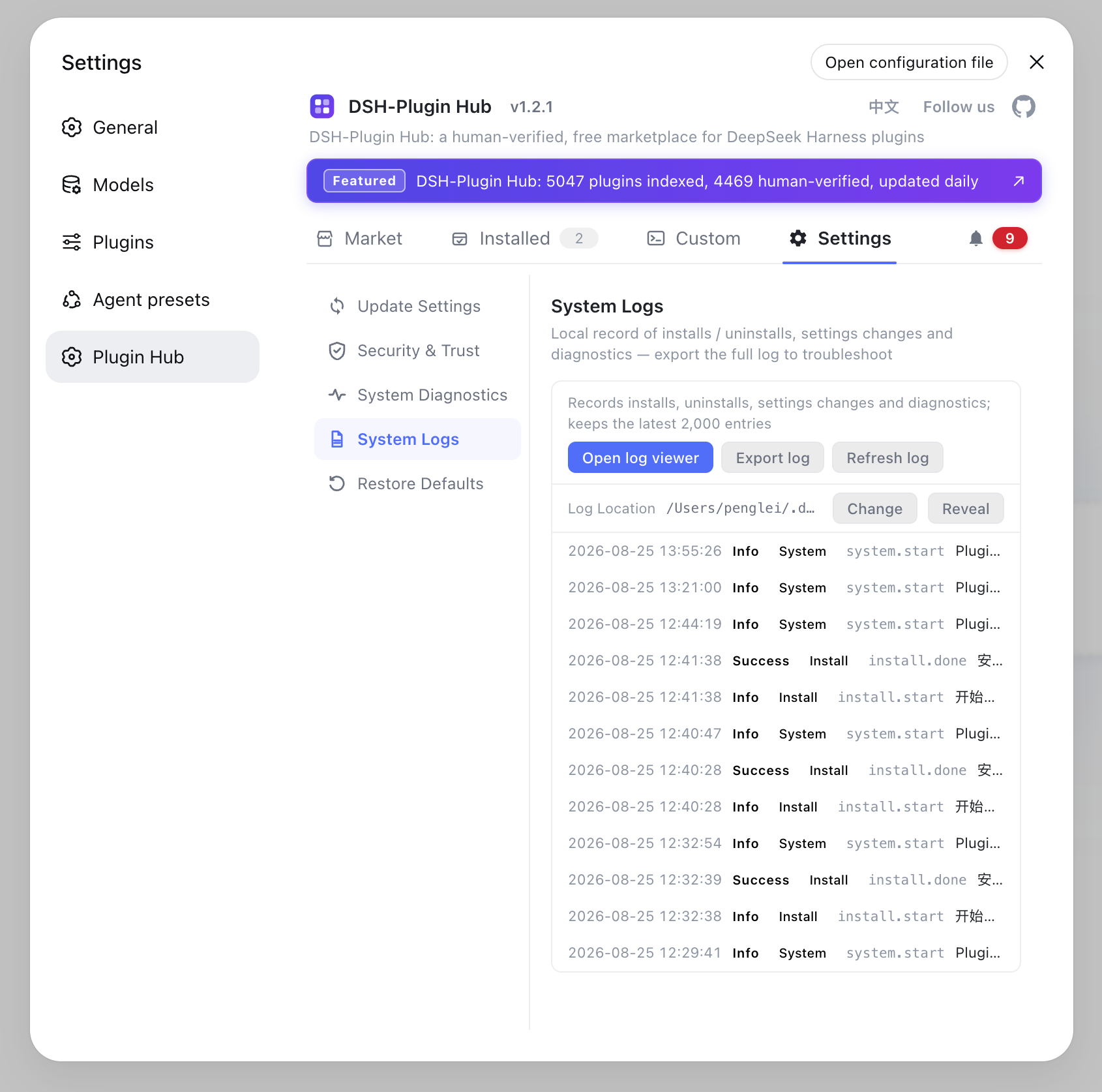
Settings: everything important in one place
Update checks, npm mirror and proxy channel, command-line install toggles and log location, all managed centrally. Open Settings to configure everything at once — when to check for updates, which npm mirror installs use, how the proxy channel is routed, whether command-line install is enabled, and where log files live — all in one screen, saved instantly.
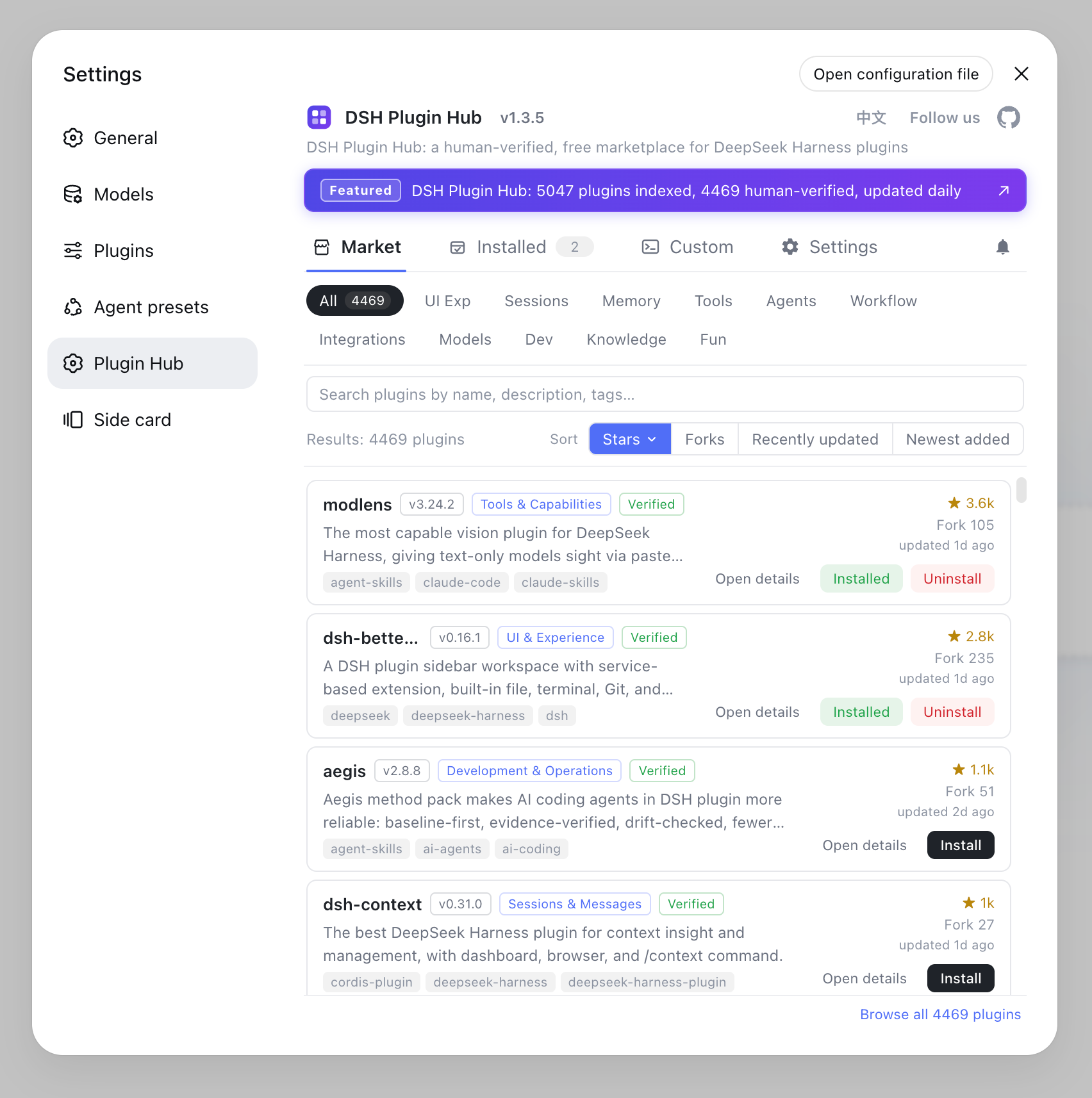
Served from the dedicated API center: command fixes land instantly
The plugin list, updates and install commands are all fetched live from the dedicated API center, so command fixes take effect immediately. Catalog data no longer ships with each release — when the server fixes an install command or enriches info, it lands without waiting for a version bump. v1.2.1 goes further by moving the version check and About info endpoints to the API center too, making update checks more stable and timely.
How to upgrade to v1.2.1
If you haven't installed it, one command gets you the latest version. The recommended way is via npm:
dsh plugin --profile web add dsh-plugin
Or from the official GitHub repository:
dsh plugin --profile web add github:dshplugin/dsh-plugin-hub
Already installed? Click update in the plugin market to upgrade to v1.2.1 in one click. To learn more about the marketplace, read the DSH Plugin Hub guide, or browse more DSH plugins in the plugin market.
FAQ
v1.2.1 bundles everything from v1.2.0 and v1.2.1: a command-line install channel (npm package names, GitHub source URLs, or full DeepSeek Harness commands), update alerts pushed by the notification center, a built-in log viewer grouped by type and level, and all plugin data now served from the dedicated API center so command fixes take effect immediately.
Open Custom install, paste an npm package name, a GitHub source URL, or a complete DSH install command — any plugin can be installed with the same live progress and result feedback as the marketplace. Finished installs are marked as custom so you can tell them apart at a glance.
Open the log viewer from the plugin market's log page. Install, uninstall and system logs are grouped by type (install / uninstall / diagnostics / settings / system) and level (debug / info / success / warn / error), with search, filtering and export — plus one-click reveal of the log file for faster troubleshooting.
Since v1.2.0, version-update notifications rely on the new API center channel. Staying on older versions means you stop receiving update notifications and miss features like command-line install and update alerts, so please upgrade to v1.2.1.
The plugin list, updates and install commands are all fetched live from the dedicated API center, so command fixes take effect immediately without waiting for a release. v1.2.1 also moves the version check and About info endpoints there, making update checks more stable and timely.