DeepSeek Harness New Session Dead: settings.section Conflict
After installing two plugins in DeepSeek Harness (DSH), the interface looks perfectly intact, yet clicking New Session produces no response and no session is created — and nothing tells the user why. The usual root cause is that both plugins registered their settings page into the same settings.section slot with the same id. Frontend slots reject a duplicate id: the later registration throws an uncaught exception and the whole UI bootstrap chain stops there. The real error only exists in the crash log: Uncaught Error: list slot "settings.section" already has an entry with id "comfyui" together with Error: dsh desktop host exited with 1073807364 (#11863).
The symptom set: why "the UI works" and "sessions cannot be created" appear together
In one sentence: initialization died at the step that mounts the settings page, so the frame is still painted while everything downstream of bootstrap is dead. Four signs together are enough to aim at this:
- The shell renders normally — navigation and panels are all there, nothing looks crashed.
- New Session does nothing — not an error dialog, just silence.
- No user-visible prompt at all — the settings page will not open and will not say why, and the plugin list shows nothing unusual.
- Each plugin is fine alone; only the combination fails.
All four come from one cause: the exception raised during slot registration is never caught, so the renderer's initialization sequence aborts as a whole. "The UI is still there" is an illusion — it is a painted frame, not a working state. Do not start from the New Session button as a feature; go straight to the log and find the uncaught exception.
Step 1: read the crash log and get the real error
The decisive signal: the crash log contains both 1073807364 and list slot ... already has an entry with id ...; only the second line identifies the slot collision. Steps:
- Open the crash log directory. On Windows desktop the path is:
dir "$env:APPDATA\@deepseek-ai\dsh-desktop\logs\crash-*.log"
Expected: several crash-<timestamp>-host.log files. Take the newest by modification time.
2. Search for the exit code.
Select-String -Path "$env:APPDATA\@deepseek-ai\dsh-desktop\logs\crash-*.log" -Pattern "1073807364"
Expected: a hit on Error: dsh desktop host exited with 1073807364. That only proves the host died abnormally; it does not yet identify a cause.
3. Search for the slot error verbatim.
Select-String -Path "$env:APPDATA\@deepseek-ai\dsh-desktop\logs\crash-*.log" -Pattern 'settings.section'
Expected: a hit on Uncaught Error: list slot "settings.section" already has an entry with id "comfyui" at priority 0 (registered by dsh-comfyui) — register at a different priority to shadow it (lowest renders).
4. Read the registrant details in the message. It names who registered first, which id, and at what priority. Here dsh-comfyui registered comfyui at priority 0, and the second registration of the same name ran into it.
5. Rule out other crashes. If the log has no settings.section line at all, do not apply this conclusion; go look for a different uncaught renderer exception.
Step 2: confirm the two plugins with a one-plugin versus two-plugin comparison
In one sentence: the collision comes from two plugins sharing one bare id, so decide by "works alone, fails together" rather than by reading plugin features. Steps:
- List the plugins in the current profile.
dsh plugin --profile desktop list
Expected: this case shows dsh-comfyui and dsh-short-video-studio with their versions (0.5.5 and 1.14.1).
-
Keep only one plugin, restart, click New Session. Expected: the session is created normally. Test each plugin separately and both should pass — that rules out "one plugin is broken".
-
Reinstall both, restart, click New Session again. Expected: the unresponsiveness reproduces and the same
already has an entry with id "comfyui"line reappears in the log. Works alone, fails together — the causality is now pinned. -
Compare the registration sites in both plugins. Open the client artifacts and read the
idfield:
dsh-comfyui/client/client.js            →  id: 'comfyui'
dsh-short-video-studio/lib/client.js     →  id: 'comfyui'
Expected: identical id values. That is the direct proof of the collision: one slot, one id, two registrants (#11863).
Step 3: change one id to get the UI working again
In one sentence: rename the id at one registration site to a prefixed unique value and restart; both settings pages then work, and this workaround is confirmed by the thread. Steps:
- Back up the file you will edit. The target is
dsh-short-video-studio/lib/client.js; copy it outside the workspace first. - Change
id: 'comfyui'to a unique value. The thread usescomfyui-svs, so the registration readsid: 'comfyui-svs'. - Restart DSH and click New Session. Expected: sessions are created again, the settings page opens, and both plugins' settings entries are present.
- Recheck the log. Expected: no new
settings.sectioncollision entry incrash-*.log. - Report it to the plugin authors. This edit is erased on the next plugin upgrade, so it is temporary; the correct fix is for the authors to prefix the id with the package name, for example
dsh-comfyui(#11863).
Why not "change the priority"? The error text does mention
register at a different priority to shadow it, but priority means "lowest renders, same id is shadowed", so using it to dodge a duplicate id exploits the semantics: one of the settings pages silently disappears. Renaming the id is the clean move.
The mechanism: why slots reject a duplicate id
In one sentence: the slot uses id as its unique key, and a duplicate makes "which entry is this" undecidable, so the implementation throws instead of silently overwriting. Three design layers are readable from the message:
idis the unique identity inside the slot. Settings pages and panels are all indexed by id; one id cannot represent two different sources at once.- Priority decides render order and shadowing.
at priority 0andlowest rendersin the text mean lower priority renders first and can be shadowed by a higher one. - On conflict it throws rather than degrades. That is the stricter choice: it lets initialization fail instead of letting two plugins' settings pages take turns occupying the same UI spot, which would produce a far harder bug — "a settings entry mysteriously vanished".
The cost is equally clear: the failure lands in UI bootstrap, not in any specific plugin feature, so the user cannot attribute it at all and must open crash-*.log to see the real error. "Two plugins for the same topic" is common in a plugin ecosystem (both of these are ComfyUI tools), so other combinations will collide in the future.
Where the fix belongs: skip the latecomer, surface a visible prompt
In one sentence: the right product behavior is to skip the later duplicate, console.warn, keep the UI usable, and show a visible "plugin A collides with plugin B" notice at startup or in settings. The three expectations raised in the thread:
- Do not interrupt rendering: on a duplicate id, skip the later registration, log a
console.warn, and keep the interface usable. - Make it visible: state clearly in the settings page or at startup which plugin collides with which, instead of burying the clue in a log file.
- Enforce the documented rule: the plugin authoring guide already says a slot id must carry a package prefix such as
dsh-comfyui, but nothing checks that at load time, so a bare id sails all the way to runtime before it explodes.
For users, remember one line: "New Session does nothing + UI looks fine + 1073807364 in the log" = check slot collisions first, before suspecting the model or permissions.
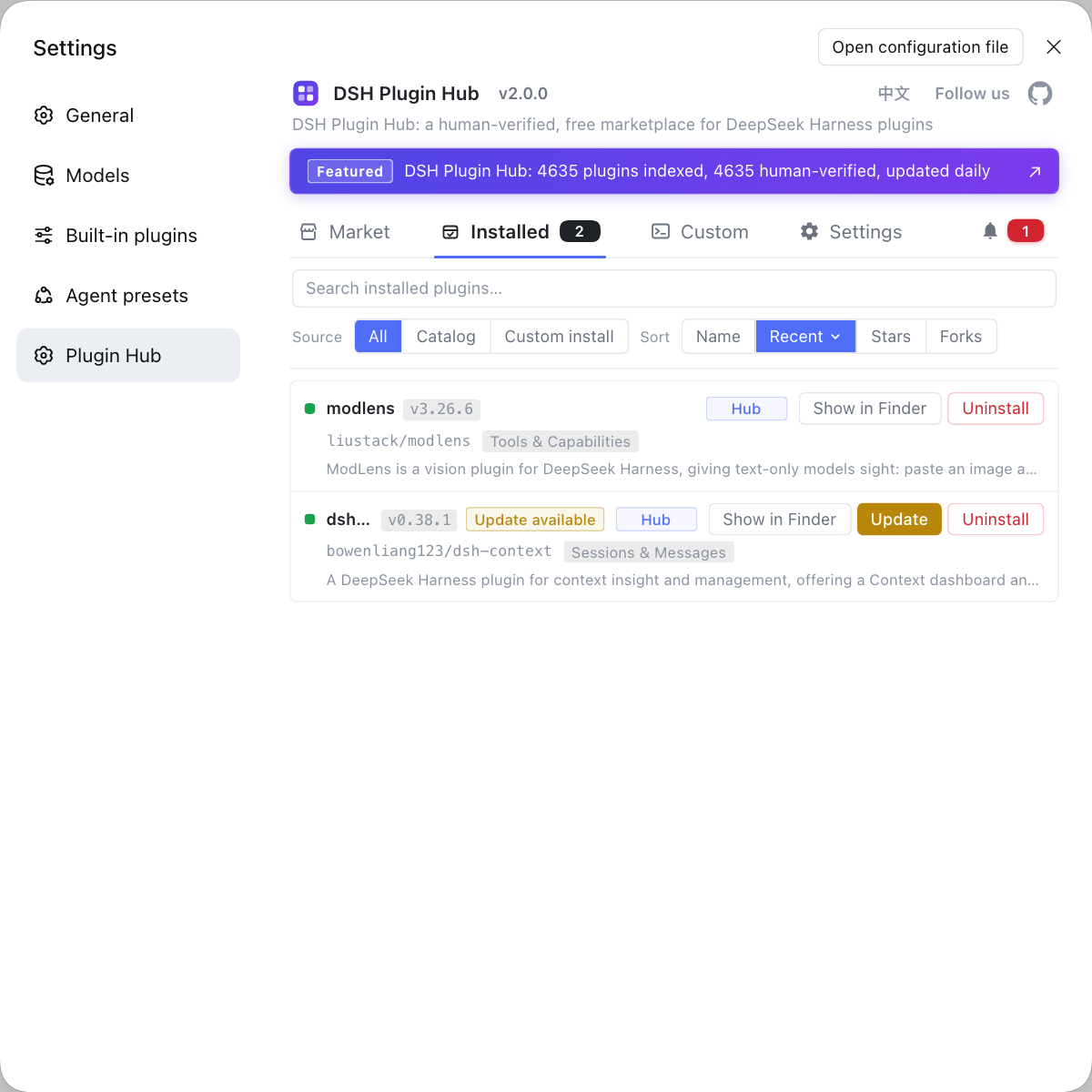
When triaging this kind of issue, being able to see at a glance which plugins are installed, at what version, and what was added recently saves a lot of back-and-forth. Rather than digging through profile directories and crash logs one by one, use a visual marketplace like DSH Plugin Hub: the installed list, versions and update status sit in one place, so answering "was it the plugin I just installed?" gets much faster.
Debugging notes
For this "the UI is only pretending to be alive" family, the rule is: find the uncaught exception first, hunt for feature bugs second. Six points:
- A rendered UI does not mean initialization finished; unresponsiveness often surfaces the failure earlier than any error dialog.
- The crash log is the primary scene: the
Uncaught Errorincrash-*.logis the root cause, while1073807364only marks that the host exited. - The single-versus-both comparison is the cheapest bisection and narrows the scope to "the interaction between two plugins" quickly.
- Read the
idfield in the plugin artifact, not just the plugin name; the collision is on the id, not on the functionality. - A temporary id edit is overwritten by upgrades, so report it upstream and never treat it as a long-term answer.
- Do not dodge a duplicate id with priorities; that shadows one settings page and turns "sessions cannot be created" into "a settings entry mysteriously disappeared".
Source: Discussion #11863.




FAQ
In DeepSeek Harness, look at the desktop crash log rather than hunting for a prompt in the UI. The typical path is %APPDATA%\@deepseek-ai\dsh-desktop\logs\crash-*.log, and it contains Error: dsh desktop host exited with 1073807364 together with an Uncaught Error from the renderer: list slot "settings.section" already has an entry with id "comfyui". Seeing that line pins the cause to a slot collision.
It means two DeepSeek Harness plugins registered their settings pages into the same settings.section slot using the same id. Frontend slots do not allow duplicate ids: the second registration throws an uncaught exception, the UI initialization chain stops, and so the shell stays on screen while the create-session action is never reached.
Because in DeepSeek Harness the collision only happens on the second registration of the same id. With only one plugin, the slot holds a single comfyui entry and the registration is legal. With both, whichever registers later hits the existing id, throws, and aborts initialization. Confirm it by running one-plugin and both-plugin configurations side by side instead of suspecting a functional bug in either plugin.
For DeepSeek Harness, what a user can do is a temporary workaround: change the id in one plugin's registration, for example id: 'comfyui' in dsh-short-video-studio to id: 'comfyui-svs', and both settings pages work after a restart. The permanent fix has to come from the plugin authors, each namespacing their id with a package prefix as the docs require, and both plugins should receive the same report.
Related Terms
- settings.section
- settings.section is a frontend slot defined by DeepSeek Harness that lets a plugin mount its settings page into the settings UI. Every registration needs an id as its unique key, and registering the same id twice throws instead of overwriting.— https://github.com/deepseek-ai/deepseek-harness/discussions/11863
- namespaced slot id
- Namespacing a slot id means prefixing it with the package name, for example dsh-comfyui, so different plugins cannot collide on the same short name. The DeepSeek Harness plugin authoring guide requires slot ids to carry a package prefix; in this case both plugins used the bare id comfyui, which is what caused the collision.— https://github.com/deepseek-ai/deepseek-harness/discussions/11863
- 1073807364
- 1073807364 is the exit code DeepSeek Harness records in its crash log when the desktop host process dies abnormally, commonly after an uncaught renderer exception cascades into a shutdown. It is not the root cause, only a marker that the host is already gone; the real error is the Uncaught Error in the same log.— https://github.com/deepseek-ai/deepseek-harness/discussions/11863
Sources
- #11863 — a plugin slot collision interrupts rendering: duplicate settings.section ids make the whole UI fail to initialize· deepseek-ai (GitHub Discussions)