DSH plugin: npm ETARGET, or installs but will not boot
In the 0.1.5 prerelease-line release accident, npm install -g @deepseek-ai/dsh presented two completely different symptoms at once: one is cannot install — reporting ETARGET: No matching version found for @deepseek-ai/dsh-client-ui-sidebar-documentpreview@^0.1.5-rc.3; the other is installs but will not boot — dsh web exits 1 reporting plugin(s) failed to load: @deepseek-ai/dsh-sandbox-local, and the server never comes up. The two are in fact two facets of the same npm dist-tag drift: latest still pointed at 0.1.5-rc.2, while its 63 sibling dependencies are all ^0.1.5-rc.2 and get resolved by npm to the newer rc.3, forming a "root rc.2 + siblings rc.3" mixed-generation tree (#7542); at the same time the rc.3 version set shipped one member package short, and a prerelease range is satisfied only by versions with the same major.minor.patch, so ^0.1.5-rc.3 has no solution in the registry (#7436). This article proceeds as "triage first → the two mechanisms → three fixes → outcome and troubleshooting notes", with pasteable registry commands and A/B evidence at every step.
Triage first: cannot install, or installs but will not boot
The criteria for these two symptoms are entirely different — one stops at npm install, the other happens when dsh web boots. Look at which step the error appears in first, then match it.
| Criterion | Cannot install (ETARGET) | Installs but will not boot (resolution failure) |
|---|---|---|
| Failing command | npm install -g @deepseek-ai/dsh | dsh web (install already succeeded) |
| Error keywords | npm error code ETARGET / No matching version found | plugin(s) failed to load / could not be resolved |
| Registry level | some member package's some version does not exist | all versions exist, but the dependency tree is mixed-generation |
| Affected tags | next fails directly, latest fails transitively via caret | latest (= rc.2) fails, next (= rc.3) is fine |
| Root-cause side | incomplete release set + prerelease matching rule | caret floating versions + changed hoist layout |
| Cost at the time | brand-new users cannot install | brand-new users install it, and it will not boot |
Two commands to read the registry clearly first
When troubleshooting any "cannot install / installed wrong" problem, the first step is always to read the registry's real state rather than guess:
# 1. Which version each of the three channels points at right now
npm view @deepseek-ai/dsh dist-tags --json

# 2. Which versions a caret range can actually match (can it go forward/backward?)
npm view "@deepseek-ai/dsh-client-ui-sidebar-documentpreview@^0.1.5-rc.3" version

# 3. What sibling dependency ranges the root package declares
npm view @deepseek-ai/dsh@0.1.5-rc.2 dependencies --json
The output on the day of the incident (excerpted from the two reports' measurements):
# when broken
$ npm view "@deepseek-ai/dsh-client-ui-sidebar-documentpreview@^0.1.5-rc.3" version
404 No match found for version ^0.1.5-rc.3

# after the fix
$ npm view "@deepseek-ai/dsh-client-ui-sidebar-documentpreview@^0.1.5-rc.3" version
0.1.5-rc.3                     <- now it resolves

@deepseek-ai/dsh dist-tags:
  latest : 0.1.5-rc.3          <- was 0.1.5-rc.2
  next   : 0.1.5-rc.3
  alpha  : 0.1.7-alpha.2
Mechanism one: a prerelease range cannot "go forward", so a missing member package is a hard failure
In one sentence: the range ^0.1.5-rc.3 is satisfied only by prereleases with the same major.minor.patch, like 0.1.5-rc.3 / 0.1.5-rc.4; once rc.3 is not published, neither 0.1.6-alpha.2 nor 0.1.7-alpha.1 can rescue it, so there is no solution in the registry and ETARGET is the correct result.
The missing member package
The 0.1.5-rc.3 release set was published at 2026-09-22T05:55Z, but @deepseek-ai/dsh-client-ui-sidebar-documentpreview is not in that set at all — its own next tag still pointed at 0.1.5-rc.2 at the time, while dsh and dsh-web-app had both moved next to rc.3. The available documentpreview versions were:
0.1.5-alpha.2, 0.1.5-rc.1, 0.1.5-rc.2, 0.1.6-alpha.1, 0.1.6-alpha.2, 0.1.7-alpha.1
There is no 0.1.5-rc.3. And @deepseek-ai/dsh-web-app@0.1.5-rc.3 declared @deepseek-ai/dsh-client-ui-sidebar-documentpreview@^0.1.5-rc.3, so it breaks the moment you install it.
Why there is "no way back, no way in"
This is an explicit semver rule, and a control experiment with the same package makes it clearest:
$ npm view "@deepseek-ai/dsh-web-app@^0.1.6-alpha.1" version
@deepseek-ai/dsh-web-app@0.1.6-alpha.1 '0.1.6-alpha.1'
@deepseek-ai/dsh-web-app@0.1.6-alpha.2 '0.1.6-alpha.2'
Note that 0.1.7-alpha.1 exists but is not in the list. Likewise, ^0.1.5-rc.3 will not be satisfied by 0.1.6-alpha.2 or 0.1.7-alpha.1, nor will it fall back to 0.1.5-rc.2. The rule "a prerelease range matches only prereleases with the same major.minor.patch" turns this kind of release accident from "partial downgrade" straight into "hard failure" — with no version to fall back to, npm can only report ETARGET.
Why latest goes down with it
dsh@0.1.5-rc.2 (the latest at the time) declared @deepseek-ai/dsh-web-app: ^0.1.5-rc.2, and that range matches both rc.2 and rc.3:
$ npm view "@deepseek-ai/dsh-web-app@^0.1.5-rc.2" version
@deepseek-ai/dsh-web-app@0.1.5-rc.2 '0.1.5-rc.2'
@deepseek-ai/dsh-web-app@0.1.5-rc.3 '0.1.5-rc.3'
npm takes the highest, rc.3, so latest gets dragged into the same broken chain. One member package shipped short, and next fails directly while latest fails transitively via caret — that is why even the default install command was unusable at the time.
Why CI did not catch it
The release script scripts/release/publish.ts publishes a packing directory in recorded order, and its self-described integrity contract is that "every entry in the order settles as either published or already present" (:143-145), with a real integrity check for the "already present" branch (:155-166). But nowhere in the whole flow does anything ask: can the ranges declared by the entries just published actually be resolved on the registry? A post-check (resolving every in-set range the way the two npm view commands above do) would have caught it before latest was dragged down — and that is exactly the step that makes it visible to users.
Mechanism two: with latest at rc.2, 63 sibling dependencies float to rc.3, forming a mixed-generation tree
In one sentence: dsh@0.1.5-rc.2's 63 sibling dependencies are all ^0.1.5-rc.2, which resolve to the higher rc.3; so in a "root rc.2, siblings rc.3" tree, @deepseek-ai/dsh-sandbox-local gets nested two levels down, and at boot one resolution is anchored on the app install directory, giving a straight MODULE_NOT_FOUND.
Two root versions, two layouts
dsh@0.1.5-rc.2 (the then-latest) | dsh@0.1.5-rc.3 (the then-next) | |
|---|---|---|
| Boot (clean DSH_HOME) | exit 1: plugin tree failed to load: @deepseek-ai/dsh-sandbox-local ... could not be resolved, 19 lines of stderr, no URL | alive after 35 seconds, empty stderr, prints dsh web: http://127.0.0.1:<port>/?token=… |
Where dsh-sandbox-local lands | .../dsh/node_modules/@deepseek-ai/**dsh-base**/node_modules/@deepseek-ai/dsh-sandbox-local (plus another copy under dsh-sdk-minimal) | .../dsh/node_modules/@deepseek-ai/dsh-sandbox-local (right beside the app) |
| Installed package count | 563 | 518 |
Same machine, same npm, same Node, a few minutes apart, the only variable is the root version — fully consistent with another community's runner A/B:
| root package | ubuntu-latest | windows-latest |
|---|---|---|
0.1.5-rc.3 | boots | boots |
0.1.5-rc.2 (= the then-latest) | plugin(s) failed to load: dsh-sandbox-local | same failure |
0.1.2-rc.1 | will not boot (a different failure) | will not boot |
Three probes: what fails is the "app install anchor", not the profile directory
This is the most crucial step in the whole thread — it resolves two seemingly contradictory statements:
| Probe | rc.2 | rc.3 |
|---|---|---|
Resolve @deepseek-ai/dsh-sandbox-local from the app install directory (<prefix>/@deepseek-ai/dsh/lib) | MODULE_NOT_FOUND | OK |
| The projection link in the profile directory | present, but pointing two levels deep | present, pointing at the copy beside the app |
| Resolve from the profile directory | OK | OK |
In other words: resolution from the profile directory works (which is why "just probe from the profile directory" never reveals this failure), while the resolution whose failure actually breaks the boot is anchored on the app install directory, which in rc.2's mixed tree cannot reach dsh-sandbox-local. In rc.3 that package is right beside the app, so the same anchor succeeds. "The mixed tree changes the hoist layout" and "resolution can succeed" are therefore both true — they just refer to different anchors.
The refuted hypothesis: pnpm is not a boot prerequisite
At one point the thread popularized "a clean machine has no pnpm, so the profile was never prepared". A controlled experiment ruled it out: rc.3 boots fine on a clean runner without pnpm; and there is no pnpm spawn on the boot path either — apps/cli/src/plugin.ts only reports pnpm was not found for dsh plugin … (the only CLI consumer that forwards its arguments to pnpm), and initProfile merely writes the profile's pnpm-workspace.yaml.
But note the distinction: pnpm is not a "boot" prerequisite, yet it is a "plugin management" prerequisite (dsh plugin … forwards to pnpm). So installing pnpm on a fresh machine is still good practice, just do not treat it as the root cause of a boot failure.
Ruling out another explanation: the install script is not a variable
A controlled comparison on the same Windows machine, the same day, installing the same dsh version five times:
| # | How @deepseek-ai/dsh@0.1.5-rc.2 was installed | Sibling packages resolved to | Copies of dsh-win32-process | dsh --profile headless |
|---|---|---|---|---|
| 1 | npx cache built before rc.3 was published | 231 × rc.2, 0 duplicates | 1 | boots and responds |
| 2 | npm install -g (default, skips install scripts) | 1 × rc.2 root + 270 × rc.3, 28 duplicated packages | 4 | fails |
| 3 | npm install -g --allow-scripts=… | same as #2 | 4 | fails |
| 4 | installed into an empty local project | 1 × rc.2 root + 230 × rc.3, but flat hoist, 0 duplicates | 1 | boots and responds |
| 5 | npx -y @deepseek-ai/dsh@alpha | 267 × alpha.2, 0 duplicates | 1 | boots and responds |
The reading is clean: #2 vs #3 shows the install script is not a variable; #2 vs #4 shows the same mixed rc.2/rc.3 graph boots when flatly hoisted but fails when dsh itself is the tree root; #1 vs #2 is the timeline — an rc.2 installed before rc.3 existed was self-consistent and worked. "Who is the tree root" and "is the layout flat" are the decisive differences.
Three fixes
Fix one (available to users right now): pin by generation, do not install by tag
Idea: make the whole tree one generation, instead of making one package accommodate the rest. The root of the mixed-generation tree is "root rc.2 + siblings rc.3", so pinning the entry to the same generation as the siblings suffices:
# Option A: install next directly (the then = 0.1.5-rc.3), the simplest and most effective route
npm uninstall -g @deepseek-ai/dsh
npm install -g @deepseek-ai/dsh@next

# Option B: pin the version explicitly
npm i -g @deepseek-ai/dsh@0.1.5-rc.3

# While you are at it, install pnpm for plugin management (not a boot prerequisite, but dsh plugin needs it)
npm i -g pnpm
Two caveats:
- "Pin, do not force in one package": adding
@deepseek-ai/dsh-sandbox-localto the dependencies alone only moves one package, while the failure comes from the whole set being inconsistent; pinning the entry to the same generation is what stabilizes the layout. If you insist on staying on rc.2, you would have to pin all 63 sibling dependencies — the same thing, just more typing. - pnpm is a separate half: it cannot fix resolution, but plugin management needs it; installing it first on a fresh machine removes one category of "Cannot find package" noise.
Fix two (the ETARGET case): switch channel or use a local override
If what you hit was "cannot install", the two bypasses available at the time were:
# 1. Switch to the alpha channel (the then = 0.1.7-alpha.1, whose dsh-web-app / documentpreview ranges are self-consistent)
npm install -g @deepseek-ai/dsh@alpha
// 2. In a local project, use overrides to pin the broken link back to the old version
{
  "overrides": {
    "@deepseek-ai/dsh-web-app": "0.1.5-rc.2"
  }
}
alpha works because 0.1.7-alpha.1's dsh-web-app is 0.1.7-alpha.1 and its documentpreview range ^0.1.7-alpha.1 resolves — the whole chain is self-consistent, which is exactly why it is reliable.
Fix three (upstream): move the tag, pin ranges precisely, add direct dependencies, add diagnostics
Upstream fixes targeting the mechanism, in order of importance:
- Move
latestto a self-consistent generation (0.1.5-rc.3boots), or change0.1.5-rc.2's dependencies to exact versions — the current^0.1.5-rc.2allowing a newer prerelease is precisely what created the mixed tree. "Pinning the range" is the structurally more important half: as long as@deepseek-ai/dsh@Xdeclares^Xfor the whole family, one install can take some packages from each of two release generations, and the layout that was packed and probed at release time is not the same layout the user actually gets. - Declare
@deepseek-ai/dsh-sandbox-localas a direct dependency ofdsh, so npm hoists it to the top level no matter how the other packages are arranged. This is harmless but not a cure: in a mixed tree this package, even nested, can be resolved from the profile directory, and the same silent skipping applies to every missing package — it makes the tree more uniform but does not make resolution more correct. - Add a post-release check: in
scripts/release/publish.ts, resolve the declared ranges of the just-published set one by one (using the twonpm viewcommands from this article), catching it beforelatestis dragged down. - Say out loud which dependencies were silently skipped: the closure walk silently
continues for a dependency that is "declared but not found at any anchor" —
const dir = packageDirFromAnchor(next.anchor, dep)
// A declared-but-uninstalled dependency cannot be a loader-visible
// plugin; skip it rather than fail the whole boot.
if (dir === undefined) continue
(packages/boot/app-boot/src/profile.ts:494-496) so the Loader reports only that entry as unresolvable, without saying which package or which manifest declared it. The resolution process already records each package's declarer (master's createRuntimeResolution keeps declarers and versions maps), so printing one line of "what was skipped, declared by whom" turns "incomprehensible" into a five-minute diagnosis. The reporter points out specifically that the summary at the time said "see the error(s) logged above", yet there were no such lines above it — stderr had only the summary and a stack. This diagnostic gap is real.
Outcome: both fixes are already live
The conclusion first: this pit has been filled in, and latest has moved from rc.2 to rc.3, curing both "cannot install" and "will not boot" at once.
$ npm view "@deepseek-ai/dsh-client-ui-sidebar-documentpreview@^0.1.5-rc.3" version
0.1.5-rc.3                     <- previously "404 No match found"

@deepseek-ai/dsh dist-tags:
  latest : 0.1.5-rc.3          <- was 0.1.5-rc.2
  next   : 0.1.5-rc.3
  alpha  : 0.1.7-alpha.2
That is: the missing member package was published, and latest was moved onto it (exactly the first of the two options listed in the original report). An ordinary npm install -g @deepseek-ai/dsh should resolve again; old machines still pinned at rc.2 just need a reinstall.
But the two lessons at the mechanism level still hold, because they describe a "class" rather than "this time":
- The failure is hard rather than graceful, because of the prerelease matching rule:
^0.1.5-rc.3cannot be satisfied by0.1.6-alpha.2or0.1.7-alpha.1— a prerelease range matches only prereleases with the samemajor.minor.patch. Publishing that member package cured this instance but removed no reason for "the next one to be equally silent". - The recommended guardrail is still absent: the release tool's self-described integrity contract is still "Every entry in the order settles as either published or already present" (
scripts/release/publish.ts:143-145), and there is no step that resolves the declared ranges of the just-published entries. Catching it before the tag moves and makes it user-visible remains the cheapest approach.
Troubleshooting notes
First principle: distinguish "cannot install" from "installs but will not boot" first, then read the registry — do not reinstall, do not delete ~/.dsh, do not suspect third-party plugins first. Both root causes live in DSH's own dependencies.
- Read dist-tags first:
npm view @deepseek-ai/dsh dist-tags --json. Wherelatestandnextpoint directly determines which symptom you hit (#7542). - Do not explain a boot failure with "is pnpm installed": there is no pnpm spawn on the boot path; rc.3 boots fine on a clean runner without pnpm. pnpm only affects
dsh plugin …(#7542). - Do not explain it with "the install script did not run":
--allow-scriptsand a default install get the same mixed graph and fail the same way;npx @alphaskips scripts and still boots (#7542). - Run the three probes before concluding: (1) resolve that package from the app install directory; (2) check whether the projection link in the profile exists; (3) resolve from the profile directory. Testing only (3) misses this failure, because the failing resolution is anchored on the app install directory (#7542).
- Distinguish "same graph, different layout": the same mixed rc.2/rc.3 graph boots when flatly hoisted and fails when
dshitself is the tree root. Layout is decisive, not package integrity (#7542). - Read the lines above the summary, not the summary itself:
plugin tree failed to loadis only the conclusion; the actual cause lines are above it — and at the time that stderr did not actually have them. That is also why the report suggests adding "skip diagnostics" (#7542). - Do not extrapolate "rc.2 will not boot" into "all old versions will not boot":
0.1.2-rc.1fails differently (prints a URL then does not respond); attribute environment changes and package changes separately (#7542). - Glance at tag hygiene while you are here: around the same period
@deepseek-ai/dsh-web-app's ownlatestwas still stuck at0.0.1-rc.1. This kind of "tag does not advance" is the same class of problem (scripts/release/families.tsmaps every version containing-tonext, leaving only stable versions to npm'slatestdefault — and a stable version has never been published), worth watching together (#7436, #7542).
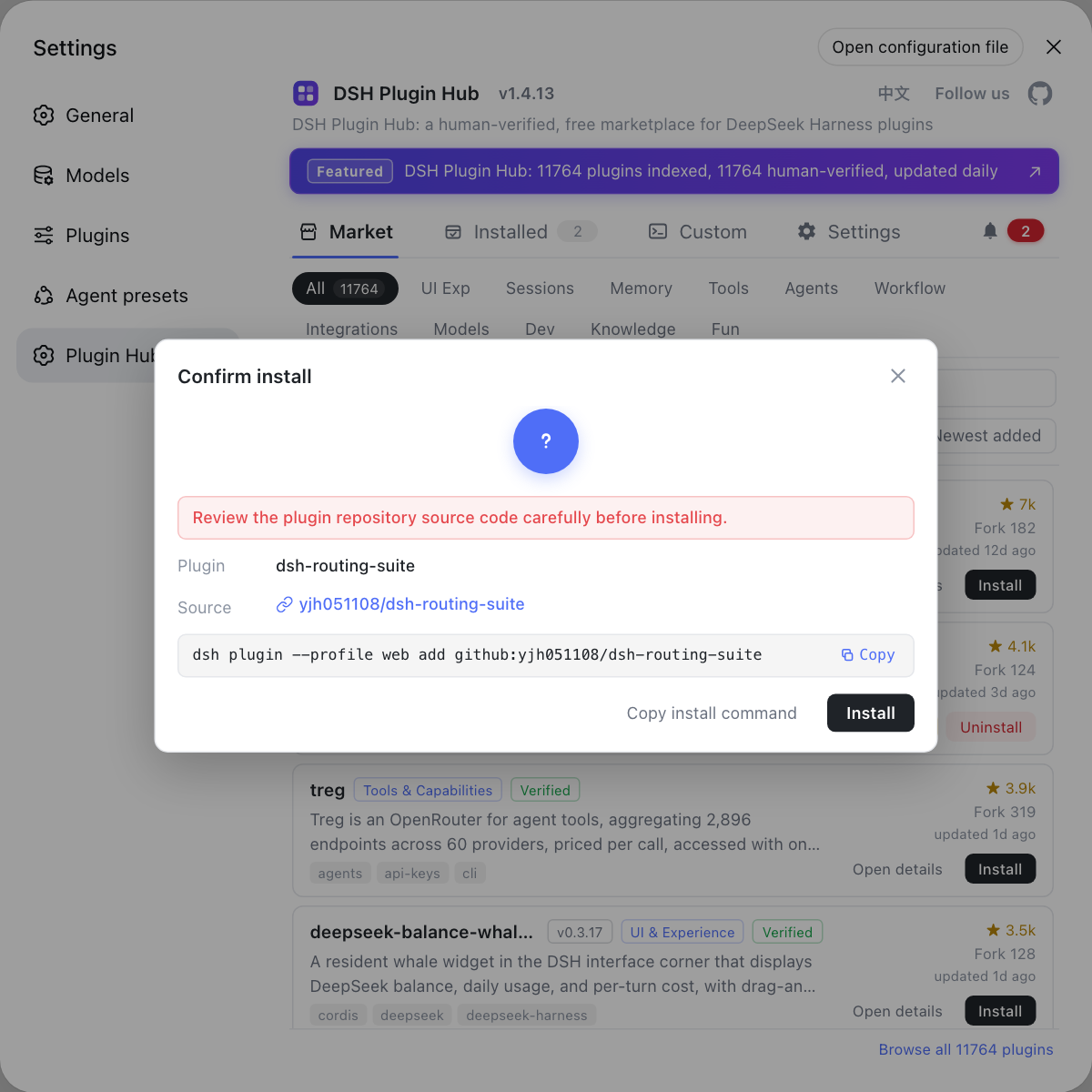
When troubleshooting this kind of problem, use DSH Plugin Hub's custom install panel to confirm which channel you installed from (npm package / GitHub source / DSH command), and check the version number and source in the installed list — pin down "which generation, from where" first, then distinguish install-time absence from boot-time resolution, and you will save a lot of detours.
Source: Discussion #7436, Discussion #7542.
FAQ
Some rc version set **is missing a member package**. When 0.1.5-rc.3 was published, @deepseek-ai/dsh-web-app@0.1.5-rc.3 declared @deepseek-ai/dsh-client-ui-sidebar-documentpreview@^0.1.5-rc.3, but that package's rc.3 was never published (its next still pointed at rc.2 at the time). More importantly, **a prerelease range can only be satisfied by a prerelease with the same major.minor.patch**, so ^0.1.5-rc.3 is neither "fall back to rc.2" nor "move forward to 0.1.6-alpha.x" — no version in the registry can satisfy it, and ETARGET is the correct result, not the resolver being flaky (Discussion #7436).
Because dsh@0.1.5-rc.2 (the latest at the time) declared @deepseek-ai/dsh-web-app: ^0.1.5-rc.2, and that caret range matches both rc.2 and rc.3, so npm picks the highest — **rc.3** — dragging it into the same broken chain. One link breaks, and both the latest and next channels go down together (Discussion #7436).
The latest at the time was 0.1.5-rc.2, and its 63 sibling dependencies are all ^0.1.5-rc.2, which npm resolves to the brand-new **rc.3** — giving a "root rc.2, siblings rc.3" mixed-generation tree. In such a tree @deepseek-ai/dsh-sandbox-local gets nested two levels down, and at boot time one resolution is anchored on the **app install directory**, hence MODULE_NOT_FOUND. The easiest remedy is to **pin by generation rather than install by tag**: npm i -g @deepseek-ai/dsh@0.1.5-rc.3 (or @next), making the whole tree one generation (Discussion #7542).
pnpm is not a **boot** prerequisite. There is no pnpm spawn on the boot path: only dsh plugin … (which forwards its arguments to pnpm) reports pnpm was not found; initProfile merely **writes** the profile's pnpm-workspace.yaml. In a controlled experiment, rc.3 booted fine on a clean runner without pnpm. However, **plugin management** does need pnpm, so installing a global pnpm is still worthwhile (Discussion #7542).
Both spots are already live. The registry can now resolve @deepseek-ai/dsh-client-ui-sidebar-documentpreview@^0.1.5-rc.3 (previously 404 No match found), and latest has moved from 0.1.5-rc.2 to 0.1.5-rc.3 — fixing "cannot install" and "installs but will not boot" together. If your machine is still pinned at rc.2, just reinstall (Discussion #7436).
Related Terms
- prerelease range matching (same major.minor.patch)
- A semver rule: a comparator with a prerelease (such as `^0.1.5-rc.3`) is satisfied only by a prerelease with the **same `major.minor.patch`**. So `^0.1.5-rc.3` accepts `0.1.5-rc.3` and `0.1.5-rc.4` but **not** `0.1.6-alpha.2` or `0.1.7-alpha.1`. This is exactly why "missing rc.3 means no way back and no way forward", and it turns this kind of release accident from "partial downgrade" into "hard failure".— https://github.com/deepseek-ai/deepseek-harness/discussions/7436
- mixed-generation dependency tree
- A dependency tree formed when the root package is one generation (for example `dsh@0.1.5-rc.2`) while its sibling dependencies float to the next generation (rc.3) because of caret ranges. Because `^0.1.5-rc.2`'s prerelease tuple is the same as rc.2's, the higher rc.3 is selected. In such a tree npm's hoist layout differs from a "whole tree one generation" case, and a package can end up nested where the loader cannot see it.— https://github.com/deepseek-ai/deepseek-harness/discussions/7542
- dist-tag drift (latest does not advance automatically)
- `scripts/release/families.ts` maps any version containing `-` to `next` (`alpha`/`canary` each get their own channel), leaving only stable versions to npm's `latest` default. Because a stable `@deepseek-ai/dsh` has never been published, `latest` stays on whatever prerelease it was pointed at originally — **no release automatically advances it**, and an operator must manually change the registry state.— https://github.com/deepseek-ai/deepseek-harness/discussions/7542
- silent skipping (the closure walk's deleted dependencies)
- When the bootstrapper walks the installed dependency closure, for a dependency that is "declared but not found at any anchor" it does `continue` (`packages/boot/app-boot/src/profile.ts:494-496`), neither erroring nor naming it. So when a package is missing from the install, the Loader reports only **that entry** as unresolvable, without saying which package or which manifest declared it. Printing "what was skipped" turns this kind of error from "incomprehensible" into "locatable".— https://github.com/deepseek-ai/deepseek-harness/discussions/7542
Sources
- #7436 — [Bug] dsh@0.1.5-rc.2 / rc.3 not installable: missing @deepseek-ai/dsh-client-ui-sidebar-documentpreview@0.1.5-rc.3· deepseek-ai (GitHub Discussions)
- #7542 — [Bug] latest (0.1.5-rc.2) fails to boot on a clean install: dsh-sandbox-local is not resolved· deepseek-ai (GitHub Discussions)