DSH plugin: silent exit code 0 on Node 24.0/24.1
Running dsh web on Node.js v24.0.x / v24.1.0: it prints nothing, the log file is empty, it never listens on port 3080, and the process then exits with code 0 — looking like a "clean exit" while the CLI body was never executed at all. The root cause is in lib/bin.js's entry guard: if (import.meta.main) await runCli();, and import.meta.main was only introduced in Node v24.2.0 (v22.18.0 on the 22.x line); on v24.1.0 the property is undefined, so runCli() is never called and the process exits cleanly after loading its modules (#6584). Worse, there is no guardrail at all: the root package.json's engines range ^22.19.0 || >=24.0.0 happens to include the problematic 24.0 / 24.1, apps/cli/package.json has no engines whatsoever, and npm itself only warns on engines rather than blocking. This article proceeds as "triage first → root cause and usable boundary → three fixes → the same family and troubleshooting notes".
Triage first: exit code 0, no output, no log — measure the Node version first
For this class of "nothing happened" failure, the first step is always to confirm which Node you are actually running (and whether nvm actually switched) — because there is no other clue in the symptom.
| Criterion | Silent exit from a version breakpoint | A genuine boot failure (port in use / native module / proxy) |
|---|---|---|
| Any output? | none at all (both stdout and stderr empty) | usually an error, a stack, or at least one line of guidance |
| Exit code | 0 | usually non-zero |
| Log file | empty | may have content |
| Listening on a port? | never listens | may already be listening but occupied / will not come up |
| After switching Node versions | recovers immediately | symptom unchanged |
| Key criterion | import.meta.main is undefined | import.meta.main is fine |
Two lines to identify it first
# 1. Which Node you are actually running (after an nvm switch, always reopen the terminal or confirm with an absolute path)
node -v

# 2. Ask the runtime directly: does this API exist?
node -e "console.log(import.meta.main)"
# Node 24.1.0 → undefined   ← this is the issue
# Node 24.2.0+ → true
If step 1 lands on 24.0.x / 24.1.0 and step 2 is undefined, you have essentially pinned it. The value of this criterion is that it rules out "am I being bitten by WDAC / a native module / a proxy" in one stroke — the reporter checked exactly those first and spent a lot of time before finding it was a Node minor-version difference. Another user also mentioned that Node on some open-source mirror stopped exactly at v24.1.0, leading to three hours of troubleshooting a "perfect flash-exit".
Root cause: import.meta.main is undefined on Node 24.0/24.1
In one sentence: the entry check depends on a Node API introduced relatively recently, while the declared minimum Node version includes minor versions that do not support it — so the guard is always false and the CLI never starts.
The entry code (lib/bin.js):
if (import.meta.main) await runCli();
import.meta.main determines "is the current module the entry module", and it was introduced in Node 24.2.0 (22.x line 22.18.0). On v24.1.0 accessing it yields undefined, the if is false → runCli() does not run → the module finishes executing → exit code 0.
The usable boundary verified with real binaries
Reproduced with real Node binaries and the real published CLI (not inferred by reading source):
| Node | import.meta.main | lib/bin.js --version |
|---|---|---|
| 24.1.0 | undefined | (no output, exit 0) |
| 24.2.0 | true | 0.1.5-rc.1 |
| 26.7.0 | true | 0.1.5-rc.1 |
The precise boundary is 24.2.0 and 22.18.0, not a blanket "Node 24" — 24.0.x / 24.1.0 are equally affected. This matters: describing the problem as "Node 24 is incompatible" makes people think they need a major-version downgrade, when in fact they only need to upgrade to ≥ 24.2.
Why engines did not block it
Three reasons compound:
- The range itself is written wrong: the root
package.jsondeclares"engines": { "node": "^22.19.0 || >=24.0.0" }, and>=24.0.0explicitly includes 24.0.0 / 24.1.0, which lackimport.meta.main— the range declares "supported" while it is in fact not. - The entry package has no engines:
apps/cli/package.jsonhas no engines field;apps/cli/src/bin.tsis 66 lines with no runtime Node version check at all. - npm does not block: even if engines existed and were correct, npm only warns on engines and does not prevent installation. So users on 24.1.0 "install successfully" and then silently exit, with no way to connect it to a version mismatch.
One more point on the version-line judgment: the review conclusion is that rc.2 will not fix it — rc.1 / rc.2's entry path is the same master line. This belongs to the "Node versions have no runtime gate" family (#6520 checklist item 7); the linked #4047 (Node 24.0 likewise flash-exits) is in the same family.
Fix one (user side): upgrade Node to ≥ 24.2 or 22.18+
Idea: since the breakpoint is at a minor version, the most direct fix is to raise the runtime past it.
- Use nvm / nvm-windows to switch to Node ≥ 24.2 (or ≥ 22.18 on the 22.x line).
- Reopen the terminal to confirm the switch took effect:
node -v, thennode -e "console.log(import.meta.main)"should betrue. - Run
dsh webagain; it should output normally and listen on a port.
If you use some open-source mirror, note that it may only sync up to v24.1.0 — confirm the target version actually exists before upgrading (exactly the pit another reporter fell into).
Another possible bypass (per the reviewer): install globally and run dsh directly, to sidestep the silent-exit behavior under the npx path. Mechanically, though, the missing import.meta.main is a runtime property issue, so upgrading Node is the correct answer; this bypass only works under a specific entry difference.
Fix two (bridge): dsh-node-compat — usable today
Idea: make the CLI run on the old minor versions without changing upstream. lib/bin.js already exports runCli, and runCli() reads process.argv.slice(2); the launcher just imports the same module, calls runCli() itself, and passes the arguments through verbatim.
npx dsh-node-compat web
# or: npm i -g dsh-node-compat && alias dsh=dsh-compat
Its behavior across runtimes (verified with real binaries):
| Node | import.meta.main | lib/bin.js --version | dsh-compat --version |
|---|---|---|---|
| 24.1.0 | undefined | (no output, exit 0) | diagnostic + 0.1.5-rc.1 |
| 24.2.0 | true | 0.1.5-rc.1 | 0.1.5-rc.1 |
| 26.7.0 | true | 0.1.5-rc.1 | 0.1.5-rc.1 |
Two key properties:
- On runtimes where the guard works it is completely silent — it adds no noise for normal users;
- It never runs twice — when the launcher is the main module, the
import.meta.mainthatbin.jssees isfalse, so it will not callrunCli()a second time itself.
The bridge's npm package and repo: dsh-node-compat (author Robin1987China, a community solution, not an official component; the original run records are in its repo's docs/verification.md).
Fix three (upstream): portable guard + tightened engines + runtime version guard
Idea: decouple the "entry check" from a version dependency, then add two guardrails so same-class problems from now on present as a "loud failure" instead of a "silent exit".
- Switch the entry guard to a portable form (a temporary fix, two lines):
import { fileURLToPath } from "node:url";
if (process.argv[1] === fileURLToPath(import.meta.url)) {
  await runCli();
}
-
Tighten and complete
engines: change it to"node": "^22.19.0 || >=24.2.0", and make sure it is actually included in the published npm package (the entry packageapps/cli/package.jsonneeds it too). Note this only makes it "warn at install time", not a hard block. -
Add a runtime version guard at startup: if Node < 22.19.0, or Node 24.x and < 24.2.0, print the explicit version requirement and exit non-zero. This is the most important of the three — it turns a silent failure into a loud failure, and that is exactly the reporter's core request: "a clear error message or a stricter engines field would save users a lot of trouble."
These three align with the direction of #6605's proposal; the reviewer has added #6584 / #6605 to #6520 item 7's "related discussions".
Troubleshooting notes
First principle: when you hit "exit code 0, no output, no log", measure the runtime's capability with node -e "console.log(import.meta.main)" rather than suspecting system policy or the network. This kind of silent failure erases every conventional clue.
node -valone is not enough to identify it: 24.0.x / 24.1.0 / 24.2.0 are all "Node 24", yet their behavior is completely different. Check by minor version (#6584).- After switching versions with nvm, always reopen the terminal and confirm: a switch that did not take effect will have you repeatedly verifying on the wrong version.
- Do not start by checking WDAC / native modules / proxies: the reporter checked those first and only at the end found it was a version difference. Doing the "two-line identification" first saves a lot of time (#6584).
- Watch for the version ceiling on mirrors: one open-source mirror's Node stopped exactly at v24.1.0, a high-incidence source of this kind of "install then flash-exit"; confirm the target version is genuinely downloadable before upgrading.
enginesis not a guardrail: npm only warns by default and does not block installation; and in this case the engines range itself included the broken versions. The genuinely reliable backstop is a runtime version guard (#6584).- Do not count on rc.2 fixing it along the way: rc.1 / rc.2's entry path is the same master line,
apps/cli/src/bin.tshas no runtime version check andapps/cli/package.jsonhas no engines (#6584). - This is a "family", not an isolated case: #4047 (Node 24.0 flash-exit) and #6520 item 7 (Node versions have no runtime gate) are in the same family; hit one and you can troubleshoot another by the same pattern (#6584).
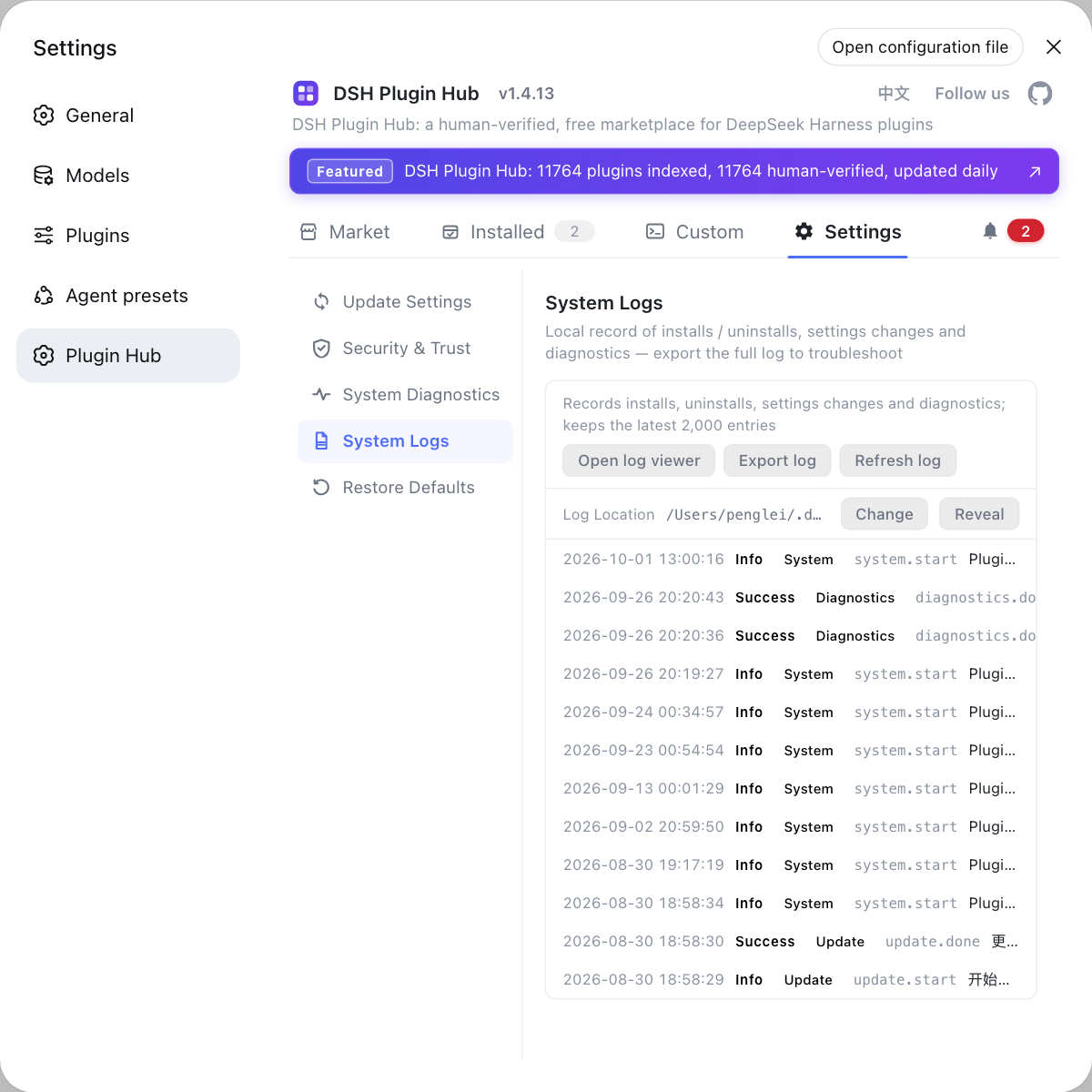
When troubleshooting this kind of problem, use DSH Plugin Hub's system logs page to export diagnostics and confirm the version state of DSH and its plugins — that rules out the "incompatible plugin/component" layer first, before you come back to the Node runtime layer. In this case the root cause is precisely not in any plugin, but at the boundary of runtime capability.
Source: Discussion #6584.
FAQ
It did not crash — **the CLI body was never executed**. The entry guard reads if (import.meta.main) await runCli();, and import.meta.main was only introduced in Node **24.2.0** (**22.18.0** on the 22.x line); on Node 24.0.x / 24.1.0 it is undefined, so runCli() is never called and the process exits cleanly after loading its modules. Hence **no error, no log, exit code 0** (Discussion #6584).
Two reasons compound. First, the root package.json declares the range ^22.19.0 || >=24.0.0, which **itself includes 24.0.0 / 24.1.0, the versions missing import.meta.main**. Second, apps/cli/package.json **has no engines**, and engines does not appear to be carried in the actually published package; and even if it were, **npm only warns on engines, it does not block**. So Node 24.1 "installs successfully" and then silently exits (Discussion #6584).
**It is not a blanket Node 24 problem, it is a minor-version breakpoint.** The usable boundary verified with real Node binaries is **24.2.0** and **22.18.0** — 24.0.x / 24.1.0 are affected, and 24.2.0 onward is fine. So just upgrade to **Node ≥ 24.2** (or 22.18+); no major-version downgrade is needed. The linked #4047 (Node 24.0 likewise flash-exits) belongs to the same family (Discussion #6584).
You can use the community bridge dsh-node-compat for now: it imports the same lib/bin.js (which already exports runCli), calls runCli() itself, and passes the arguments through verbatim — npx dsh-node-compat web, or npm i -g dsh-node-compat && alias dsh=dsh-compat. On runtimes where the guard works it is completely silent; on runtimes where the guard fails it prints a diagnostic first. It will not run twice, because when the launcher is the main module, the import.meta.main that bin.js sees is false (Discussion #6584).
No. The review conclusion is that rc.1 / rc.2's entry path is **the same master line**: apps/cli/src/bin.ts is 66 lines with **no runtime Node version check at all**, and apps/cli/package.json has no engines either. This belongs to the "Node versions have no runtime gate" family (#6520 checklist item 7) and needs an upstream entry guard to be truly fixed (Discussion #6584).
Related Terms
- import.meta.main
- A Node.js ESM meta-property for determining "is the current module the entry module". It was only introduced in **Node 24.2.0** (**22.18.0** on the 22.x line); before that, accessing it yields `undefined`. Using it as a guard (`if (import.meta.main) await runCli()`) silently skips "the body that should have run" on older minor versions — the direct cause of the silent exit in this article.— https://github.com/deepseek-ai/deepseek-harness/discussions/6584
- portable entry detection
- An equivalent form that does not depend on `import.meta.main`: `import { fileURLToPath } from "node:url"; if (process.argv[1] === fileURLToPath(import.meta.url)) { await runCli(); }`. It holds on every supported runtime, so decoupling the "entry check" from a version dependency is one of the most direct temporary fixes for this accident.— https://github.com/deepseek-ai/deepseek-harness/discussions/6584
- engines field (npm)
- The `package.json` field declaring the required runtime environment, for example `"engines": { "node": "^22.19.0 || >=24.2.0" }`. Two things are commonly misunderstood: first, **npm only warns on engines by default and does not prevent installation**; second, the range itself must be written correctly — including unsupported minor versions is more misleading than omitting it. The genuinely reliable backstop is a **runtime version guard**: print the explicit requirement and exit non-zero when unmet.— https://github.com/deepseek-ai/deepseek-harness/discussions/6584
- silent failure
- A process that produces no output, no non-zero exit code, and even an illusion that "everything is fine". It is harder to troubleshoot than a crash, because every conventional clue (error stack, log, exit code) is gone — in this case the reporter checked WDAC policy, native module builds, and proxy settings before finally finding it was a Node minor-version difference. **Turning a silent failure into a loud failure is itself a fix.**— https://github.com/deepseek-ai/deepseek-harness/discussions/6584
Sources
- #6584 — Bug Report: dsh 0.1.5-rc.1 silently exits on Node.js v24.1.0· deepseek-ai (GitHub Discussions)