Fix Body Timeout Error with local models in DeepSeek Harness
A DeepSeek Harness run against a local model that dies after roughly five minutes with TypeError: terminated / BodyTimeoutError / UND_ERR_BODY_TIMEOUT is hitting the default bodyTimeout of Node's built-in fetch (undici), which is 300000 ms — and the harness adds a second 300-second gate of its own, an idle watchdog, so both must be raised together. Ollama is the backend most exposed because it sends no bytes at all while generating write arguments. Fix the two timeouts, the retry policy, and the backend keepalive together, and long outputs finish.
What the DeepSeek Harness 5-minute cutoff looks like
The failure lands at exactly 5:00 and takes one of two shapes: timeout first, then terminated after one round of configuration changes. From community reproductions:
- The undici stack straight out:
TypeError: terminated at Fetch.onAborted (node:internal/deps/undici/undici:13842:53), followed byname: "BodyTimeoutError",code: "UND_ERR_BODY_TIMEOUT",message: "Body Timeout Error"(#4518). - The error renames without moving in time: after adding timeout keys to
settings.yaml, the failure reason changes fromtimeouttoterminatedbut stays pinned to the five-minute mark — the first gate was bypassed, and the second one took over at the same instant. - Strong correlation with output size: in one measured setup, short turns always completed (every answer under 400 tokens landed) while long turns always died (everything over 2500 tokens reported
terminatedat 5:00). The trigger is the phase where a local model thinks for a long time before writing anything — typically awritecall that generates an entire file in one shot (one turn wrote a 5.8 KB file in a single call, precisely the action that never survived before the fix). - Evidence visible at the relay: with a proxy between the harness and the model server, you see the same byte size resent every five minutes (for example
120 493 bytesrepeating). Identical sizes mean a retried request rather than a conversation moving forward. On the Ollama side, the server log showscancel task, and the previous completion often took suspiciously close to five minutes. - Backends differ: llama.cpp emits an SSE ping every 30 seconds, and that trickle of data keeps the HTTP layer alive, so a 200K-token prefill running for 30+ minutes does not trigger the same
bodyTimeout. Ollama has no such keepalive by default, so it always does.
The DeepSeek Harness two-timeout mechanism: undici bodyTimeout and the idle watchdog
Two independent five-minute gates sit on the same request path, and that is the single most misdiagnosed part of this problem. Source-verified findings (#4518, at cd5ef81481 / 0.1.2-alpha.1):
- The undici layer:
bodyTimeoutdefaults to 300000 ms (undici docs). The harness tree contains no override ofbodyTimeoutanywhere (a full grep returns zero hits), so it relies entirely on the third-party SDK's fetch mapping.timeoutMsdoes get forwarded verbatim (theprofileOptions()atpackages/llm/llm-pi-ai/src/adapter.ts:127spreads it intoSimpleStreamOptions), but whether the SDK maps it onto undici'sbodyTimeoutor onto some other timer is the SDK's decision — which is why tuning it at the harness config layer does not necessarily clear the undici gate. - The harness layer:
DEFAULT_STREAM_IDLE_TIMEOUT_MS = 300_000is defined twice, once per adapter —packages/llm/llm-pi-ai/src/config.ts:43andpackages/llm/llm-deepseek/src/adapter.ts:138. It is a watchdog armed on every stream read (idleWatchdoginpackages/util/timeout/src/index.ts:126-180): eachiterator.next()re-arms the timer, and zero bytes for longer thanstreamIdleTimeoutMsaborts the turn withLLM_STREAM_IDLE_TIMEOUT. The accepted maximum is 2147483647 ms. - The key must live on the active route: a top-level
timeout:is ignored; the keys belong under the provider dict you selected in the model picker (usuallyollama). This is the most common reason "I edited settings.yaml and nothing changed". - Source edits only matter when you run from source: under
npx dshor a global install, the process loads the published package, so patchingadapter.tsin a git checkout does nothing. A patch has to target the compiled artifact atnode_modules/@earendil-works/pi-ai/dist/api/openai-completions.js. - Two secondary killers: the Shell plugin's 120-second command timeout is measured from the moment the tool call is created, so a slow local model filling
writearguments can exhaust it before a single byte hits disk; and with llama.cpp--parallel 1, an overlapping main-agent/subagent (or compaction) request is deferred by the server with zero bytes back, so both the 300-second headers timeout and the watchdog fire at once (#4518).
DSH plugin configuration: raising both timeouts for long local-model output
The recipe is two keys raised together, plus removing the retry that turns one timeout into five, plus backend keepalive — and a new session afterwards. Community-verified combination:
- Put both keys on the same route, with values sized to your workload (a one-hour example):
llm-pi-ai:
  providers:
    ollama:
      timeoutMs: 3600000            # forwarded to the pi-ai SDK
      streamIdleTimeoutMs: 3600000  # harness idle watchdog (default 300000)
-
Verify and restart the session:
dsh web --dump-configshows whether the composed route carries the new values (some users report the config not appearing in the dump while still being honoured, so check both ways). Then open a new session — an in-flight turn keeps its old bounds. Make sure you run the same route you configured. -
Drop TIMEOUT retries: remove
TIMEOUTfromretryPolicy.retryableCodes(or setmaxRetries: 0). Each retry resends the entire prompt, so the default five retries can turn one timeout into a 30-minute stall. -
A route that does not touch node_modules: install the
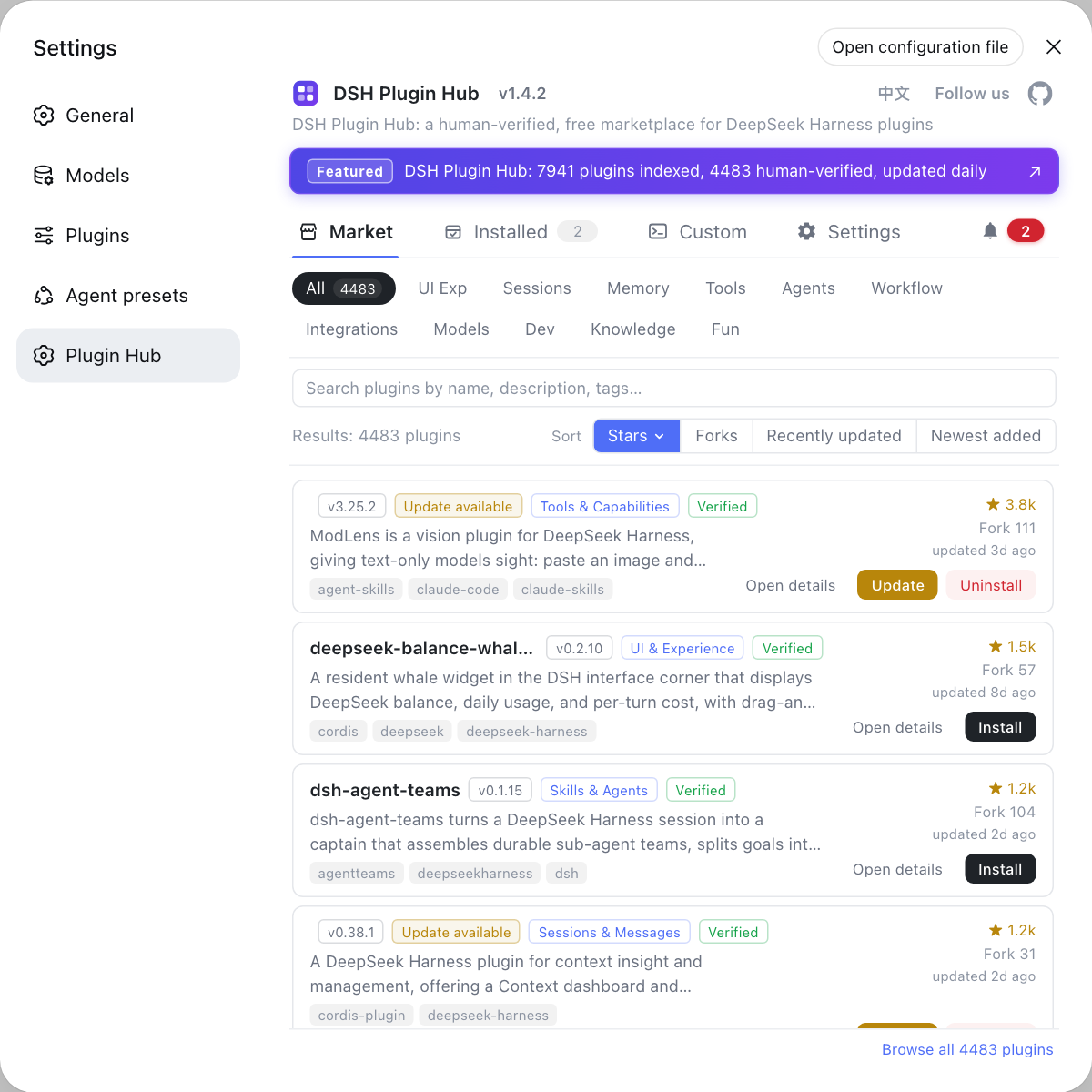
dsh-fetch-timeoutsplugin. It defaults bothheadersTimeoutandbodyTimeoutto 30 minutes, is overridable in the profile'scordis.patch.yml, applies process-wide to everyfetch(acceptable for a single-user local deployment), and still honours proxy settings whenNODE_USE_ENV_PROXYis set. Note that it does not raise the harness watchdog, sotimeoutMsandstreamIdleTimeoutMsstill need to go up with it (dsh-fetch-timeouts). Install it from DSH Plugin Hub (Settings → Plugin Marketplace) or directly:shdsh plugin --profile web add dsh-fetch-timeouts -
Reduce load on the backend: raise Ollama's
keep_alive, tuneOLLAMA_NUM_PARALLEL, and shrink single-request size (segment output or stream incrementally) so the response body is not silent for minutes. -
Handle overlapping requests separately: the llama.cpp
--parallel 1stall is a queueing problem — the community plugindsh-llm-gate(#4995) holds requests inside the harness until a slot is free, sidestepping both 300-second timers at the source. -
The source-patch route (not for daily use): add an undici
Agentdispatcher toopenai-completions.jssobodyTimeout/headersTimeoutmatch the adapter's timeout (#3157). Two traps: undici is not a dependency of the harness, so importing it throwsERR_MODULE_NOT_FOUNDuntil younpm install undici; and the patch lives in node_modules, so every reinstall of the harness wipes it.
Other provider-route configuration for local models (model lists, context, image capability) is covered in local model configuration; connection and authentication errors are in model connection troubleshooting.
DSH plugin troubleshooting notes
Read the error name to pick the gate, then trust the five-minute mark — most misdiagnoses come from blaming the model for being slow. Five points to keep in mind when a DeepSeek Harness plugin talks to a local model:
- Read the error name before choosing a gate:
UND_ERR_BODY_TIMEOUT/Body Timeout Errorpoints at the undici layer;timeoutor a turn ending withLLM_STREAM_IDLE_TIMEOUTpoints at the harness watchdog;terminatedonly says the connection was cut, so judge it by timing and relay logs. - Five minutes on the nose is the strongest clue: any failure pinned to 5:00 should be blamed on these two 300000 ms defaults first, not on a slow model.
- Changing config without a new session changes nothing: a running turn keeps the old bounds.
- The Shell plugin timeout is a separate clock: it starts when the tool call is created, so slow local models need it widened independently.
- Patches are lost on reinstall: keep node_modules patches in your deployment notes, or re-check whether a newer plugin version already covers the capability after each upgrade.
Sources: Discussion #4518, Discussion #3157, undici Client docs, d3vmeh/dsh-fetch-timeouts.
FAQ
In DeepSeek Harness, the built-in fetch client (undici) gives every request a bodyTimeout that defaults to 300000 ms (five minutes) and aborts the connection when it expires. A local model produces zero response bytes while it thinks or generates the arguments for a write call, and Ollama sends no keepalive in that window, so the timeout fires exactly at 5:00 with a stack ending in undici's Fetch.onAborted (source: Discussion #4518).
A DSH plugin in DeepSeek Harness has two independent gates sharing the same 300-second default: undici's bodyTimeout and the harness's own stream idle watchdog (DEFAULT_STREAM_IDLE_TIMEOUT_MS = 300_000, defined in llm-pi-ai/src/config.ts:43 and llm-deepseek/src/adapter.ts:138). Raising only one hands the decision to the other at the same instant, which is why the error name changes but the timing does not; both keys must be raised together (source: Discussion #4518).
In DeepSeek Harness both keys must sit under the provider route you actually selected in the model picker (the dict key is usually ollama); a top-level timeout: is ignored. Verify with dsh web --dump-config that the route shows the new values (some users report the file not appearing in the dump while still being honoured), then open a new session — a running turn keeps its old bounds. If you launch via npx or npm i -g, editing sources has no effect because the process loads the published package (source: Discussion #3157).
A DSH plugin named dsh-fetch-timeouts fixes DeepSeek Harness local-model 5-minute timeouts without patching node_modules: install it with dsh plugin --profile web add dsh-fetch-timeouts. It raises both headersTimeout and bodyTimeout to 30 minutes with overrides in the profile's cordis.patch.yml, and you still need to raise timeoutMs and streamIdleTimeoutMs on the ollama route as well. Also drop TIMEOUT from retryPolicy.retryableCodes, raise Ollama's keep_alive, and reduce single-request size (source: d3vmeh/dsh-fetch-timeouts).
Related Terms
- undici bodyTimeout
- The response-body timeout of undici, the fetch implementation built into Node.js. It defaults to 300000 ms and fires when no data flows between sending the request and receiving the complete body, surfacing as UND_ERR_BODY_TIMEOUT / Body Timeout Error.— https://undici.nodejs.org/#/docs/api/Client
- streamIdleTimeoutMs
- DeepSeek Harness's own stream idle watchdog threshold, defaulting to 300000 ms and configured per selected provider route. Every stream read resets the timer; zero bytes for longer than the value aborts the turn with LLM_STREAM_IDLE_TIMEOUT. Maximum accepted value is 2147483647.— https://github.com/deepseek-ai/deepseek-harness/discussions/4518
- keep_alive (Ollama)
- keep_alive is the Ollama server's model-residency duration parameter; it decides how long a model stays in memory after a request finishes. It does not change whether bytes flow in the response body — Ollama sends nothing while producing tool-call arguments, whereas llama.cpp emits an SSE ping every 30 seconds, which is why the same configuration behaves differently on the two backends.— https://github.com/deepseek-ai/deepseek-harness/discussions/4518
Sources
- deepseek-harness Discussion #4518: Body Timeout Error with a local model (stack trace plus a source check of both 300-second gates)· deepseek-ai (GitHub Discussions)
- deepseek-harness Discussion #3157: timeout increase for local LLMs in llm-pi-ai (streamIdleTimeoutMs key and an undici dispatcher patch)· deepseek-ai (GitHub Discussions)
- undici docs: Client bodyTimeout / headersTimeout defaults· undici
- d3vmeh/dsh-fetch-timeouts: community plugin that raises headersTimeout / bodyTimeout· GitHub